MacOS Terminal Now Blocks Pasted Commands From Websites
What You Need to Know
- Apple added Terminal protections blocking pasted commands from external sources to prevent social engineering attacks.
- “Possible malware” alerts warn users before execution, but allow bypass with “Paste Anyway” option for trusted commands.
- Known malware triggers stricter blocks without simple bypass options, distinguishing suspicious from confirmed threats.
- Users can report false positives, indicating the detection system remains under refinement.
The real threat these warnings address is not exotic malware but a social engineering tactic: scammers paste instructions into chat windows or websites, then ask users to run them in Terminal themselves. Apple’s new macOS protections target that specific attack vector, which has become common enough that it warranted a dedicated system-level response.
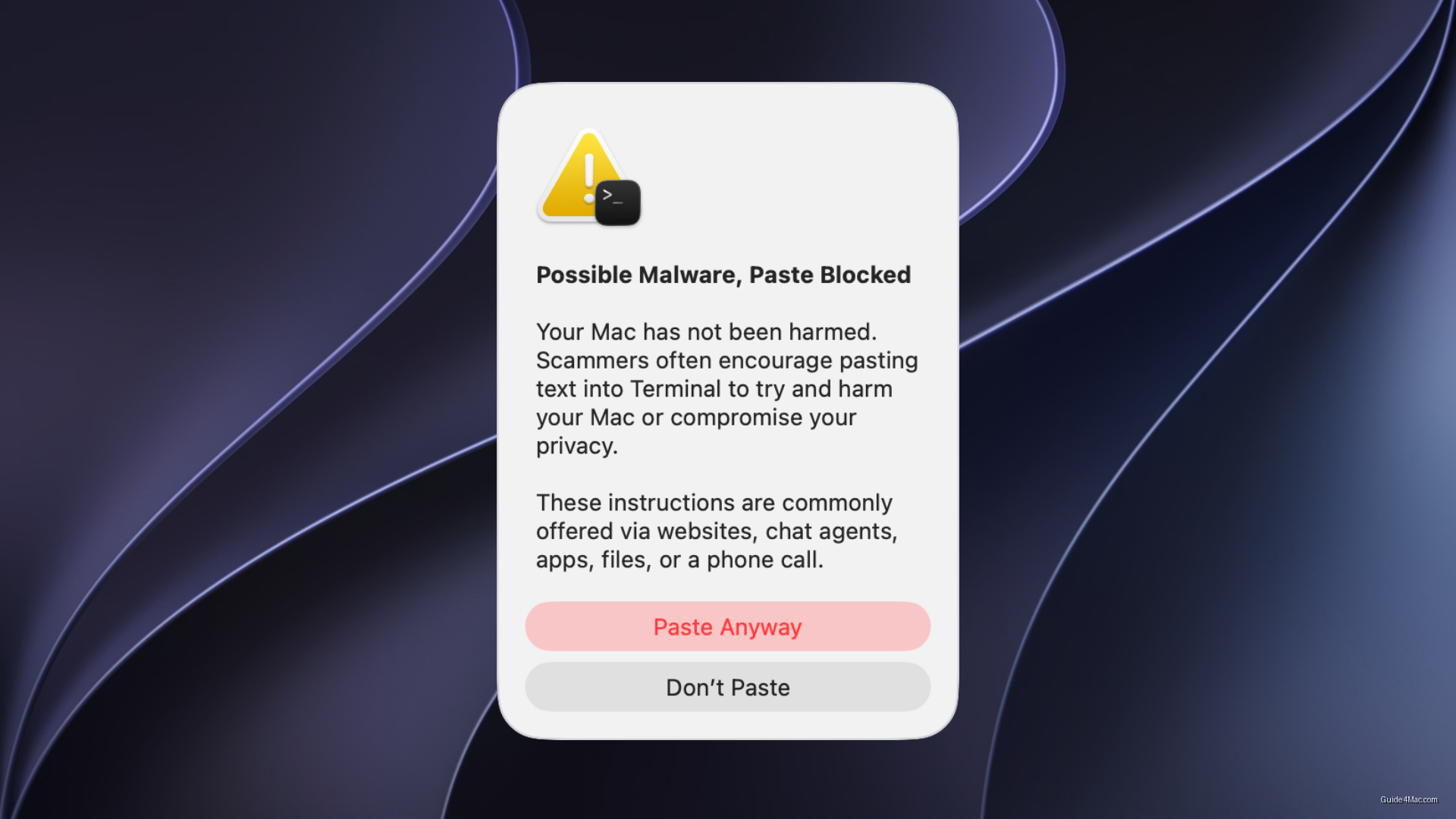
When Terminal detects a pasted command from an outside source, such as a website, messaging app, email, or chat agent, it now surfaces a “Possible malware, Paste blocked” alert. Apple is explicit that the warning does not mean a Mac has already been compromised. The block happens before execution, giving users a moment to reconsider what they are about to run.
Users who recognize the command and trust its origin can still proceed by selecting “Paste Anyway,” though Apple flags that doing so carries risk. That opt-out path matters: Terminal is a tool professionals rely on daily, and a protection that cannot be bypassed at all would create its own problems.
Stricter Blocks for Known Malware
Two additional alerts, “Malware Detected, Paste Blocked” and “Malicious Script Blocked,” operate differently. These appear when macOS identifies a command or script as known malware, and Apple does not offer a simple continue option in those cases. The distinction between a suspicious paste and a confirmed threat is handled at the system level, not left to the user.
Apple also includes a reporting path for false positives, allowing users to flag commands that were blocked because a linked website was incorrectly labeled as deceptive. That feedback loop suggests the detection system is still being refined rather than treated as settled.
Terminal has always been a high-stakes environment where a single command can expose or delete data. Layering warnings at the paste stage, rather than asking users to audit commands after the fact, reflects a practical read of how most people actually get tricked.




0 Comments