How to Save Your Movies and TV Shows Before iTunes Wish List Disappears
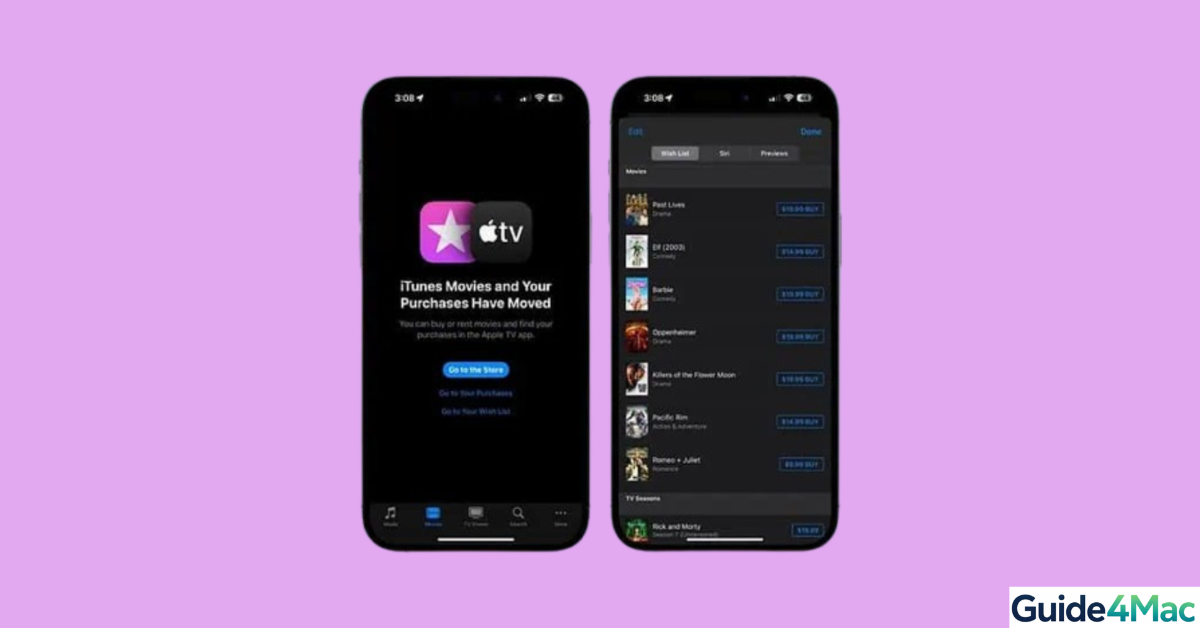
Apple is removing the iTunes Wish List feature, which many users relied on to save movies and TV shows for later. This change affects iTunes Store accounts and Apple TV devices that displayed the Wish List as “Favorites.” To prevent losing your saved items, migrate them to the Apple TV app Watchlist before the feature disappears.
In this guide, you will learn how to move your movies and TV shows from the old iTunes Wish List to the Apple TV Watchlist and maintain easy access to your content.
Why Is the iTunes Wish List Going Away?
Apple is consolidating media services into the Apple TV app, making the legacy Wish List obsolete. Users with existing Wish Lists received emails with a PDF of their saved items and instructions on transferring them. This change ensures a unified media experience across Apple devices.
Move Your Saved Items to Apple TV Watchlist
To preserve your Wish List titles:
- Open the email from Apple regarding the Wish List removal.
- Download the attached PDF containing your saved movies and TV shows.
- Click each link in the PDF to open the corresponding page in the Apple TV app.
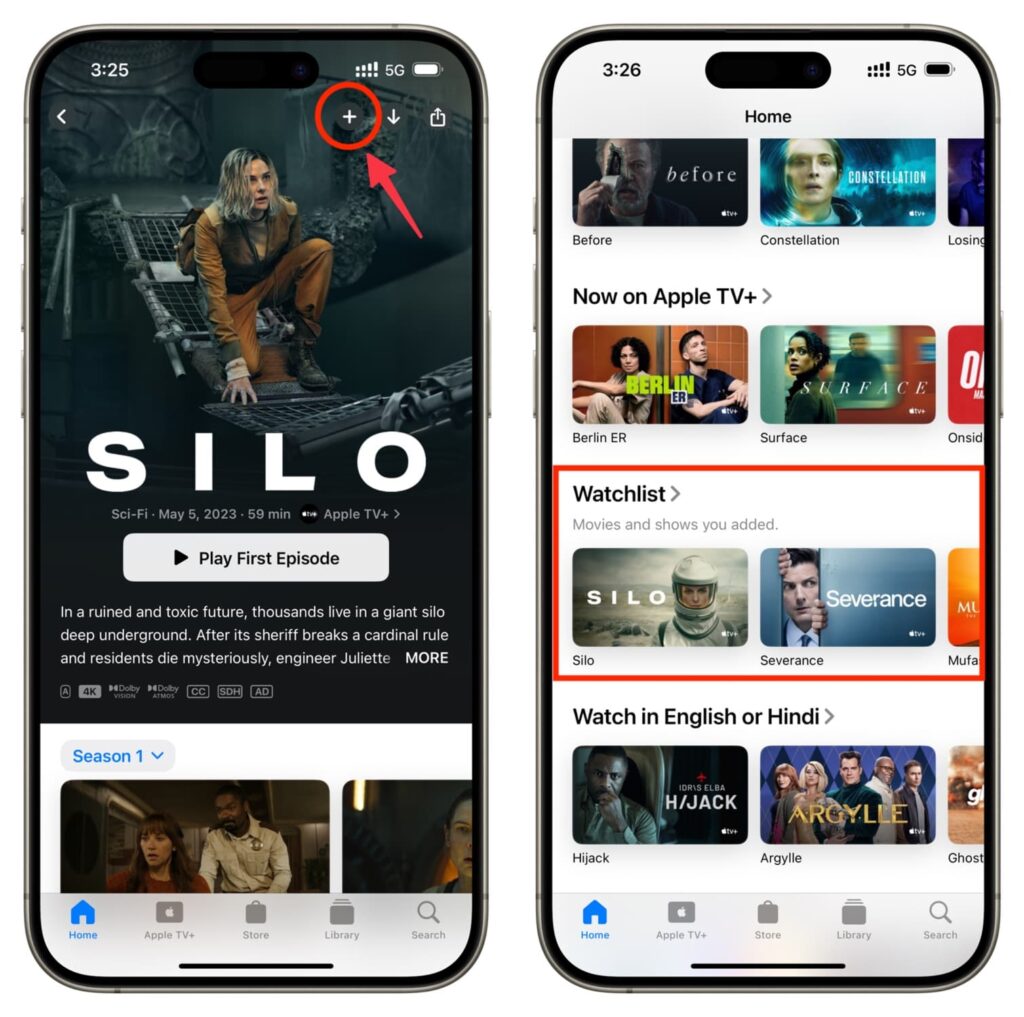
- Tap the “+” button on each title’s page to add it to your Watchlist.
- The titles now appear in the Continue Watching section within the Apple TV app.
Tips If You Can’t Find the PDF or Email
- Check your email spam or junk folder for Apple’s notice.
- Search the iTunes Store app on your iPhone or iPad; items may still appear temporarily.
- If needed, rebuild your Watchlist manually in the Apple TV app.
After the Change
Once the Wish List is removed:
- It will no longer be accessible in any Apple service.
- Apple TV Watchlist will serve as your primary method to save and track movies and shows.
- Users who want alerts for sales or price drops can use third-party apps for tracking.
Alternative Apps for Tracking Movies and TV Shows
⮕ JustWatch
JustWatch tracks movies and TV shows across multiple streaming platforms. It allows you to create watchlists, receive alerts for price changes, and check content availability.
Key Features:
- Track movies and shows across streaming platforms
- Notifications for availability and price changes
- Personalized watchlists
⮕ Reelgood
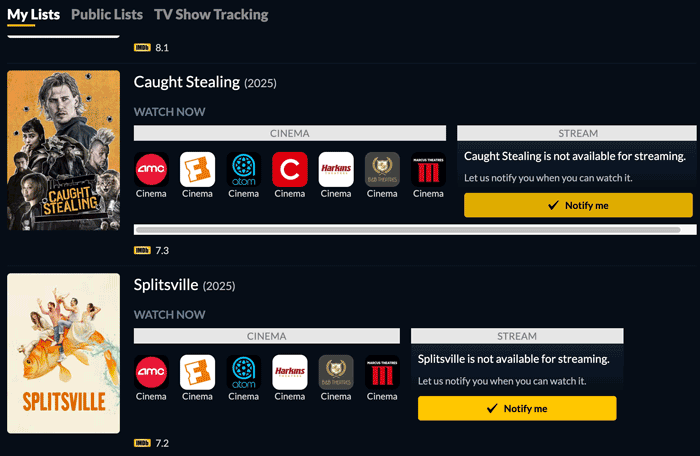
Reelgood aggregates content from various streaming services and helps you manage your watchlist. It offers detailed search filters, personalized recommendations, and notifications.
Key Features:
- Consolidates multiple streaming services
- Personalized watchlists and recommendations
- Alerts for new releases and price drops
Tips
- Migrate early to avoid losing items.
- Use Apple TV Watchlist to consolidate all your media.
- Third-party apps can help track availability and prices.
- Regularly check and manage your Watchlist.
Keep Your Movies and Shows Organized
Migrating your iTunes Wish List items ensures you retain access to your favorite movies and TV shows. Combining Apple TV Watchlist with apps like JustWatch or Reelgood enhances tracking, notifications, and cross-platform availability.
Key Takeaways
The iTunes Wish List is being retired, but Apple provides a method to transfer your titles to the Apple TV Watchlist using a PDF. This maintains access to your movies and TV shows. Third-party apps can supplement Apple’s Watchlist for price alerts and cross-service tracking, helping you stay on top of your media collection.
FAQ
You will lose access to all items once Apple removes the feature.
No, each PDF link must be opened individually and added to the Apple TV Watchlist.
Yes, JustWatch and Reelgood track content across multiple streaming services.
Yes, purchased content remains accessible even after Wish List removal.
Yes, third-party apps like JustWatch and Reelgood provide alerts and notifications for price changes and new releases.


0 Comments