guide4mac.com
  • How To Guides
  • Best of
  • Comparisons

Fix

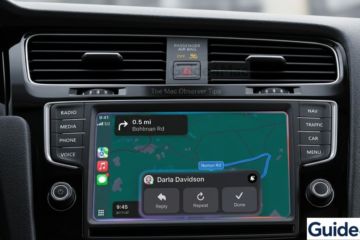
A 3D render of an iPhone 17 Pro running iOS 26 displaying an active Apple CarPlay dashboard with navigation and a prominent text notification from Darla Davidson, demonstrating the focus of the Mac Observer troubleshooting guide.
Fix

How to Fix Apple CarPlay Not Working: Step-By-Step

If Apple CarPlay is not working, it can prevent you from accessing navigation, music, calls, and messages while driving. This issue may appear when your iPhone fails to connect to the car system, CarPlay does not launch, or apps stop responding on the vehicle display. This guide explains the most Read more
By Carl Sanson, 2 weeksMarch 17, 2026 ago
Not Receiving iPhone Verification Texts
Fix

iPhone Not Receiving Verification Texts? Check These Fixes

If your iPhone is not receiving verification texts, you may be unable to sign in to apps, confirm accounts, or complete two factor authentication. These messages usually come from banks, social media platforms, or Apple services and are often required to verify your identity (or else you cannot login). In Read more

By Carl Sanson, 2 weeksMarch 17, 2026 ago
Fix

Fix Mac Error “Your system has run out of application memory”

When the “Your system has run out of application memory” error appears, your Mac is on the verge of a total system freeze. This isn’t just a RAM problem; it’s a critical failure of your SSD to provide “Swap Space.” If your hard drive is cluttered with hidden system data, Read more

By Robert Granstone, 2 monthsJanuary 26, 2026 ago
Fix

How to Fix System Data Huge / Large on Mac?

The “System Data” category in macOS storage management is frequently the largest consumer of disk space on modern Mac SSDs. This label encompasses everything from local Time Machine snapshots and APFS file system metadata to expansive application support libraries and cached assets. When this partition scales beyond 100GB, it typically Read more

By Robert Granstone, 2 monthsJanuary 24, 2026 ago
Fix

How to Fix System Data is Huge / Large on Mac?

The “System Data” category in macOS storage management is frequently the largest consumer of disk space on modern Mac SSDs. This label encompasses everything from local Time Machine snapshots and APFS file system metadata to expansive application support libraries and cached assets. When this partition scales beyond 100GB, it typically Read more

By Robert Granstone, 2 monthsJanuary 24, 2026 ago

Posts pagination

Previous 1 2

Recent Posts

  • How to Fix iCloud Syncing Paused on iPhone [2026 Guide]
  • MacBook Pro HDMI Not Working on TV? Fix Video Output Issues Fast
  • How to Fix AirPods Pro Static Noise in One Ear (Step-by-Step Guide)
  • Apple Celebrates 50th Anniversary With Iconic Product Timeline
  • How To Airdrop from iPhone to Windows PC: Simple Methods
  • Privacy Policy
  • Cookie Policy
  • Terms of Service
  • Disclosure
  • Contact Us
Hestia | Developed by ThemeIsle