Complete List of macOS Versions in Order: Cheetah to Tahoe
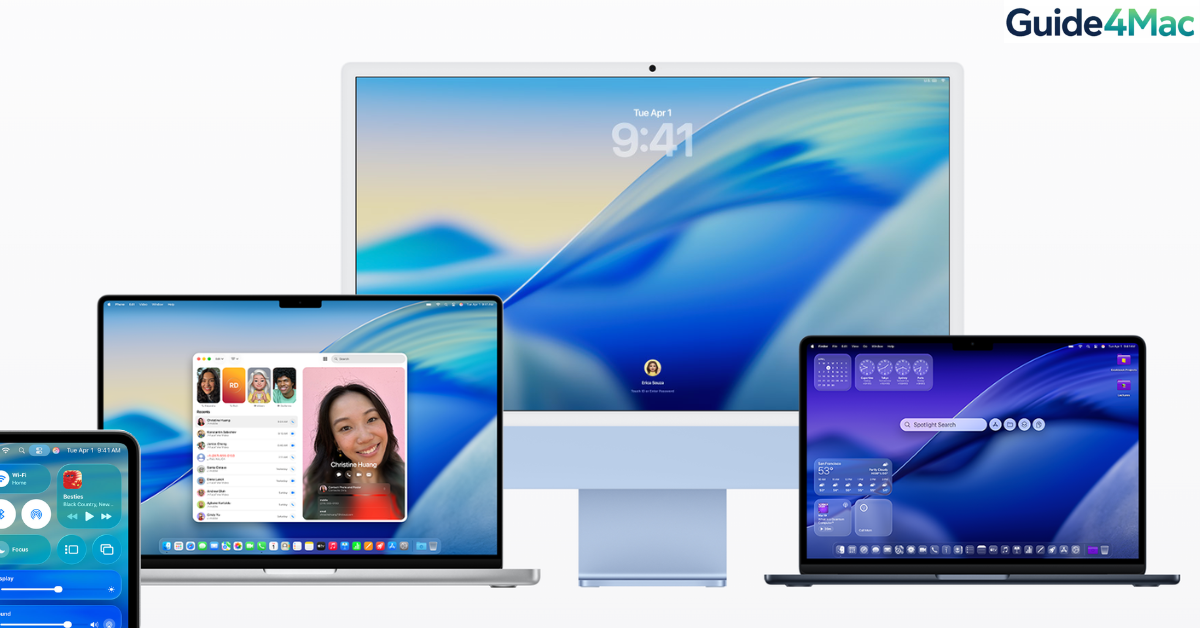
The evolution of the Mac operating system is a journey from the early Unix-based stability of Mac OS X to the modern, AI-integrated powerhouse of macOS 26 Tahoe. Understanding the chronological order of these releases is essential for determining app compatibility, security support, and hardware limitations.
Notably, in 2025, Apple shifted its naming convention. After macOS 15 Sequoia, the company skipped sequential numbers to align with the calendar year, moving directly to macOS 26. This unifies the versioning across iOS, iPadOS, and macOS for easier tracking.
The Complete macOS Timeline (2001–2026)
| Version Number | Code Name | Release Date | Key Features & Milestones |
| macOS 26 | Tahoe | Sept 15, 2025 | Liquid Glass UI, year-based naming, final Intel support. |
| macOS 15 | Sequoia | Sept 16, 2024 | iPhone Mirroring, Apple Intelligence (AI) tools. |
| macOS 14 | Sonoma | Sept 26, 2023 | Interactive Desktop Widgets, Game Mode, Aerial Screensavers. |
| macOS 13 | Ventura | Oct 24, 2022 | Stage Manager, Continuity Camera (using iPhone as webcam). |
| macOS 12 | Monterey | Oct 25, 2021 | Universal Control, Shortcuts for Mac, SharePlay. |
| macOS 11 | Big Sur | Nov 12, 2020 | Major UI redesign, first version for Apple Silicon (M1). |
| macOS 10.15 | Catalina | Oct 7, 2019 | End of 32-bit app support, iTunes split into Music/TV/Podcasts. |
| macOS 10.14 | Mojave | Sept 24, 2018 | Dark Mode, Stacks, Mac App Store redesign. |
| macOS 10.13 | High Sierra | Sept 25, 2017 | Apple File System (APFS), HEVC video support. |
| macOS 10.12 | Sierra | Sept 20, 2016 | Siri comes to Mac, name changed from “OS X” to “macOS”. |
| OS X 10.11 | El Capitan | Sept 30, 2015 | Split View multitasking, Metal graphics API. |
| OS X 10.10 | Yosemite | Oct 16, 2014 | Flat design overhaul, Handoff/Continuity features. |
| OS X 10.9 | Mavericks | Oct 22, 2013 | First free update, iBooks and Maps added to Mac. |
| OS X 10.8 | Mountain Lion | July 25, 2012 | Messages, Notification Center, Game Center. |
| OS X 10.7 | Lion | July 20, 2011 | Launchpad, AirDrop, first version available via App Store. |
| Mac OS X 10.6 | Snow Leopard | Aug 28, 2009 | Refinement focus, Mac App Store, Intel-only support. |
| Mac OS X 10.5 | Leopard | Oct 26, 2007 | Time Machine, Spaces, Boot Camp. |
| Mac OS X 10.4 | Tiger | April 29, 2005 | Spotlight, Dashboard, transitioned to Intel processors. |
| Mac OS X 10.3 | Panther | Oct 24, 2003 | Finder Sidebar, FileVault, Safari replaced Internet Explorer. |
| Mac OS X 10.2 | Jaguar | Aug 23, 2002 | Quartz Extreme, iChat, Address Book. |
| Mac OS X 10.1 | Puma | Sept 25, 2001 | CD/DVD burning, improved system stability. |
| Mac OS X 10.0 | Cheetah | March 24, 2001 | The first major release of the modern Unix-based OS. |
Key Historical Transitions
1. The Naming Evolution
- Mac OS X (10.0–10.7): Named after Big Cats (Cheetah, Tiger, Lion).
- OS X (10.8–10.11): The “Mac” was dropped from the name briefly.
- macOS (10.12–Present): Rebranded to align with iOS and watchOS, naming shifted to California landmarks.
2. The Processor Shifts
- PowerPC to Intel (2005): Tiger (10.4) was the bridge that enabled Macs to run on Intel chips.
- Intel to Apple Silicon (2020): Big Sur (11.0) marked the launch of the M1 chip.
- Final Intel Support (2025): macOS 26 Tahoe is the last version to support Intel-based Macs officially.
3. Version Numbering Change
Starting with macOS 26 Tahoe, Apple unifies all OS version numbers with the calendar year. This means the 2026 release will likely be macOS 27, ensuring users can immediately tell how old their software is relative to the current year.
How to Check Which macOS Version You’re Using
Time needed: 3 minutes
Requirements: Access to your Mac’s desktop.
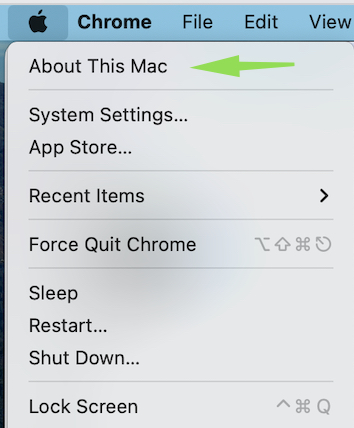
- Open the Apple Menu
Click on the Apple logo (). This opens the primary system menu regardless of which application you are currently using.
- Select “About This Mac”
From the dropdown menu that appears, click on About This Mac. This command triggers a system query to pull your hardware and software specifications.

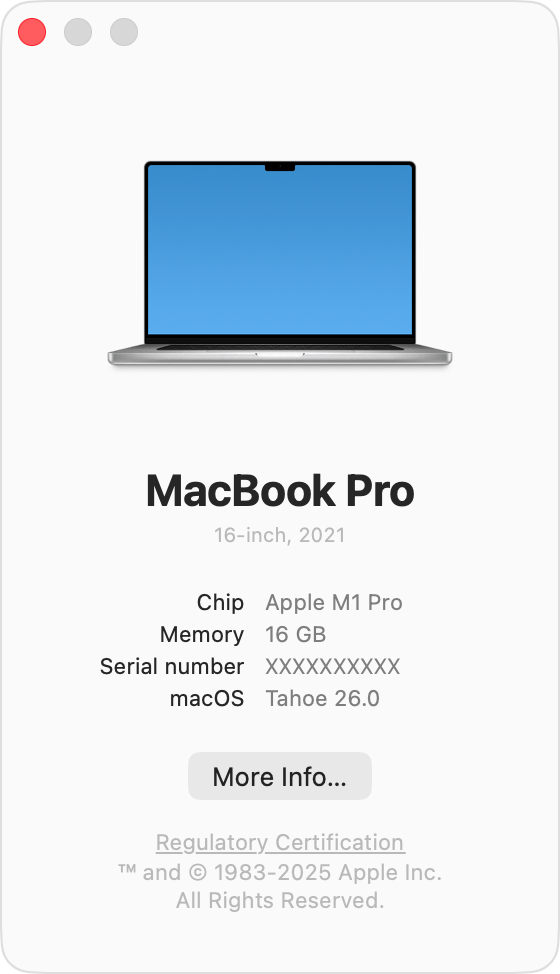
- Identify Your macOS Version
A window will appear on your screen. Here, you will see the macOS Name (e.g., Tahoe or Sequoia) displayed in large text, followed by the specific Version Number (e.g., 26.3.1) directly underneath it.
Key Takeaways
Since 2001, Apple has released 22 major versions of its desktop operating system. Moving from the initial Mac OS X 10.0 (Cheetah) to the current macOS 26 (Tahoe), the system has undergone three major processor transitions and a shift to year-based versioning in 2025. Today, macOS Tahoe serves as the standard, featuring the Liquid Glass UI and the final legacy support for Intel hardware.
FAQ
The latest version is macOS 26 Tahoe, released on September 15, 2025. As of March 2026, the current stable build is macOS 26.3.1.
To simplify its ecosystem. By 2025, iOS was at version 19 and macOS at 15. Apple synchronized them all to “26” (based on the upcoming year 2026) to provide a consistent version number across all Apple devices.
Currently, Apple provides full security updates for macOS 26 Tahoe, macOS 15 Sequoia, and macOS 14 Sonoma. Support for macOS 13 Ventura officially ended in late 2025.
Yes, but it is the final version to support Intel processors. Certain features, like advanced Liquid Glass rendering, require the Neural Engine found in M-series chips.


0 Comments