How Old Is My iPhone? 3 Simple Ways to Check in Seconds
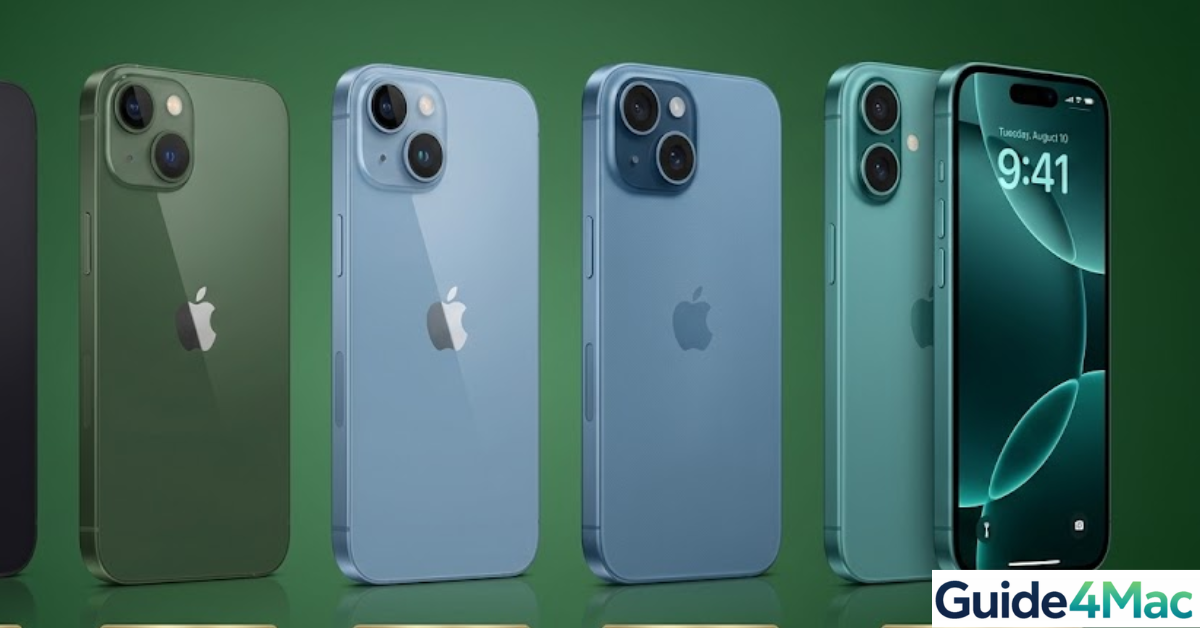
Here’s a quick reality check: most iPhone users upgrade every 2–3 years… but a huge number don’t actually know how old their current device is. And yeah—this matters more than you think. Battery health, software updates, resale value… it all depends on your iPhone’s age.
If you’ve ever thought “Did I buy this in 2021… or was it earlier?”, don’t worry. You can find out in under a minute—no tech skills needed.
How to Find Out How Old Your iPhone
1. Check Manufacture Date in Settings (iOS 17.4+)
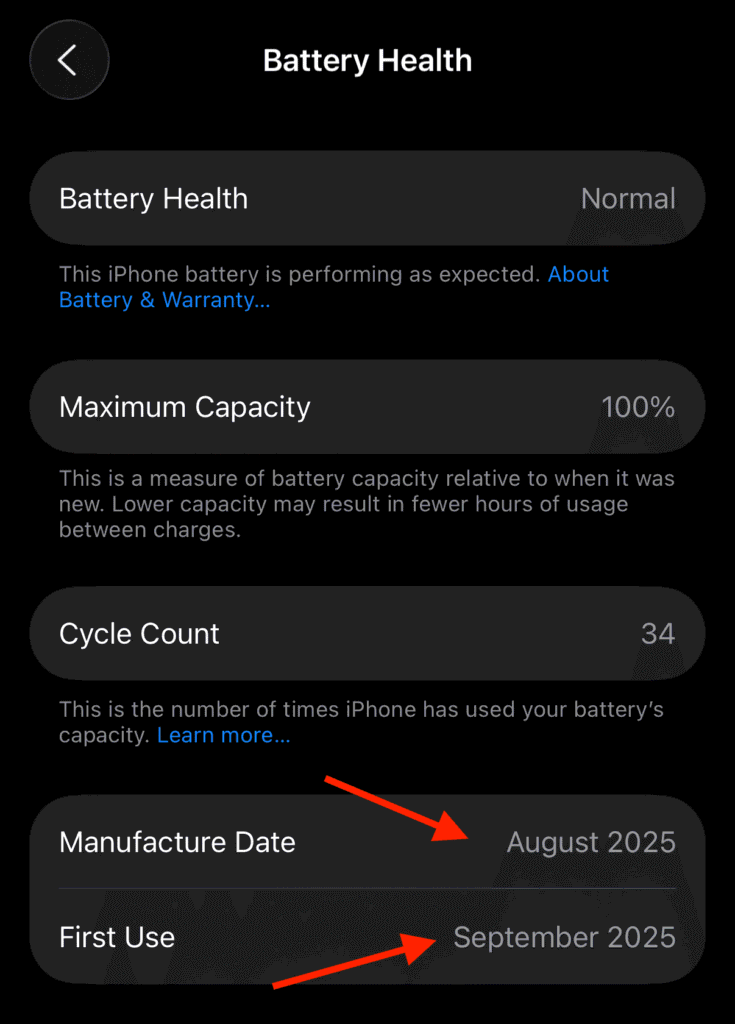
For users with newer hardware, such as the iPhone 15 series and later, Apple has made the manufacturing information directly accessible within the software. This is the most accurate way to see exactly when your specific unit was assembled.
- Open the Settings app.
- Navigate to Battery > Battery Health.
- Scroll down to find the Manufacture Date, First Use date, and Cycle Count.
2. Identify Model Name and Release Year
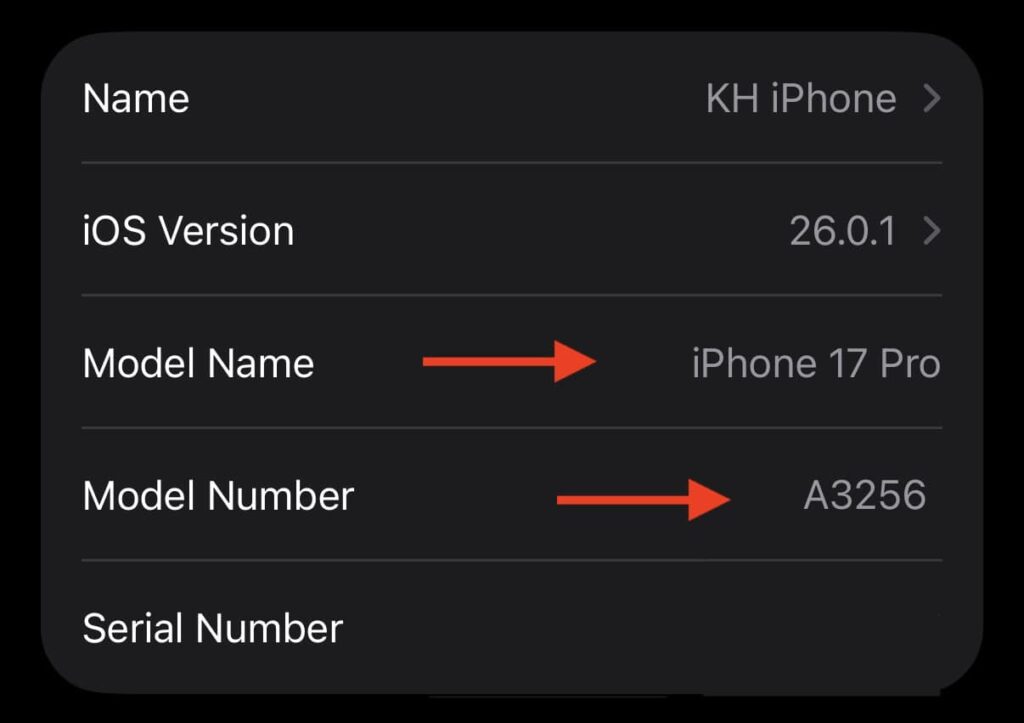
If you have an older device or simply want to know the general age of the model, you can use the model name to find its original launch date. This tells you the “generation” age of the phone rather than the specific manufacture date of your unit.
- Go to Settings > General > About.
- Note the Model Name (e.g., iPhone 13 Pro).
- Search for that model’s release date. For example, the iPhone 13 series was released in September 2021.
Pro Tip: You can also find the Model Number (starting with “A”). Tapping it reveals a specific code you can cross-reference with Apple’s model identification list to see the exact year that specific version was introduced.
3. Check Apple’s Warranty Coverage
Apple’s “Check Coverage” tool is the best way to find the Purchase Date, which is often more relevant than the manufacture date for warranty and resale purposes.
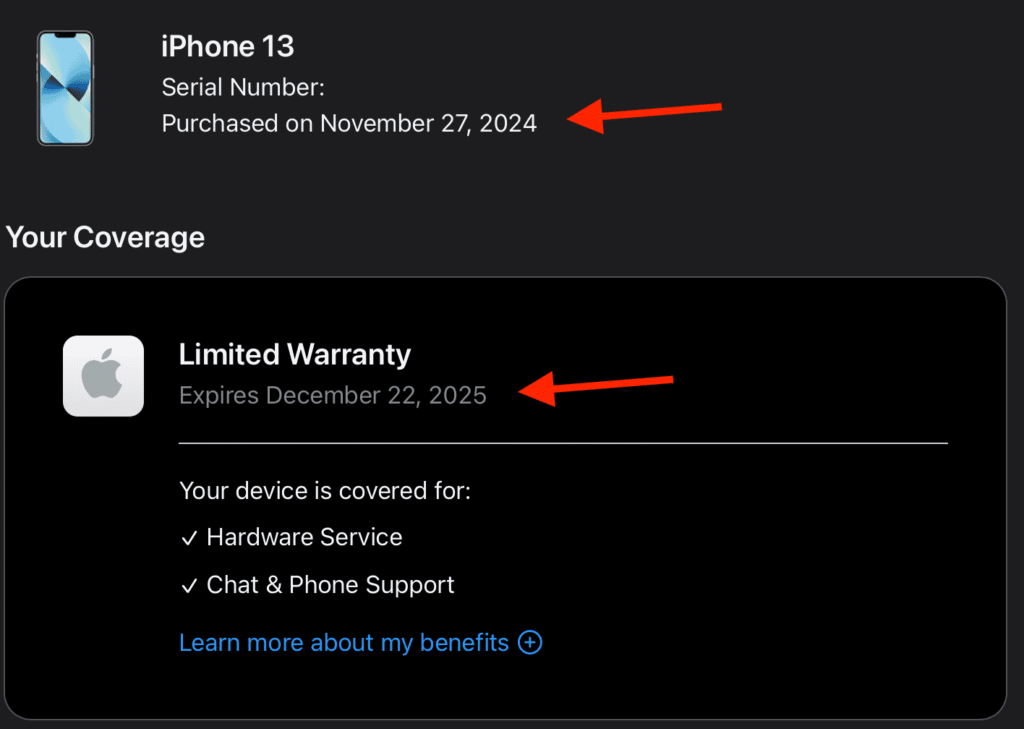
- Find your Serial Number in Settings > General > About.
- Visit the official Apple Check Coverage website.
- Enter your serial number and the security code.
- The results will show your Valid Purchase Date and whether your device is still covered by AppleCare or the limited warranty.
Note: If the exact date isn’t shown, you can often estimate it by subtracting one year from the “Repairs and Service Coverage” expiration date.
Summary of iPhone Age Indicators
| Method | Information Provided | Best For |
| Battery Health | Specific month/year of assembly | iPhone 15 and newer |
| Model Name | General release year of the generation | All iPhones |
| Check Coverage | Original activation/purchase date | Warranty & Resale |
Alternative Methods to Check iPhone Age
If you want a bit more precision (or just like double-checking things), here are a couple extra ways:
- Check the original box: Apple prints the manufacturing details there
- Use third-party tools: Some websites estimate production week from serial number
- Ask your carrier: They often have activation records
Fixes and Troubleshooting
If things aren’t lining up, here’s how to sort it out:
- Double-check the serial number: Even one wrong character breaks the lookup
- Sign into the correct Apple ID: Especially if you’ve used multiple accounts over time
- Check multiple methods: Model number + serial number together gives better accuracy
- Look at iOS support: Older devices stop receiving updates earlier
Helpful Tips to Understand Your iPhone Age Better
A couple of practical tips that make this way easier going forward:
- iPhones usually get 5–6 years of iOS updates
- Battery performance often drops after 2–3 years
- Resale value drops significantly after 3–4 years
- Keep your Apple ID updated—similar to how you’d manage credentials when you change your email password on iPhone
FAQs? (People Also Ask)
Use the serial number on Apple’s coverage page for the most accurate estimate.
Not exactly—it shows the release year, not your specific purchase date.
Yes, using purchase history or email receipts.
Check the serial number and combine it with the model release date.
This can happen with older devices or if Apple limits lookup details.
Most last 5–6 years with updates, but performance may drop earlier.

0 Comments