When to Replace iPhone Battery? The Health % Guide (2026)
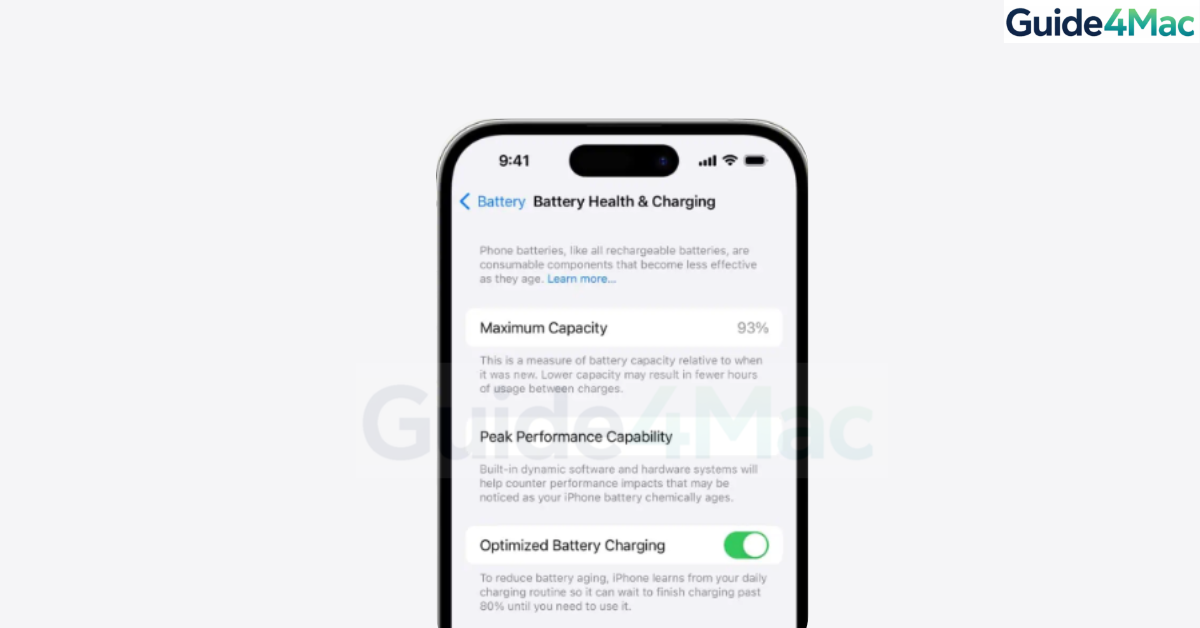
If you’re wondering when to replace your iPhone battery based on health percentage, the answer mostly depends on the battery health reading inside iOS and how your phone behaves during daily use. Apple includes a built-in tool that shows how much capacity your battery still has compared to when it was new.
In this guide, you’ll learn how to check your iPhone battery health, what the percentages actually mean, and the signs that tell you it’s time for a replacement. We’ll also cover practical tips to extend battery lifespan and help you decide whether you should replace the battery or keep using your device.
If your battery problems also involve power issues, you may want to review these fixes for an iPhone that won’t charge as well.
Why Should You Replace Your iPhone Battery?
All iPhones use lithium-ion batteries that slowly lose capacity over time. Battery health measures how much charge your battery can still hold compared to when the device was new.
When the maximum capacity decreases, the battery drains faster and may struggle to deliver peak performance. Apple states that once the battery health drops to 80 percent or lower, it is considered significantly degraded and replacement is recommended for optimal performance.
1. Check Your iPhone Battery Health Percentage
Before deciding whether to replace the battery, check its current health in iOS.
- Open Settings.
- Tap Battery.
- Select Battery Health & Charging.
- Check the Maximum Capacity percentage.
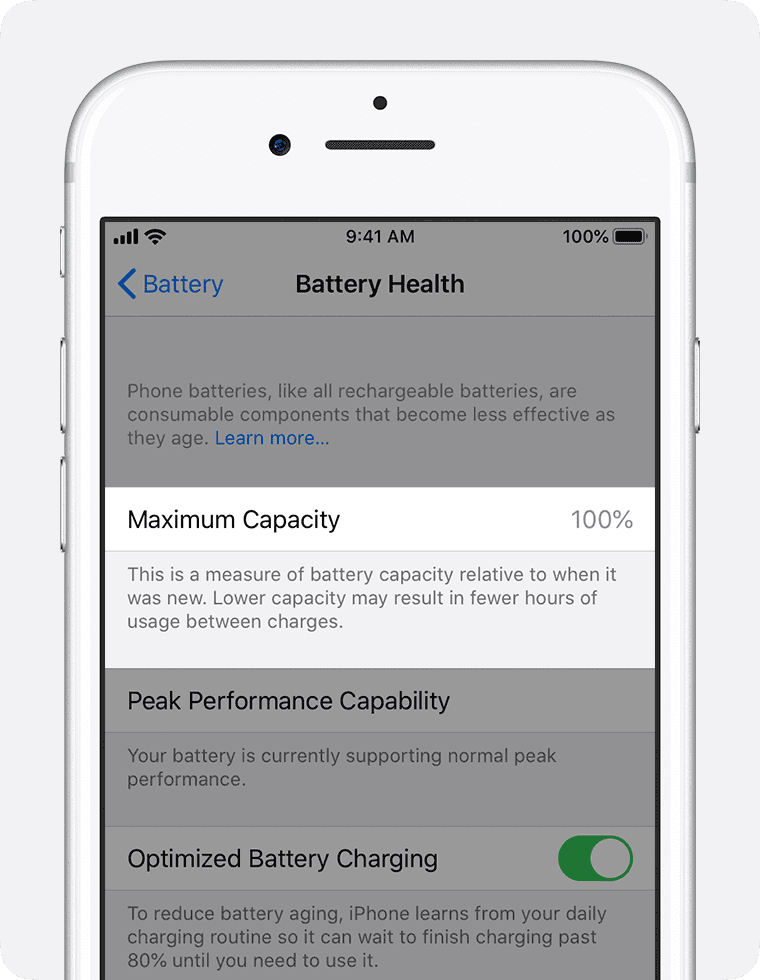
The percentage shows how much capacity remains compared to a brand-new battery. For example, 90 percent means the battery can hold about 90 percent of its original charge.
If your iPhone has serious power issues along with battery health warnings, you may also need troubleshooting similar to an iPhone stuck in Emergency SOS.
2. Replace the Battery When Health Drops to 80%
Apple uses 80 percent maximum capacity as the main guideline for replacement.
Once your battery drops to this level, it may no longer hold enough charge for normal daily usage.
Typical symptoms include:
- Battery draining quickly
- Shorter screen-on time
- Random shutdowns
- Slower performance due to power management
When the battery becomes severely degraded, you may also see the message: “Your battery’s health is significantly degraded.”
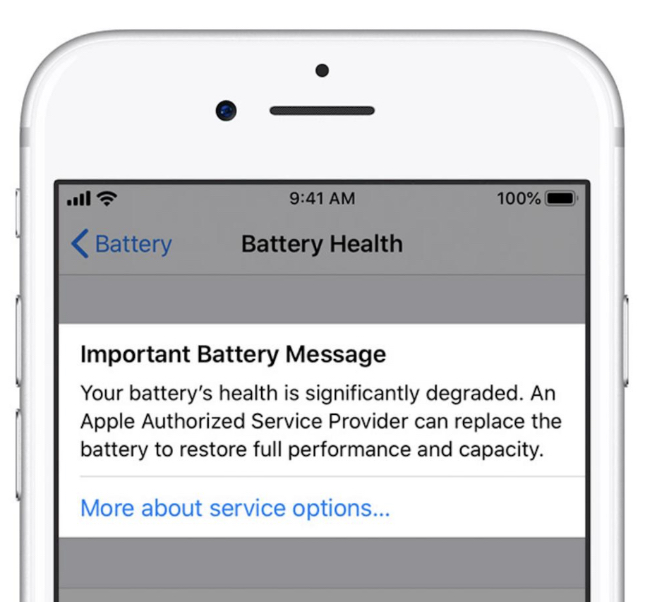
At this point, replacing the battery can restore most of the device’s original performance and battery life.
3. Consider Replacement at 82–85 Percent If You Notice Problems
Even if your battery health is above Apple’s 80 percent threshold, real-world performance matters more than the number.
You might consider replacing the battery around 82 to 85 percent if:
- Your iPhone needs charging multiple times per day
- The device becomes unusually hot during light use
- Apps feel slower than normal
- The battery percentage drops rapidly
Battery performance depends on many factors, including charging habits, temperature, and heavy workloads such as gaming or video recording.
4. Replace Immediately If Your iPhone Shows These Symptoms
Sometimes the battery needs replacement even before it reaches 80 percent health.
Common warning signs include:
- The phone shuts down at 20 to 30 percent battery
- The battery drains dramatically in minutes
- The device overheats frequently
- iOS reports performance management applied
These symptoms usually mean the battery can no longer deliver stable power, which affects the processor and overall system performance.
If you are already troubleshooting performance issues, this guide on how to check Apple warranty coverage can help determine if the replacement might be covered.
5. Decide Based on Battery Health Percentage Ranges
Battery health percentages help you estimate the current condition of your battery and whether a replacement is necessary. The table below summarizes what each range typically means for real-world iPhone performance.
| Battery Health | Condition | What It Means | Recommendation |
|---|---|---|---|
| 90% – 100% | Excellent | Battery is close to original capacity with full performance. | No replacement needed. |
| 89% – 80% | Good | Battery aging begins, but daily performance is still stable. | Continue using normally. |
| 79% – 70% | Worn | Noticeable battery drain and shorter usage time. | Consider replacing the battery soon. |
| Below 70% | Poor | Significant degradation, possible shutdowns and performance throttling. | Replace the battery as soon as possible. |
Even if your battery health is above 80 percent, you should still monitor real-world usage. If your iPhone requires frequent charging or becomes unusually warm, replacing the battery may still improve overall performance.
6. Replace the Battery If You Plan to Keep Your iPhone
If you intend to keep your iPhone for another year or two, replacing the battery is often the most cost-effective upgrade.
A new battery can:
- Restore battery life close to original levels
- Improve performance stability
- Reduce overheating
- Extend the device lifespan by several years
Many users choose this option instead of buying a new iPhone. A battery replacement is usually far cheaper than upgrading the entire device.
If you are preparing your device for repair or service, it’s also wise to back up your iPhone before visiting Apple Support.
Tips
• Keep your battery between 20 percent and 80 percent when possible.
• Avoid exposing your iPhone to extreme heat or cold.
• Use Optimized Battery Charging in Settings.
• Update iOS regularly for improved power management.
• Use certified charging cables and adapters.
These habits reduce battery stress and slow long-term degradation.
Give Your iPhone a Second Life
Battery wear is normal for any smartphone, and every iPhone battery gradually loses capacity after hundreds of charge cycles. Most devices retain around 80 percent capacity after roughly 500 charge cycles, which usually corresponds to about two years of typical usage.
If your battery health has dropped below 80 percent or your device struggles to last a full day, replacing the battery is often the easiest way to restore performance. Instead of upgrading your phone immediately, a simple battery replacement can keep your iPhone running smoothly for much longer.
Key Takeaways
iPhone battery health indicates how much capacity remains compared to when the battery was new. Apple recommends considering replacement once the maximum capacity falls to 80 percent or lower, especially if performance issues appear.
You should also replace the battery earlier if you experience sudden shutdowns, overheating, or rapid battery drain. For many users, a battery replacement is an affordable way to extend the lifespan of their iPhone and restore daily reliability.
FAQs
Apple recommends replacing the battery when it drops to 80 percent maximum capacity or when you begin noticing serious performance issues.
Yes. At 85 percent the battery is still considered healthy, though you may notice slightly shorter battery life compared to when the device was new.
Yes, but the device may drain faster, run slower, or shut down unexpectedly as the battery continues to degrade.
Most iPhone batteries are designed to maintain about 80 percent capacity after around 500 charge cycles, which typically equals 1.5 to 2 years of normal use.
In many cases, yes. When a battery becomes degraded, iOS may reduce processor performance to prevent shutdowns. Installing a new battery often restores full performance.


0 Comments