Why Did Apple Charge Me? How to Check and Fix Unexpected Apple Bills
Ever got an Apple charge on your card and went, “Wait… what the heck is this?” You’re not alone. Thousands of Apple users face mysterious billing issues every month, from subscriptions they forgot to Family Sharing purchases they didn’t realize would hit their card. Don’t freak out—this guide will show you exactly how to track, verify, and fix any surprise Apple charges across iPhone, iPad, and Mac.
How-To Check & Fix Unexpected Apple Charges
Total Time: 10–15 minutes
Time needed: 15 minutes
This step-by-step method lets you pinpoint unexpected Apple charges, review subscriptions, check Family Sharing activity, and request refunds if needed.
- Check Your Apple Purchase History
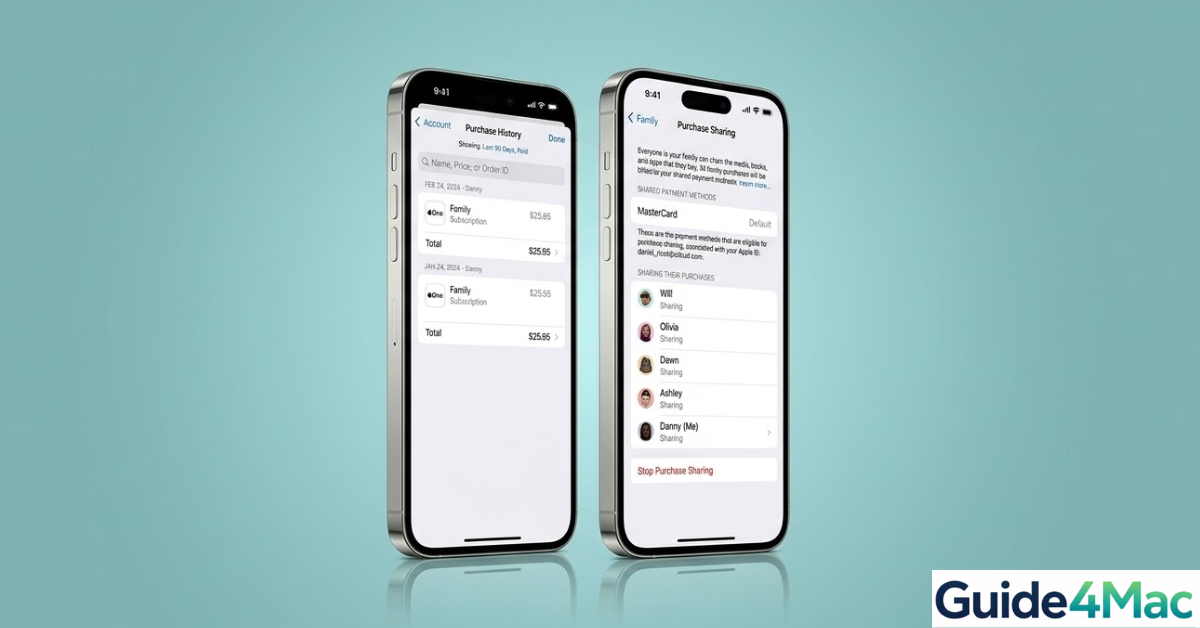
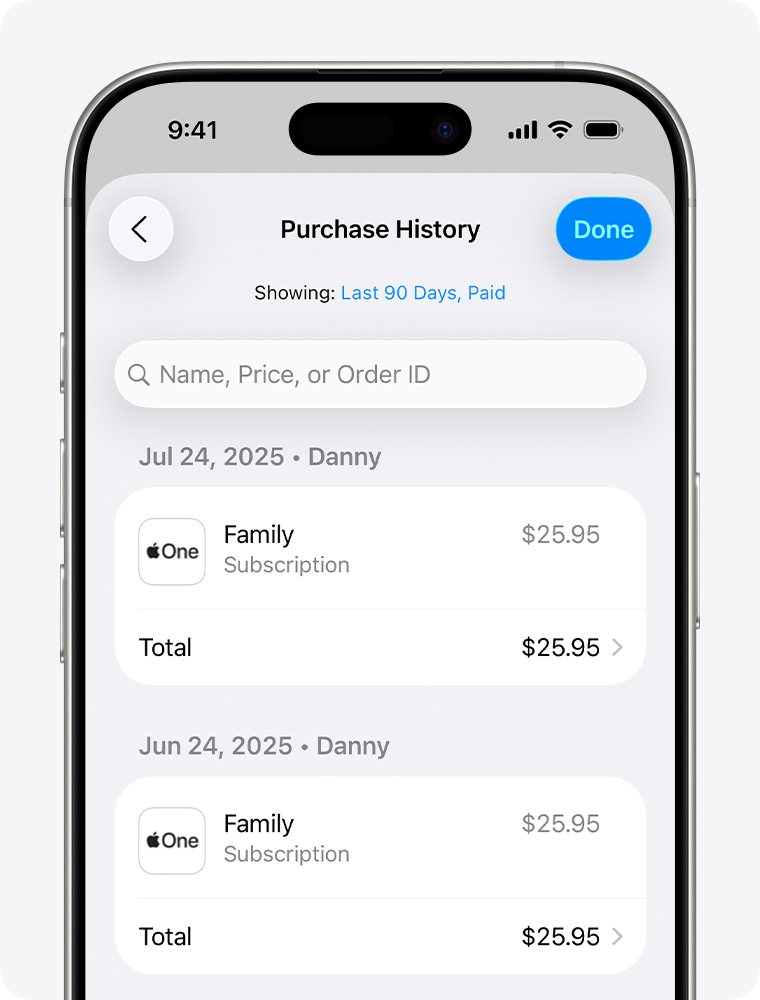
Your first stop is your Apple ID purchase history. It lists every app, subscription, and media purchase tied to your account. If your purchase receipts aren’t showing up, you might want to make sure your emails are set up correctly, similar to adding an email account to iPhone.
iPhone/iPad: Settings → [Your Name] → Media & Purchases → View Account → Purchase History
Mac: App Store → Your Name → Account Settings → Purchase History
- Look Into Family Sharing Purchases
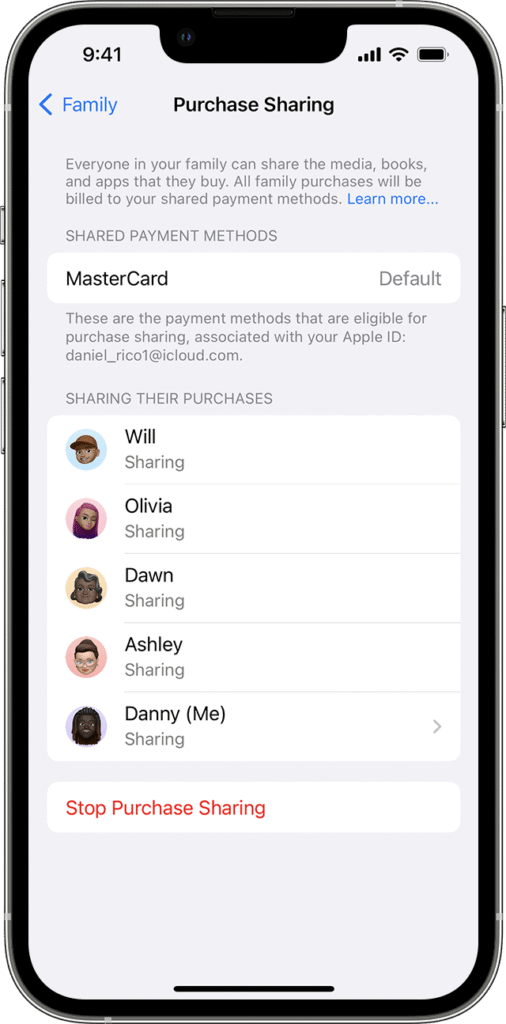
If Purchase Sharing is enabled, a family member’s purchase could hit your card. You can manage which Apple accounts are active on your device.
Settings → [Your Name] → Family Sharing → Purchase Sharing
Check if Purchase Sharing is on
Tap each family member to review their purchases - Review Active Subscriptions
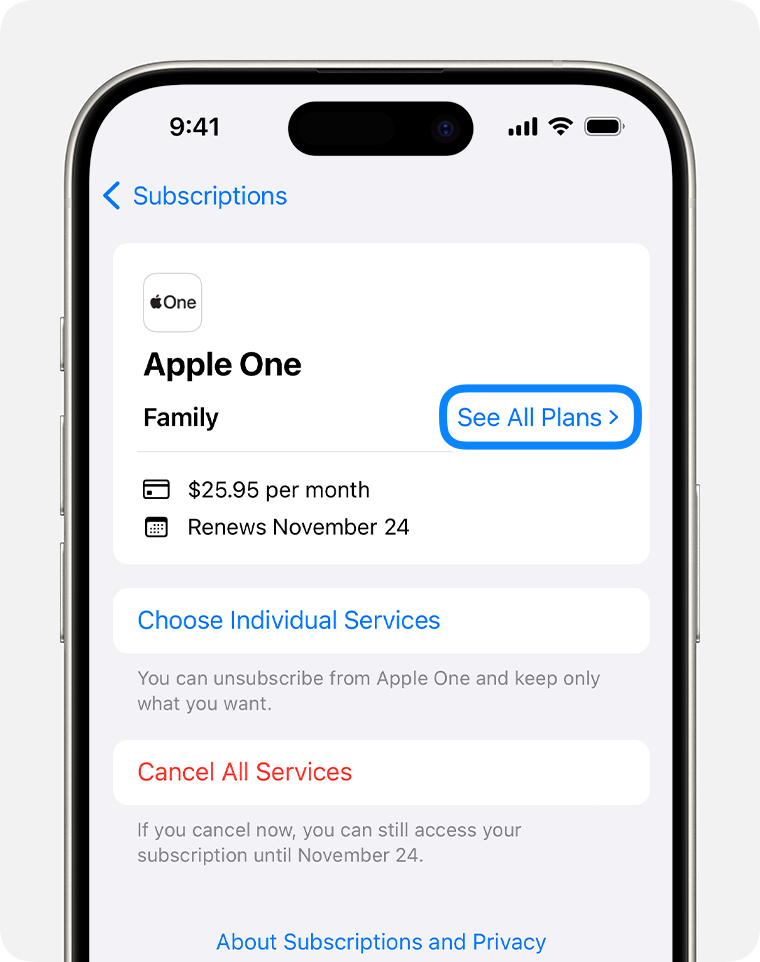
Apple subscriptions auto-renew. You need to confirm which are active. Managing which emails are linked to your Apple ID can prevent confusion when subscriptions renew to login Gmail on iPhone.
Settings → [Your Name] → Subscriptions
Review current and expired subscriptions
Cancel anything you no longer use (iCloud+, Apple Arcade, third-party apps) - Compare Apple ID Activity to Bank/Card Statement
Sometimes a charge on your card may not match the purchase history exactly. Make sure your Apple Mail is syncing correctly so you can see receipts instantly; you might want to check how to fix Apple Mail not syncing with iCloud.
– Check for old or secondary Apple IDs
– Match the last four digits of your card to the Apple billing account
– Review Family Sharing charges - Use Apple’s Report a Problem Website
Still stumped? The official route is Apple’s Report a Problem site.
– Visit reportaproblem.apple.com
– Sign in with your Apple ID
– Review all purchases and request refunds or report billing errors
Tips for Avoiding Future Apple Billing Confusion
- Disable Purchase Sharing: Family Sharing → Purchase Sharing → toggle off
- Use Ask to Buy: For children under 18, turn on “Ask to Buy”
- Cancel unused subscriptions: Settings → Subscriptions
- Use Apple ID gift card balance: Prevents surprise credit card charges
- Check Apple receipts: Apple emails a receipt for every purchase
- Keep email updated for Apple notifications: Similar to adding an email account to iPad to make sure receipts reach the right inbox
FAQs?
Yes, if Purchase Sharing is enabled, your payment method is used for all family purchases.
Apple subscriptions auto-renew until canceled. Always check active subscriptions regularly.
Yes, you can visit reportaproblem.apple.com, sign in with your Apple ID, and select “Request a refund” for any accidental transaction made within the last 90 days.
Deleting an app does not automatically cancel its associated subscription. You must manually cancel the service in the “Subscriptions” menu within your Apple ID settings.
Enable “Ask to Buy” within your Family Sharing settings; this sends a notification to your device that you must approve before any purchase is finalized.


0 Comments