guide4mac.com

Safari (web browser)

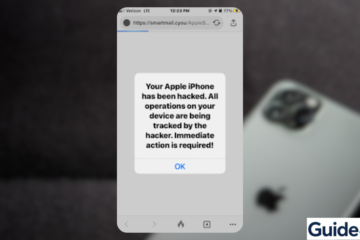
A fake "Your Apple iPhone has been hacked" browser pop-up alert used by scammers to trigger phishing attacks.
iOS Troubleshooting

Fix iPhone Hacked Pop-Up Fast: Remove Fake Alerts

If you’re seeing an “iPhone hacked” pop-up, don’t panic. These alerts are almost always fake warnings designed to trick you into clicking malicious links or downloading suspicious apps. They usually appear in Safari or while browsing certain websites. In most cases, your iPhone is not actually hacked. The issue is Read more

By Carl Sanson, 7 daysMarch 19, 2026 ago

Recent Posts

  • iPadOS 26.4 Most Underrated Features That Actually Matter
  • Is Samsung Galaxy Z Fold 8 iPhone’s First Real Foldable Rival?
  • How to Fix Screen Rotation Not Working on iPhone
  • How to Fix iMessage Not Working After iOS 26 Update
  • How to Install Xcode on Windows: Step-by-Step Guide
Hestia | Developed by ThemeIsle