IOS 27 Rebuilds Liquid Glass Icons With Sharper Layers, Removes Shimmer
What You Need to Know
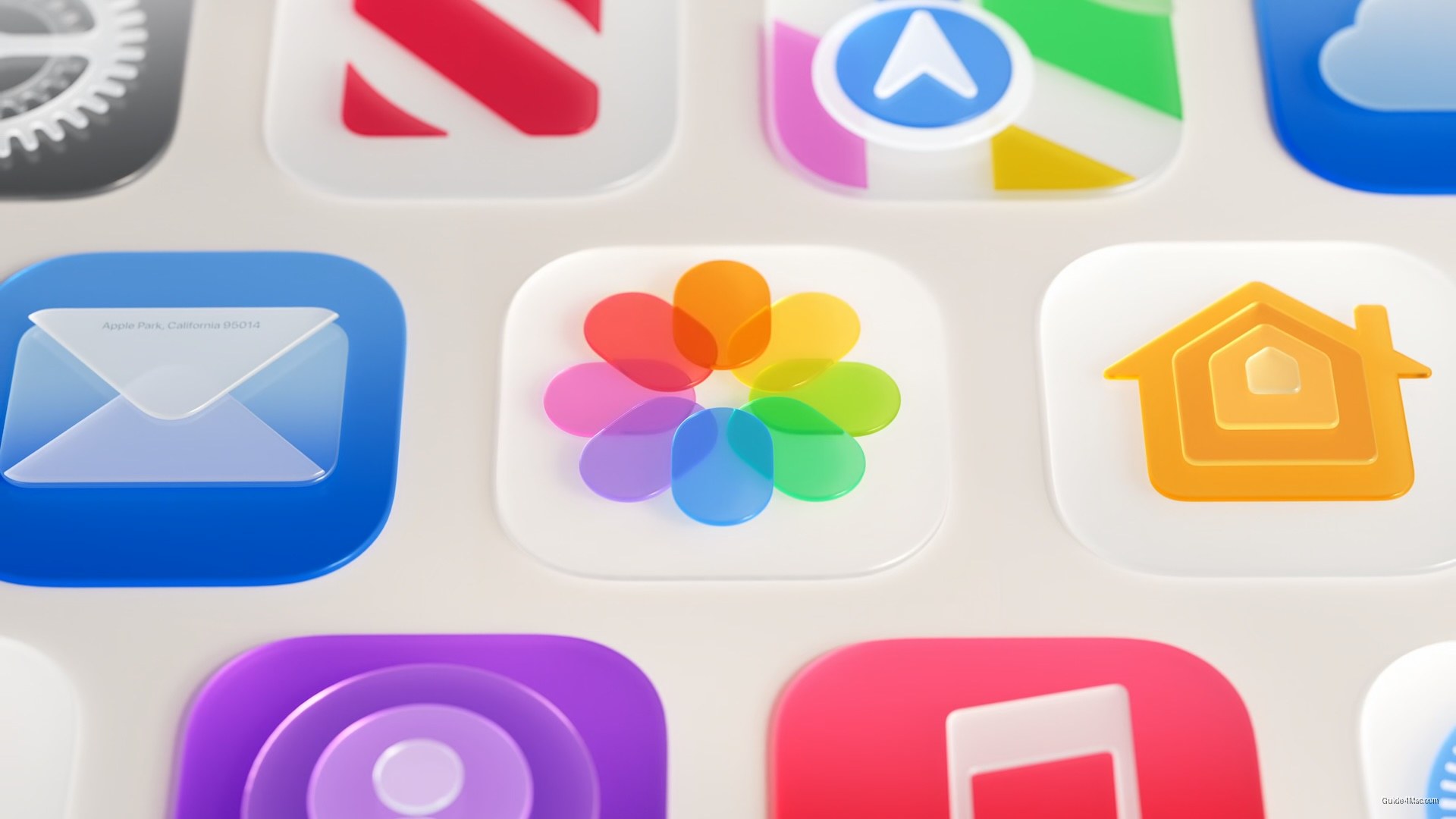
- IOS 27 rebuilds first-party app icons with multiple Liquid Glass layers for sharper, higher-contrast artwork.
- Gyroscopic specular highlight that created slanted icon illusion has been removed in iOS 27.
- Icon Composer updated with tools for building multi-layer Liquid Glass icons and previewing refraction effects.
Apple’s answer to last year’s blurry icon complaints is not a retreat but a deeper commitment to the same design language. iOS 27 rebuilds first-party app icons from the inside out, adding multiple distinct Liquid Glass layers directly into each icon’s artwork rather than applying a single thick glass treatment over the top, which was the approach that drew criticism in iOS 26.
The practical difference is visible immediately. Artwork is sharper, contrast is higher, and the glass effect reads as a finish rather than an obstruction. Apple says the new rendering pipeline produces more visual separation between layers and more defined refractions, which addresses the washed-out, detail-obscuring look that frustrated users after the iOS 26 launch. If you want to understand what Liquid Glass actually is and where it appears across Apple’s platforms, that context matters here.
The Shimmer Problem Gets Fixed
The gyroscopic specular highlight, which animated icons as the device tilted and produced a widely reported illusion of slanted icons, appears to have been removed entirely in the first iOS 27 developer beta. Edge highlights remain, now positioned at the top and bottom, but they are static and considerably more subtle. The optical illusion that made icons look crooked was one of the more disorienting quirks of iOS 26, so its apparent removal is the less-discussed change that matters most practically.
Developer tooling has also been updated. Icon Composer now supports building icons from multiple Liquid Glass layers, with new annotation features for refraction effects and an interactive preview of final rendering. For users who preferred removing the icon borders introduced in iOS 26, the new approach may reduce that impulse by making icons feel less visually cluttered.
The icon changes sit within a broader set of Liquid Glass refinements announced at WWDC, including a system-wide transparency slider and improved material diffusion. Apple is clearly still iterating on a design system it introduced only a year ago, and the pace of revision suggests the first version shipped with more rough edges than intended.




0 Comments