IOS 27 Adds One-Tap Paste Shortcuts Above the Keyboard
What You Need to Know
- IOS 27 adds keyboard-level paste shortcut that automatically suggests pasting from source app.
- Feature works across all apps without requiring developer updates due to keyboard-level architecture.
- Apple previously used keyboard row for contextual shortcuts like auto-filling verification codes since iOS 12.
- IOS 27 releases in September, available on iPhone 11 and newer devices.
The clipboard has always been one of iOS’s quieter friction points. Copying something in one app and then hunting for the paste option in another requires either a long-press or a trip through the edit menu, which sounds minor until you do it thirty times a day.
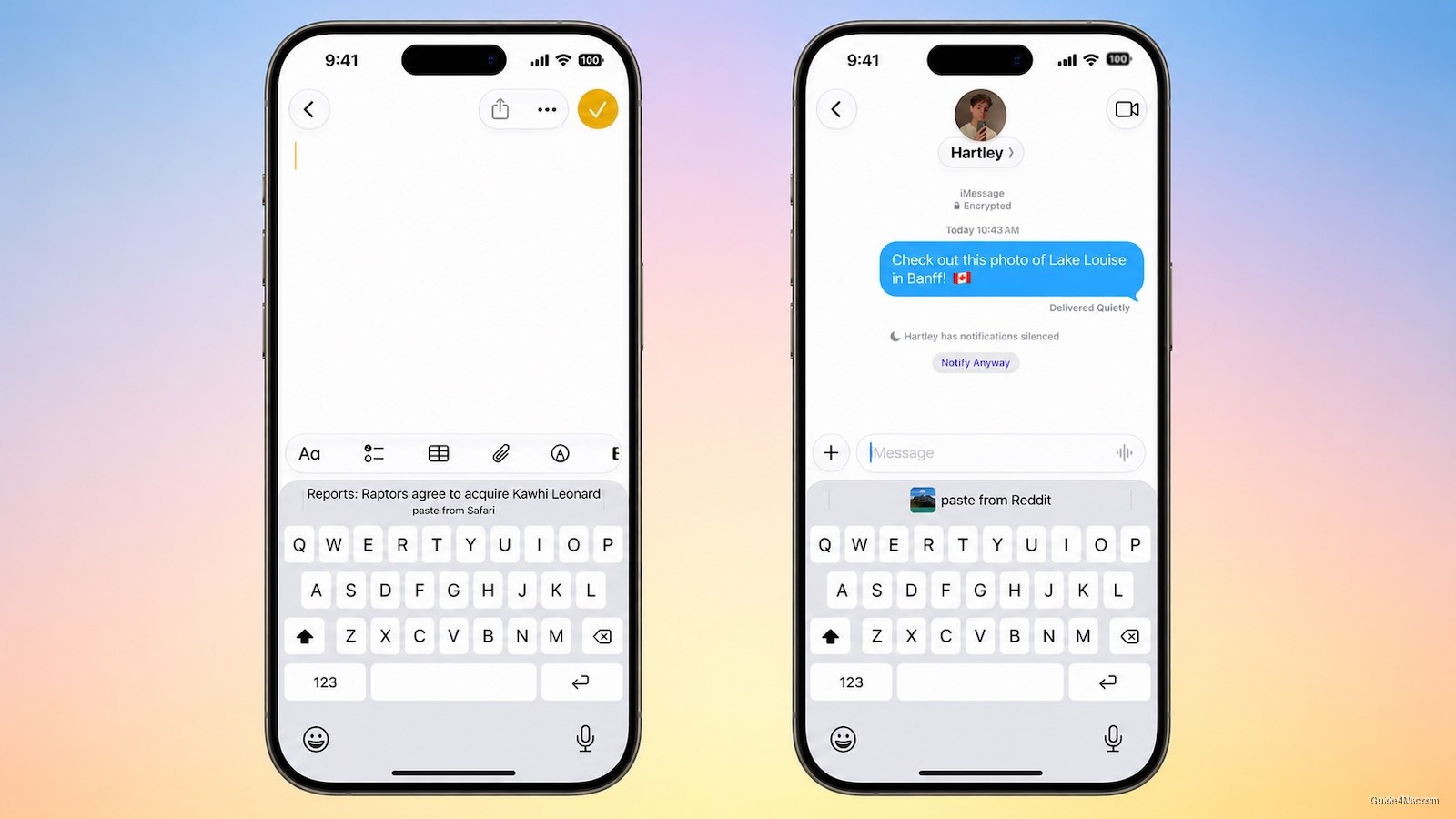
iOS 27 addresses this with a keyboard-level shortcut that surfaces a paste option automatically. If you copy a link in Safari and switch to Notes, a “paste from Safari” prompt appears above the keyboard without any additional input. The same logic applies across app combinations: copy a photo in Reddit, open Messages, and the option is already waiting.
Because the feature lives in the keyboard itself rather than inside individual apps, it works broadly across iOS without developers needing to build anything. That architectural choice is the reason it will work across many app combinations from day one, rather than rolling out piecemeal as apps adopt a new API.
A Familiar Pattern
Apple has used the keyboard row for contextual shortcuts before. One-time verification codes have surfaced there automatically since iOS 12, so the interaction model is already familiar to most users. This new paste shortcut follows the same logic: detect what is on the clipboard, infer where it came from, and offer a one-tap action in context.
iOS 27 is currently in developer beta, with a public beta expected in July and a general release in September. The update will be available on iPhone 11 and newer. The paste shortcut is a small addition in the context of a full OS release, but it targets a repetitive action that comes up constantly in normal use, which tends to be exactly the kind of change that earns quiet appreciation once people stop noticing they are doing it.




0 Comments