MacOS Terminal Now Blocks Malware-Matched Commands Without Override
What You Need to Know
- Apple introduced a tiered Terminal warning system in March to prevent malware via pasted commands.
- Baseline alert appears when non-regular Terminal users paste commands from external sources like websites or email.
- Two harder blocks with no override option trigger when macOS detects known malware signatures or malicious scripts.
- Apple acknowledges false positives possible and provides a reporting path for incorrectly flagged websites.
The feature that actually matters here is not the popup itself, which Apple introduced quietly in March, but the tiered system underneath it. Apple has now published a support document explaining how the Terminal warning works, and the structure reveals a more considered design than the initial coverage suggested.
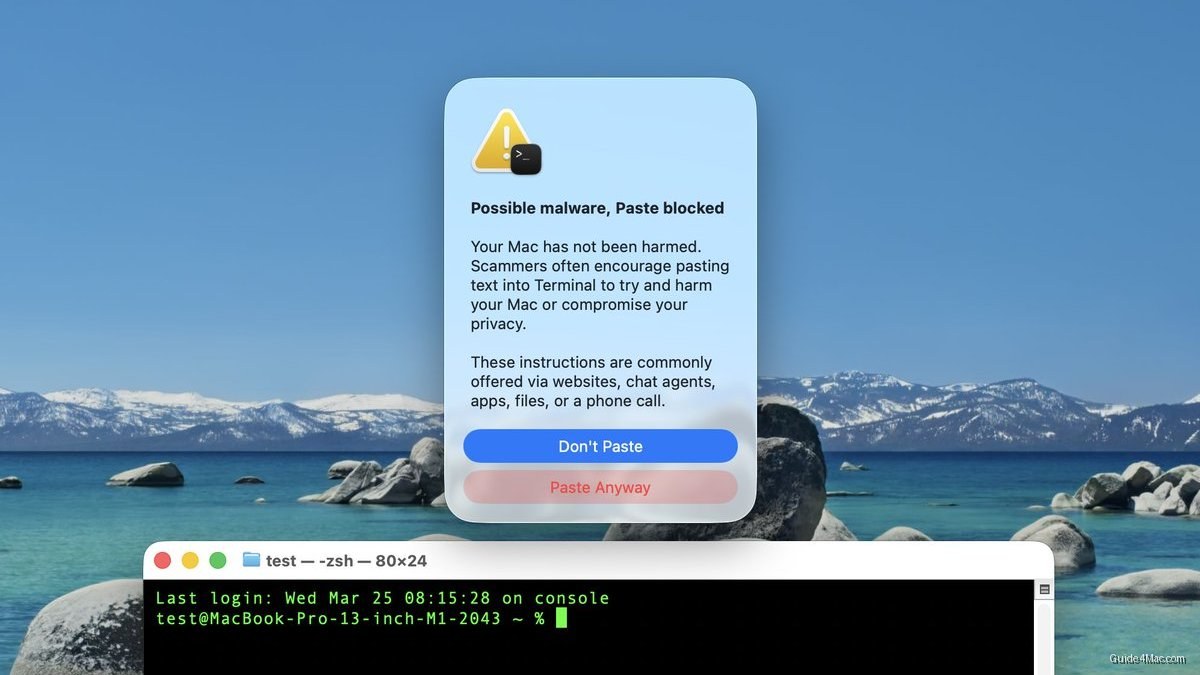
The baseline alert, labeled “Possible malware, Paste blocked,” appears when a user who does not regularly use Terminal copies a command from an external source like a website, a chat agent, or an email. Apple is explicit about the threat model: scammers direct people toward Terminal because a single pasted command can cause serious damage without triggering the kind of visible installation flow that might raise suspicion. A “Paste Anyway” option remains available for users who know what they are doing.
Two Harder Blocks
The more interesting cases are the two alerts with no escape hatch. If macOS shows “Malware Detected, Paste Blocked” or “Malicious Script Blocked,” the system has matched the command against known malware signatures and will not allow the paste at all. There is no override option presented to the user.
Apple does acknowledge the possibility of false positives. If a command is blocked and the user believes it was a mistake, the explanation offered is that a website the script tries to reach may have been incorrectly flagged as deceptive, and Apple provides a reporting path for that scenario.
Terminal has historically been the one corner of macOS where a determined attacker could bypass most consumer-facing protections, simply by convincing a user to do the work themselves. Clipboard-based social engineering, sometimes called “paste-jacking,” has grown common enough that Apple treating it as a first-class threat in the operating system is a reasonable escalation. The support document does not say when the malware signature matching was introduced or how frequently those definitions are updated.




0 Comments