WhatsApp Liquid Glass UI on iPhone: What Changes
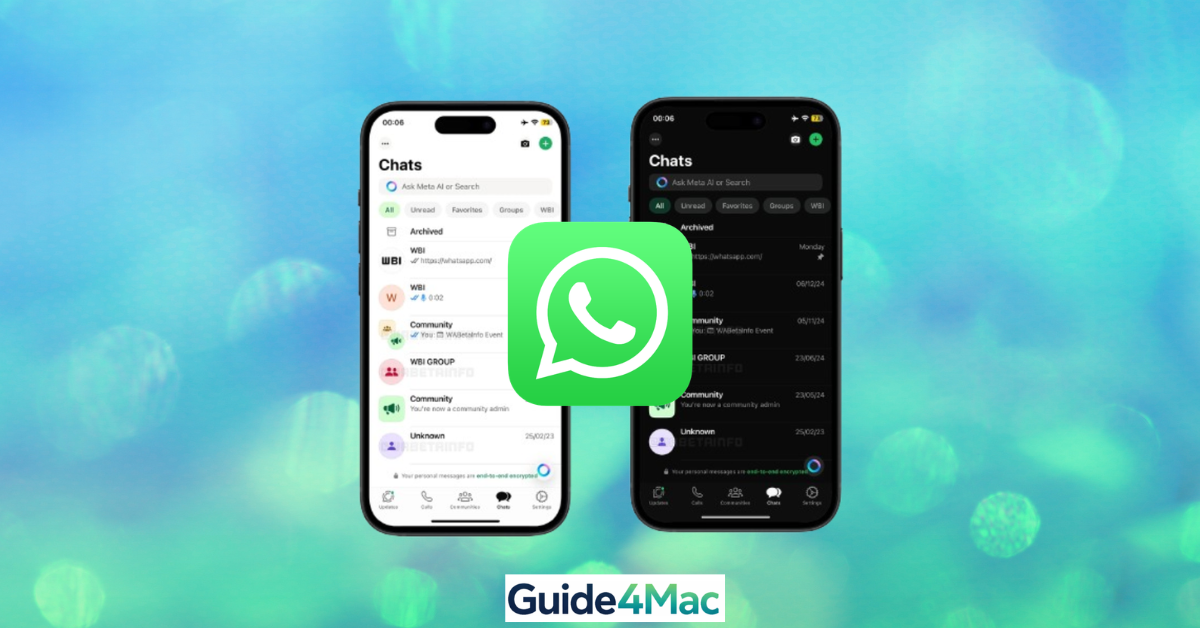
WhatsApp is getting the new Liquid Glass design on iPhone. The update is already rolling out, but only for some users for now. Here’s what actually matters, without wasting your time.
Why Is WhatsApp Changing?
Apple introduced Liquid Glass with iOS 26. It’s a new design style focused on transparency, depth, and smoother animations across the entire system.
Apps like WhatsApp are adapting to this change to stay visually consistent with iOS. If they didn’t, they would start to feel outdated next to native apps like Safari or Messages.
This is not just about looks. Apple is clearly pushing developers toward a unified UI experience, and WhatsApp following this direction was expected.
What’s New in WhatsApp?
This update is mostly visual, but you will notice it quickly once it arrives. It changes how the app feels more than how it works.
The goal is to make everything lighter, smoother, and more integrated with the system. Nothing is removed, and your chats stay exactly the same.
· Floating Bottom Bar: The tab bar now looks like it’s floating above the screen. It is slightly transparent and creates a sense of depth when you scroll.
· Glass-Like Buttons: Buttons now have a softer, semi-transparent look. When you tap them, animations feel more fluid and responsive.
· Lighter Menus: Menus no longer block the screen with solid colors. They use a frosted glass effect that blends with the background.
· Updated Keyboard: The keyboard inside chats now matches the new design. It looks cleaner and fits better with the overall UI.
What’s Next?
This is only the first version of Liquid Glass inside WhatsApp. More changes are already being tested. Future updates are expected to expand this design to other parts of the app, including voice messages and deeper chat interactions. There is already a preview of these upcoming changes.
Tips
• Keep WhatsApp updated
• Check the floating tab bar to confirm the new UI
• Restart your iPhone after updating
• Adjust iOS transparency if readability is an issue
A Small Change That Feels Bigger
At first, this might look like a simple visual refresh. But after using it for a while, you will notice how much more natural WhatsApp feels on iPhone. It finally matches the rest of the system instead of looking slightly out of place.
This update might seem cosmetic at first, but it improves the overall experience. WhatsApp now feels more aligned with iOS, making navigation smoother and more intuitive. Over time, this consistency reduces friction when switching between apps.
Key Takeaways
The WhatsApp Liquid Glass UI on iPhone introduces transparency and smoother animations. It is rolling out gradually, so not all users will see it immediately. The update focuses on design rather than features. It helps WhatsApp feel more modern and aligned with iOS 26.




0 Comments