Messages Upload Progress Bar Finally Arrives in iOS 27
What You Need to Know
- IOS 27 adds upload progress bar to Messages, a feature Android has offered for years.
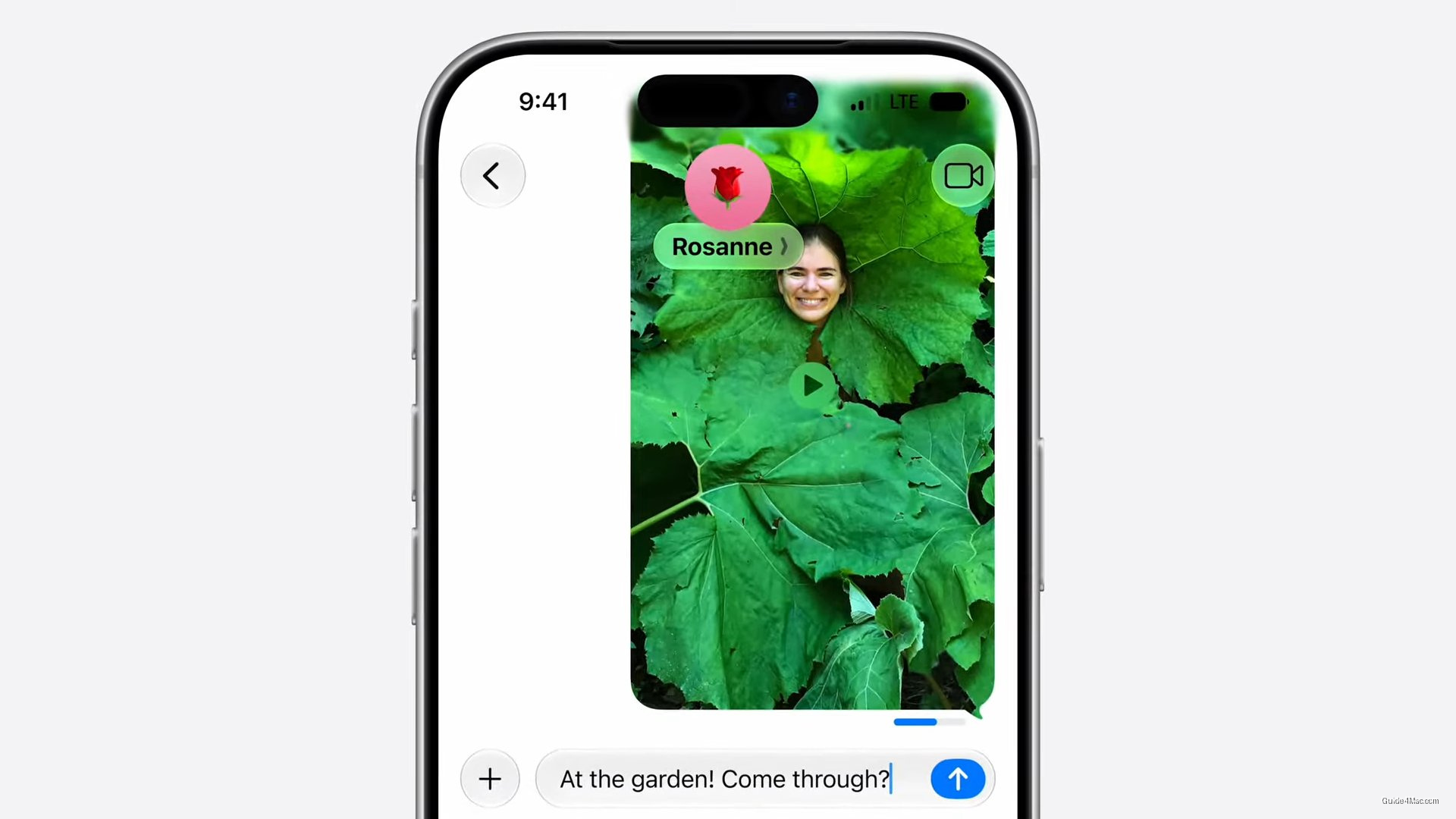
- Progress bar appears inline in conversation thread and updates in real time during uploads.
- Apple added RCS support in iOS 18 and continues closing gap with third-party messaging apps.
- Feature addresses practical problem: users cannot distinguish between failed uploads and connection issues.
iOS 27 is adding an upload progress bar to Messages, a feature that Android users have had in various forms for years and that iMessage has conspicuously lacked whenever anyone tried to send a large video over a slow connection.
The absence has been a genuine friction point. Anyone who has sent a long video through Messages and then stared at a spinning indicator with no sense of whether the upload was 10 percent done or 90 percent done will recognize exactly what Apple is fixing here. The new bar appears inline within the conversation thread and updates in real time.
The timing is interesting. Apple has been pushing Messages as a serious platform, adding RCS support in iOS 18 and steadily closing the gap with third-party messaging apps. A missing progress indicator was the kind of basic omission that made the app feel less polished than it should, given how aggressively Apple markets the iPhone camera.
What This Signals About Apple’s Messaging Strategy
Apple tends to bundle these small but overdue fixes into broader WWDC announcements to make them feel like a coherent vision rather than a backlog of complaints. The upload bar is a practical fix, not a platform shift, and framing it alongside larger iOS 27 features lets Apple absorb the implicit criticism that it took this long.
For users on cellular connections or sharing high-resolution ProRes video, the practical value is real. Right now there is no reliable way to know if a failed send happened because the upload never finished or because something else went wrong.
The feature is small in scope and large in daily relevance, which is exactly the kind of update that tends to get buried in a keynote but quietly improves how the app feels to use over months.




0 Comments