Safari Now Fixes Weak Passwords Automatically Without User Input
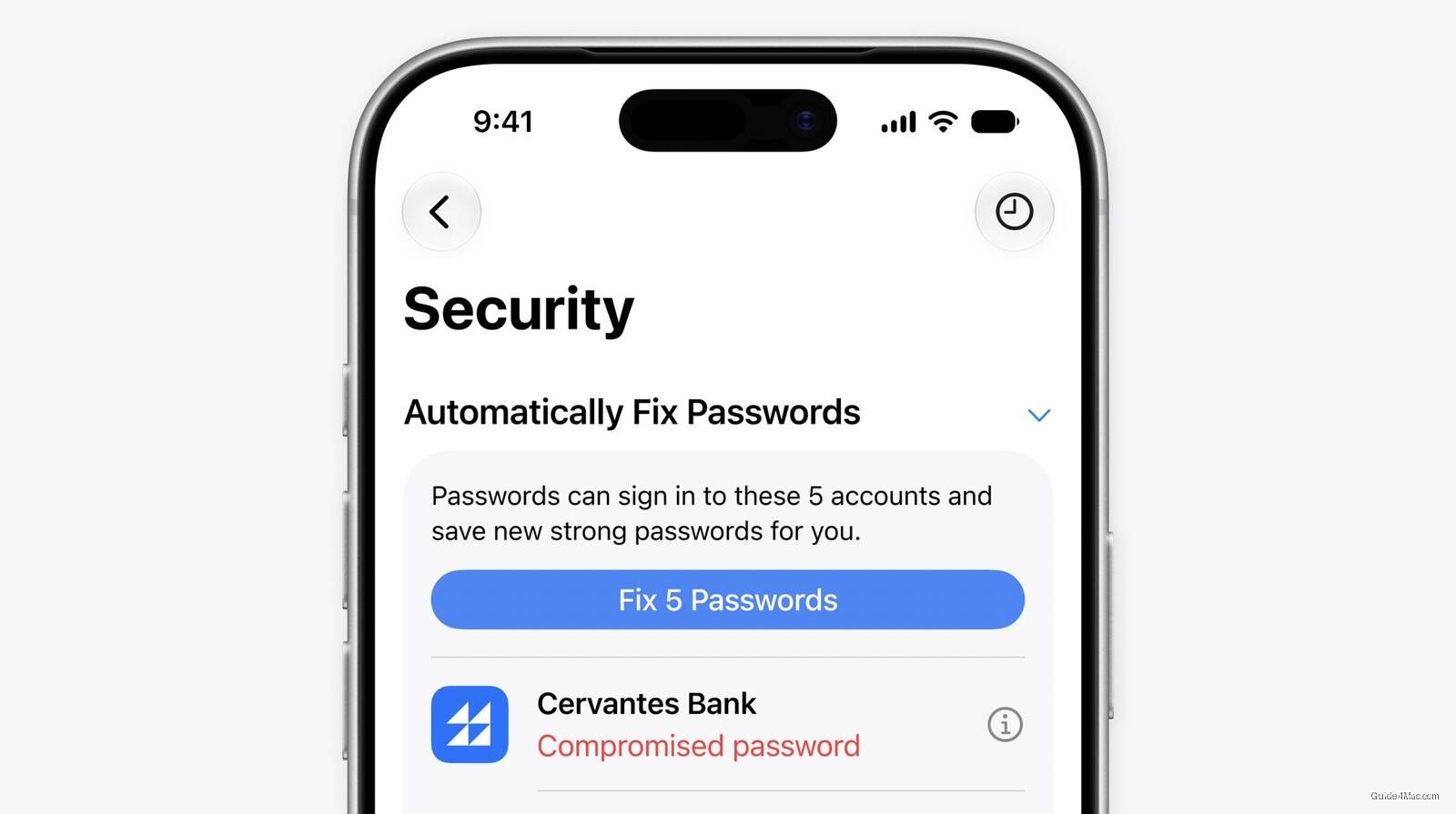
What You Need to Know
- Apple’s Safari automatically fixes weak passwords without user browser interaction, first major platform to do so.
- Alert fatigue causes users to ignore password warnings; Apple’s system bypasses this through autonomous background password rotation.
- Apple Intelligence makes sequential autonomous decisions on-device: loading pages, locating settings, completing forms without step-by-step user input.
- Live Activity display shows the autonomous process in real-time, maintaining transparency while the agent accesses accounts on user’s behalf.
Most password managers have flagged weak credentials for years. Apple is now the first major platform to close the loop by fixing them automatically, without the user touching a browser.
The distinction matters more than it sounds. Security researchers have documented for years that alert fatigue is a primary reason compromised passwords persist: users see the warning, intend to act, and never do. Apple’s system sidesteps that entirely by having Safari navigate to the site, sign in, and rotate the password in the background after a single tap of approval.
Apple calls the architecture “agentic,” meaning Apple Intelligence is making sequential decisions autonomously: loading pages, locating account settings, and completing forms without step-by-step user input. This is a concrete, narrow demonstration of what agentic AI actually looks like in a consumer product, as opposed to the more abstract descriptions the industry has been circulating for the past year.
What This Requires to Work
The feature depends on a specific stack working together:
- Apple Intelligence running on-device for the decision logic
- Safari’s existing web automation capabilities for navigation
- Passwords app integration for credential storage and flagging
- Live Activity display so users can monitor what the agent is doing
That last point is a quiet but real design choice. Showing the process as a Live Activity keeps the action visible rather than fully opaque, which addresses an obvious concern about software autonomously accessing accounts on your behalf.
The feature builds on infrastructure Apple has been assembling since the Passwords app launched as a standalone product in iOS 18. The timing also aligns with Apple pushing harder to demonstrate practical Apple Intelligence use cases, given that the broader rollout has moved slower than the company’s initial framing suggested. A password tool that visibly does something useful is a more persuasive argument than a summarization feature most users treat as optional.




0 Comments