IOS 27 Finally Splits Alarm Volume From Notifications
What You Need to Know
- Apple is splitting iPhone volume into three independent controls: ringtone, alarm/timer, and alerts.
- Previously, alarms and notifications shared the same volume level, causing users to miss alarms after lowering ringers.
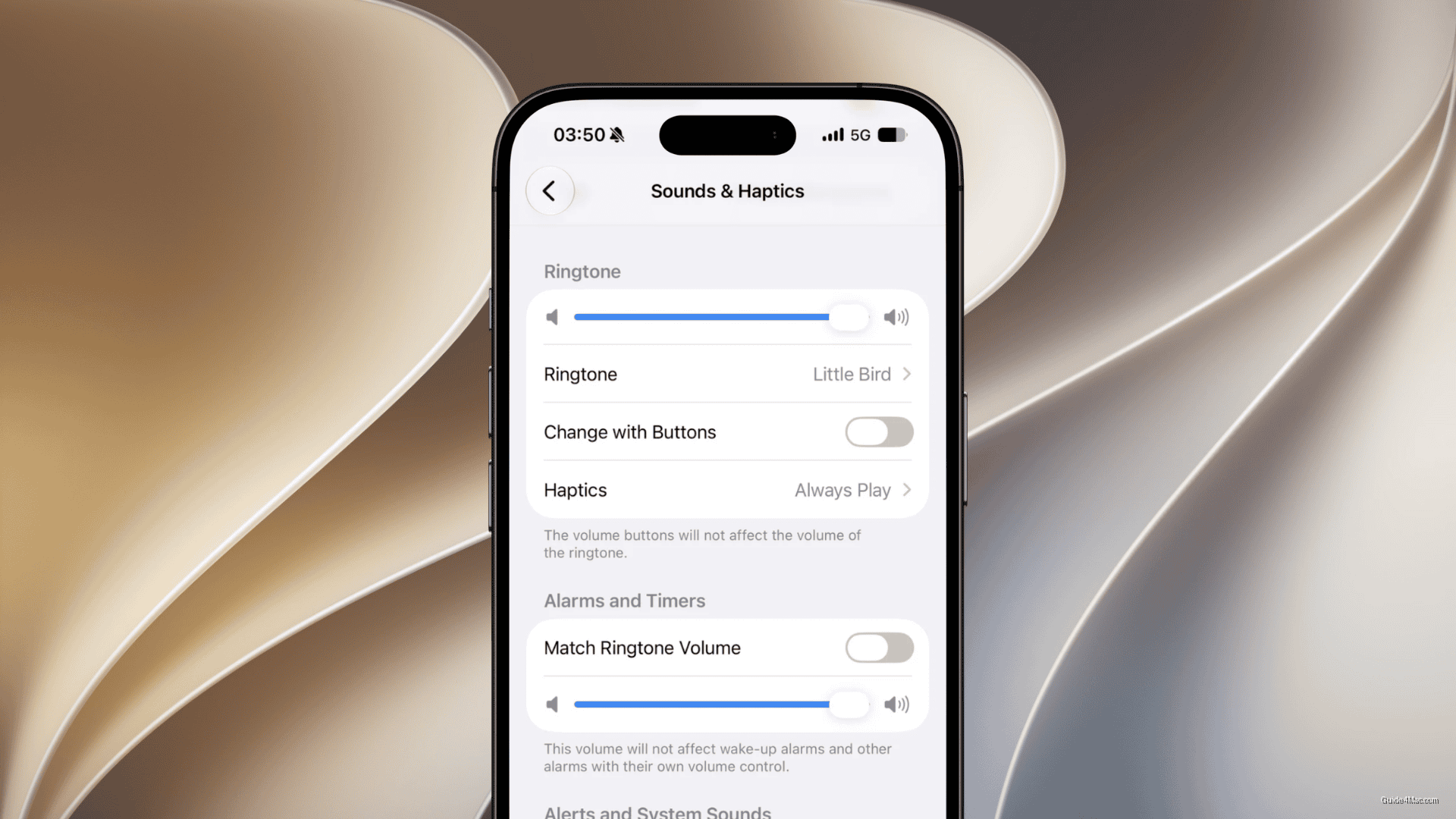
- New alarm and timer slider only activates when “Match Ringtone Volume” toggle is turned off.
- Controls apply at category level only; individual alarms cannot have different volume settings from each other.
Apple is finally splitting iPhone volume into three independent controls, ending the decade-plus arrangement where your alarm and your text notification chime lived at the same level.
The practical problem this solves is specific: anyone who has ever turned down their ringer after a loud notification in a meeting, then slept through their alarm, understands exactly why this matters. iOS has long offered a workaround through the Bedtime or Sleep focus alarm, which carries its own volume slider, but that only covered one narrow case. Timers, standard alarms, and ringtones all shared the same knob.
What the new controls actually cover
The three categories iOS 27 separates are:
- Ringtone volume
- Alarm and timer volume
- Alerts and system sounds (notifications, keyboard clicks, camera shutter)
The alarm and timer slider only activates when “Match Ringtone Volume” is toggled off. Apple also clarifies that Wake-Up alarms, the ones tied to the Sleep focus, retain their own existing volume control and are not affected by this change.
One limitation worth keeping in mind: the new controls apply at the category level, not per alarm. You cannot set one alarm at 80 percent and another at 50 percent. For most people that is fine, but power users who run multiple alarms for different purposes will still need to manage that manually.
Android has offered granular audio channel controls for years, with some manufacturers going further by exposing sliders for media, calls, notifications, and alarms separately in quick settings. Apple arriving here in 2025 is less an innovation and more a closing of a gap that its own users have filed feedback about repeatedly. The fact that it took this long probably says more about Apple’s historical preference for simplicity over granularity than any technical obstacle.




0 Comments