IPhone Call Context Pulls Reservation Codes From Email Before You Dial
What You Need to Know
- Call Context matches dialed numbers to device emails, displaying reservation codes and confirmations before speaking.
- Feature processes data locally on device with no audio capture or data leaving hardware.
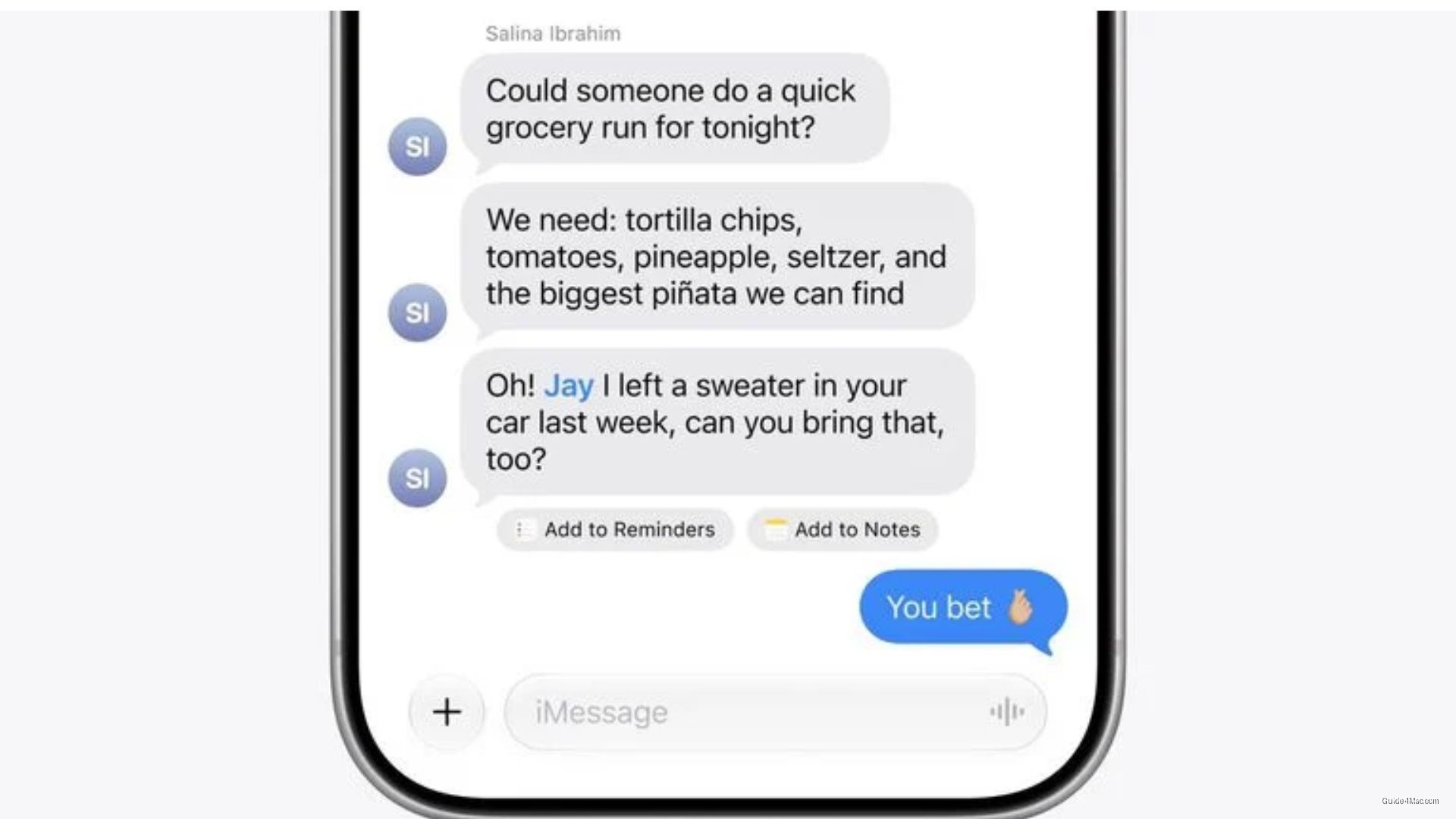
- Messages app detects keywords to surface photos, generates smart replies, and suggests reminders within conversations.
- Apple Intelligence expansion relies on on-device foundation models for local inference across iOS 26.
Apple’s new Call Context feature does something the company barely emphasized in its own announcement: when you dial a business, it quietly pulls your inbox for reservation codes, confirmation numbers, and booking details, then surfaces them on screen before you even say a word. The feature works by matching the number you’re dialing to emails already on your device, with no audio capture and no data leaving your hardware.
That on-device processing detail matters more than it sounds. Apple has spent years positioning privacy as a differentiator, but the actual architecture here, local inference tied to local mail data, is the thing that makes the feature plausible without triggering obvious red flags about a company reading your email during phone calls.
The Messages upgrades are more incremental by comparison. Keyword detection can surface relevant photos when someone asks for them, and Smart Reply generates responses tuned to how you already write. If a conversation prompts a task, the app can suggest a reminder or note without leaving the thread. You can see how photo suggestions surface inside a conversation once the update lands.
A Broader Intelligence Push
These features sit inside a larger Apple Intelligence expansion that also touches developer tools. Apple’s on-device foundation models are doing more of the heavy lifting across iOS 26, which explains why the company keeps stressing that inference happens locally rather than in the cloud.
The cross-app trigger in Mail, where a suggestion in your inbox can kick off an action inside a third-party app, is the quietest addition in the announcement and possibly the most structurally interesting. It starts to look less like a notification and more like an agent. Apple has been careful not to use that framing, but the behavior fits.
What Apple is building incrementally here, connecting calendar, mail, messages, and calls into a shared context layer, is the same territory Google has been working in with Gemini on Android. The difference is Apple’s bet that doing it entirely on device is worth the hardware constraint.




0 Comments