MacOS 27 Will Flag Apps Running in Background After You Quit Them
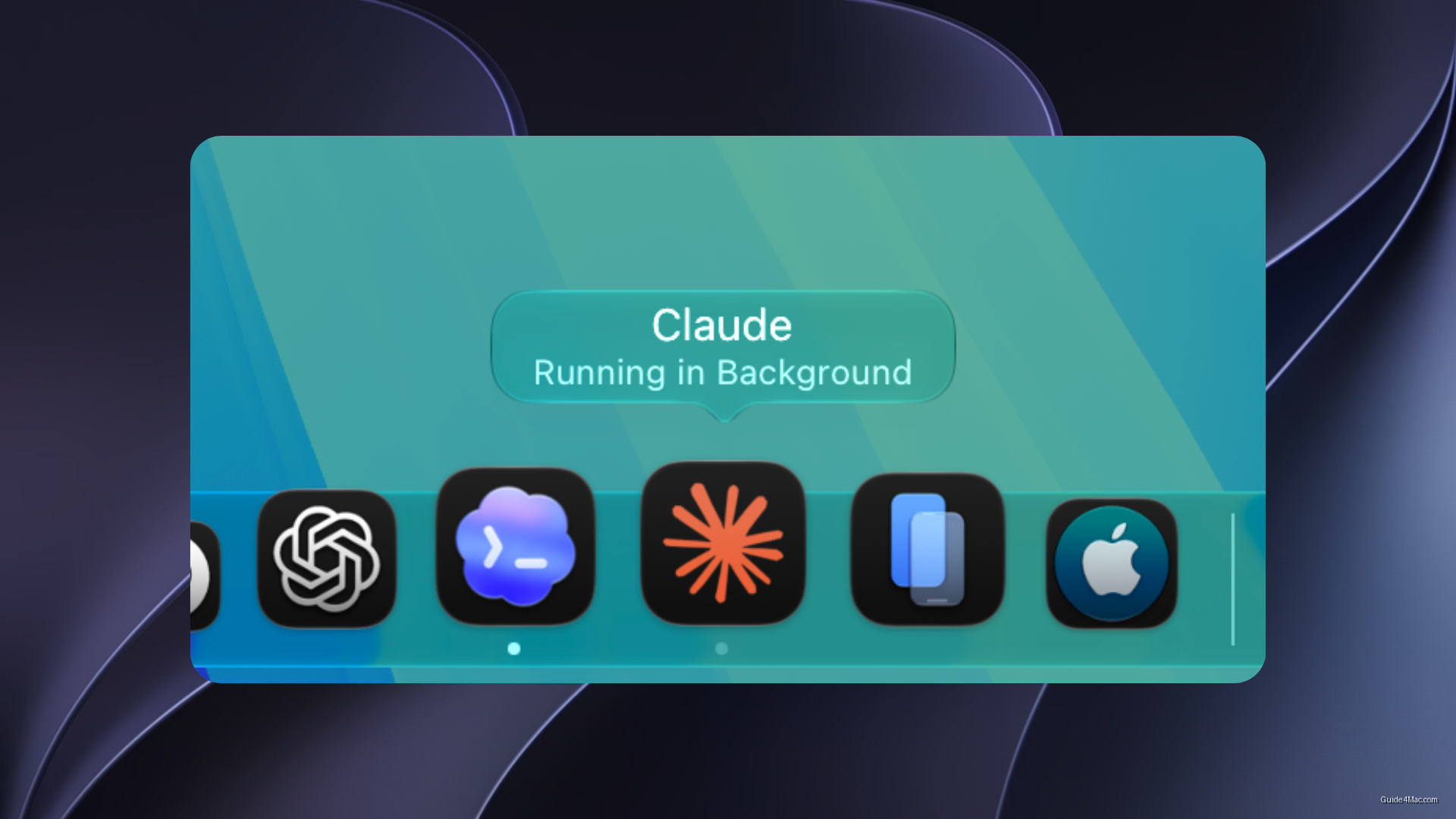
What You Need to Know
- MacOS 27 Golden Gate will visually flag apps running background processes with gray Dock dots.
- Google Gemini for macOS demonstrated the loophole by continuing background processes after being quit.
- Right-clicking app icons now reveals a “Stop Running in Background” option to terminate processes immediately.
- System Settings now includes Background App Activity section listing all running background processes with per-app controls.
Apple is quietly closing a loophole that let apps keep running on your Mac long after you thought you had closed them. Starting with macOS 27 Golden Gate, the system will visually flag any app that maintains background processes after being quit, replacing the standard black Dock indicator with a gray dot and surfacing a “Running in Background” label when you hover over the icon.
The behavior this targets is not hypothetical. Google Gemini for macOS was a documented case where quitting the app did not actually stop its background processes, yet macOS gave no indication anything was still running. Users had no easy way to know the app was consuming resources or, depending on what the process was doing, potentially accessing system data.
Stopping and Managing Background Activity
Apple has also added a direct kill switch in the Dock. Right-clicking the icon now surfaces a “Stop Running in Background” option that terminates the process immediately, which is the same gesture you would use to right-click and open an app that macOS otherwise blocks. It is a small but deliberate move to surface controls where users already look.
The deeper change is inside System Settings. General > Login Items & Extensions now includes a Background App Activity section listing every app currently running a background process, with per-app controls to allow or block that behavior entirely. That kind of granular inventory did not exist before.
What makes this interesting is the timing. Background agent processes have been a growing vector for both legitimate app functionality and, in less careful hands, persistent data collection. Apple is not banning the behavior, just making it impossible to hide.
macOS 27 Golden Gate is in developer beta now, with a public beta expected in July and a full release in the fall.




0 Comments