IOS 27 Renames Wi-Fi Assist to Connectivity Assist With Smarter Switching
What You Need to Know
- Wi-Fi Assist renamed to Connectivity Assist in iOS 27, first changed since iOS 9 introduction.
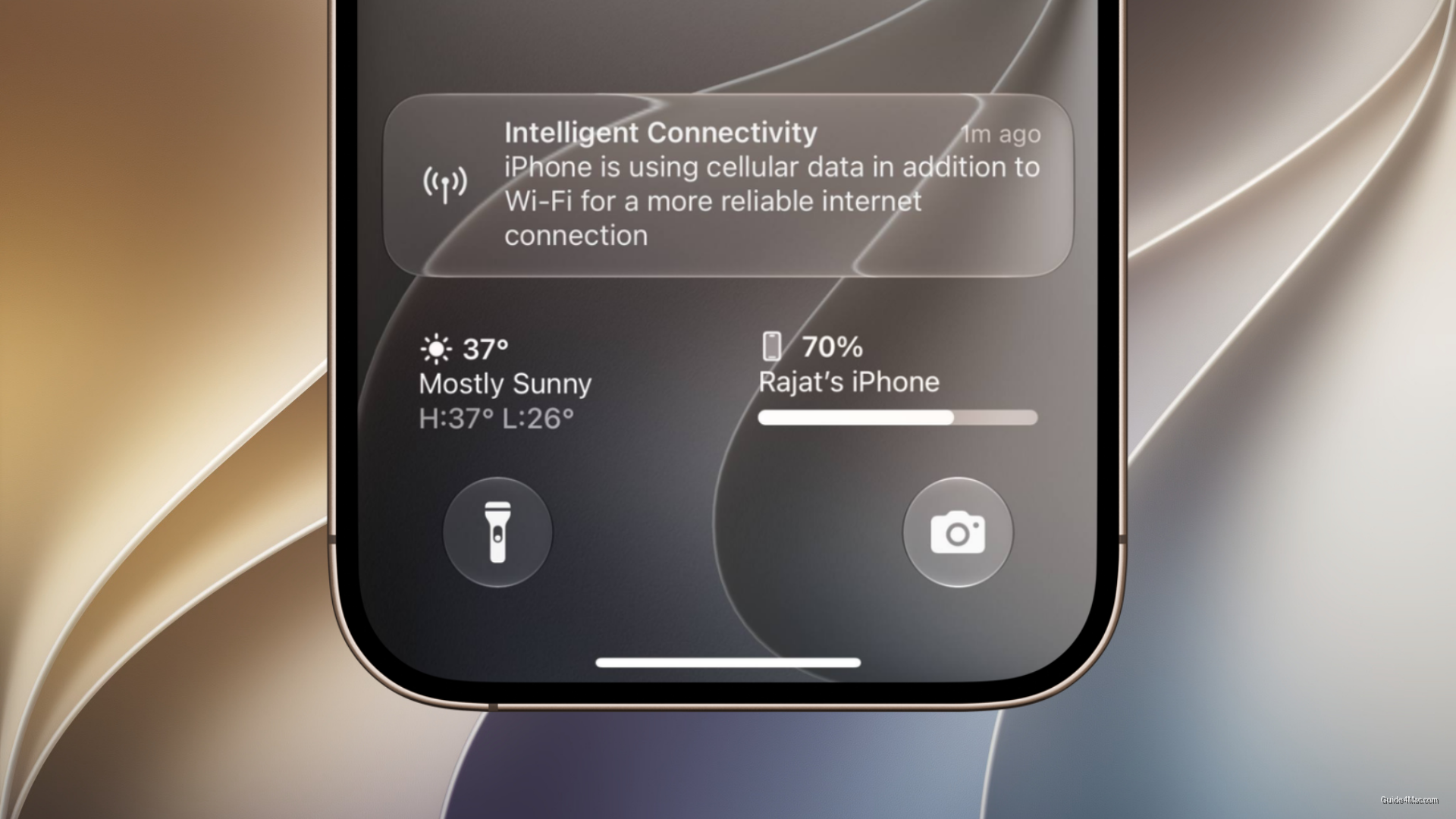
- Beta testers report “Intelligent Connectivity” notifications suggesting active system decisions beyond simple signal-based switching.
- Connectivity Assist may combine Wi-Fi and cellular simultaneously rather than switching between them.
- IOS 27 addresses cellular data transition issues that caused dropped connections in iOS 26.
Apple’s iOS 27 is renaming Wi-Fi Assist to Connectivity Assist, a feature that has lived quietly in Settings since iOS 9. The rename alone would be unremarkable, but early beta testers are reporting behavior that goes beyond the original feature’s simple fallback logic.
Wi-Fi Assist, in every version before iOS 27, did one thing: when your Wi-Fi signal degraded past a threshold, the phone quietly switched to cellular. Connectivity Assist appears to do something different. Beta users are seeing an “Intelligent Connectivity” notification when the feature activates, which suggests the system is making active decisions rather than just flipping a switch after signal loss.
The more interesting possibility, which Apple has not confirmed, is that Connectivity Assist combines Wi-Fi and cellular simultaneously rather than choosing between them. That would put it closer to how Android’s adaptive connectivity and some carrier implementations handle hybrid networking, where both radios contribute to a single connection. Apple’s silence on the technical specifics is doing a lot of work here.
Why the Timing Matters
This arrives alongside Apple’s stated improvements to cellular data transitions during movement between locations, which is a different but related problem. iOS 26 had documented issues where devices struggled to maintain stable connections during network handoffs, contributing to app-level failures including dropped data sessions. Addressing the underlying connectivity layer in iOS 27 reads partly as a response to that feedback.
For most users the practical difference may be invisible, which is probably the point. A feature that requires no manual intervention and generates no complaints is a successful networking feature.




0 Comments