MacOS Golden Gate Stops Installing Rosetta 2 Automatically
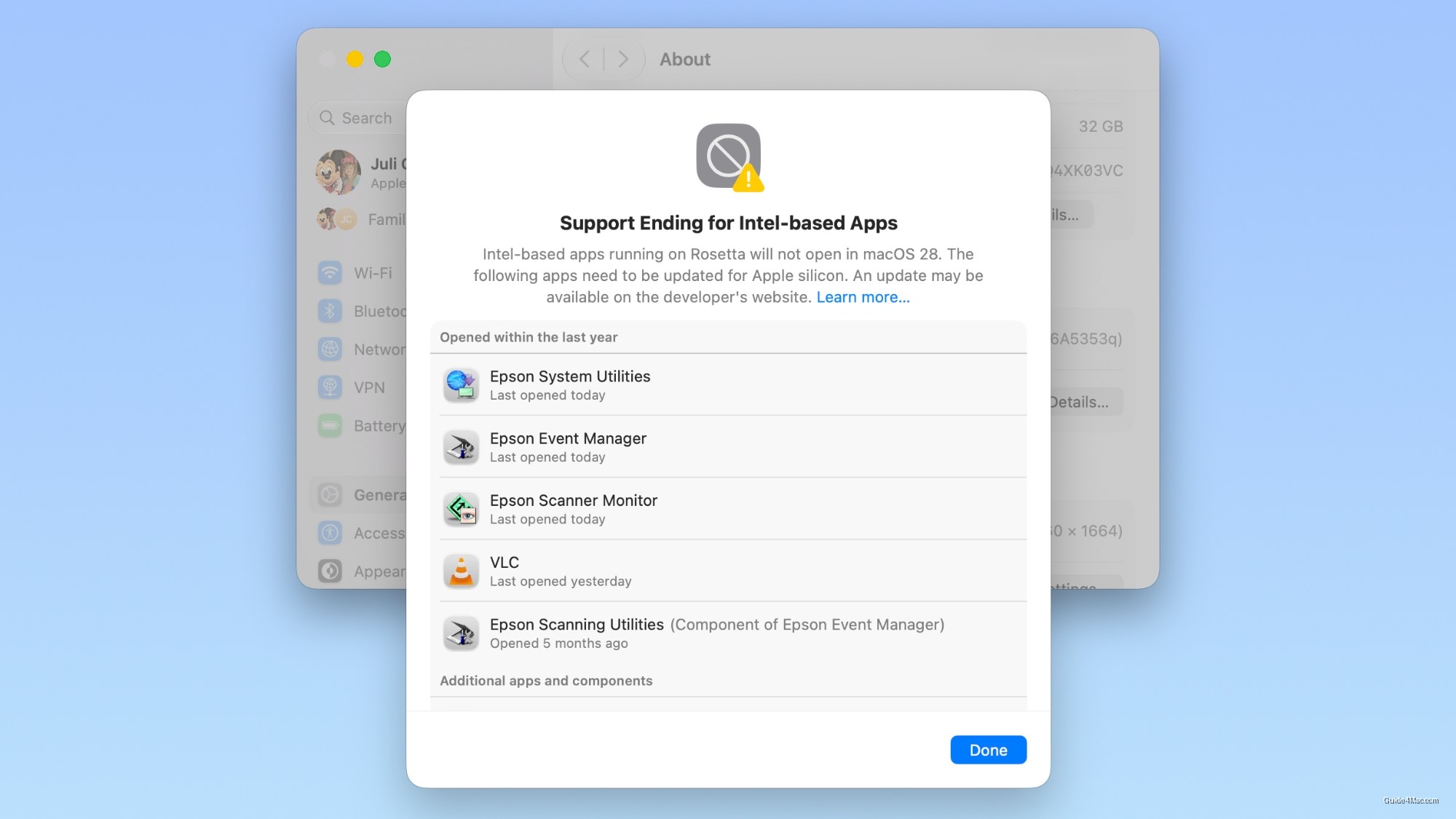
What You Need to Know
- MacOS Golden Gate displays warnings when restarting or opening Intel apps, signaling Rosetta 2 sunset.
- Authentication plugins and pre-login utilities dependent on Rosetta already fail to load in Golden Gate.
- Golden Gate no longer installs Rosetta automatically; users must manually trigger installation for Intel apps.
- New Settings list lets users audit Intel-dependent apps before upgrading to identify compatibility issues.
Apple is making the Rosetta 2 sunset impossible to ignore. Starting with macOS Golden Gate, Mac users see a warning every time they restart or open an Intel app, and a new list under Settings > General > About > Intel-Based Apps shows exactly which apps will stop running when macOS 28 finally pulls the plug. The detail most people will miss: authentication plugins and pre-login utilities that depend on Rosetta already fail to load in Golden Gate, meaning the breakage has quietly started.
The timeline here is tighter than it looks. macOS Tahoe was the last release to include full Rosetta support and the last to run on Intel hardware, so Golden Gate marks the point where both the old machines and the compatibility layer enter their final stretch simultaneously. Apple stopped selling Intel Macs years ago, which means the population of users still relying on Rosetta is almost entirely people running legacy software, not legacy hardware.
Golden Gate also no longer installs Rosetta automatically. Opening an Intel app for the first time after upgrading triggers a manual installation step, a small but deliberate friction that signals where Apple’s priorities sit.
What the New App List Actually Changes
The Intel-Based Apps detail view is the more practical addition. Rather than discovering a broken app after upgrading, users can audit their entire exposure now, then contact developers or find replacements on their own schedule. A bug in earlier betas incorrectly flagged some apps as Intel-only, so the list is worth cross-checking against actual app store pages before acting on it.
Apple spent five years on this transition. The broader pattern across Golden Gate is a platform that has stopped accommodating the old architecture and is now actively surfacing the cost of staying on it. For most users the list will be short. For anyone running specialized professional software, it may be the first real look at a problem they have been deferring.




0 Comments