IOS 27 Weather App Surfaces Hidden Data With Fewer Taps
What You Need to Know
- IOS 27 Weather app reorganizes interface without adding AI features or new data sources.
- Precipitation and wind data moved from detail views to main interface as toggleable condition views.
- New Highlights section summarizes daily conditions; hourly breakdowns now include precipitation and wind data.
- Extra-large Home Screen widget size allows Weather app to occupy entire app page.
Apple’s Weather app in iOS 27 gets no new AI features, no new data sources, and no expanded forecasting partnerships. What it gets instead is a reorganized interface that surfaces information the app already had.
The most telling change is the one easiest to overlook. Precipitation and wind data were already present in the app, but reaching them required tapping into detail views. iOS 27 promotes both into the main interface as toggleable condition views, letting users flip between temperature, hourly rain chances, and wind speed without drilling down.
That same toggle logic carries through to the 10-day forecast. Swapping between condition types now updates the extended view as well, so precipitation and wind overviews for the next 10 days are visible without any additional taps. It is a small change that removes a consistent friction point in the existing design.
The other additions are more structural:
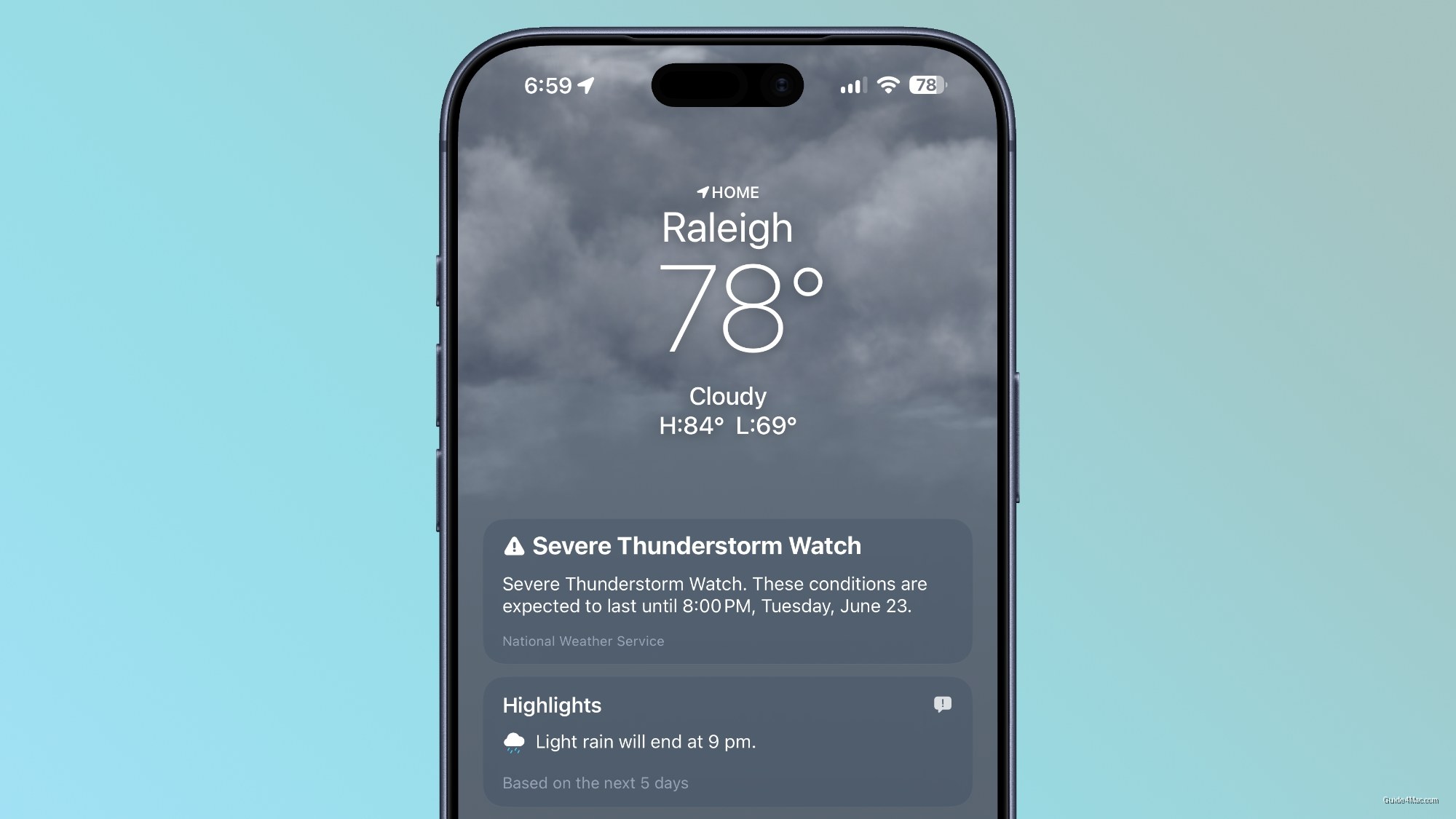
- A new Highlights section sits at the top of the app, summarizing need-to-know conditions for the day
- Hourly breakdowns now include precipitation probability and wind speed alongside temperature
- A new extra-large Home Screen widget size lets the Weather app occupy an entire app page
The widget addition follows Apple’s broader push over recent iOS versions to give users more flexibility with Home Screen layouts, particularly on larger iPhone models where the extra-large format makes more visual sense. Filling an entire page with weather data is a choice most users will not make, but the option now exists.
Taken together, the iOS 27 Weather updates are about access rather than new capability. Apple is not adding forecasting intelligence or novel data, it is reducing the number of taps required to see what the app already knew. Whether that counts as improvement depends on how often the current layout frustrated you.




0 Comments