guide4mac
  • How To Guides
  • Best of
  • Comparisons

Carl Sanson

Carl Sanson is a writer and tech reviewer at Guide4Mac, specializing in the MacBook and Mac desktop lineup. Having grown up during Apple’s shift from Intel to its own custom chips, Carl has a natural interest in how hardware performance translates to everyday productivity. He spends most of his time testing the limits of macOS on everything from the entry-level MacBook Air to high-end Mac Pro setups. Whether he’s troubleshooting a system update or comparing the latest M-series processors, Carl’s goal is to provide straightforward, honest advice that helps users choose the right Mac for their needs. When he isn't benchmarking hardware, he’s usually experimenting with new productivity apps or refining his desk setup.
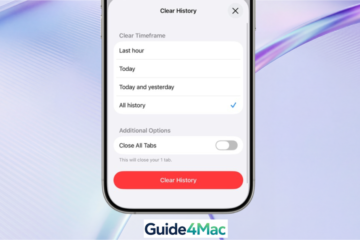
iPhone screen showing Safari browser history with the clear button highlighted
iPhone

How to See Safari History on iPhone (iOS 26) and Recover Browsing Pages

If you’ve ever lost a tab or couldn’t find a website again, Safari history is the quickest way to recover it. On iOS 26, Apple keeps everything simple, but many users still struggle to locate or properly use their browsing history. Below is a clean, structured guide with practical steps Read more
By Carl Sanson, 7 monthsApril 14, 2026 ago
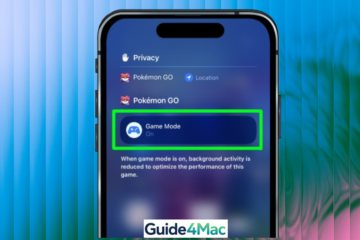
iPhone screen showing Game Mode enabled with high-performance graphics settings
iPhone

How to Optimize Your iPhone Settings for Smoother Gaming in 2026

If you want smoother gameplay, learning how to optimize iPhone settings for gaming performance can make a noticeable difference. Even powerful iPhones can lag if background processes, notifications, or system settings are not properly managed. In this guide, you will learn the exact tweaks to improve gaming performance on iOS, Read more

By Carl Sanson, 7 monthsApril 13, 2026 ago
Golden Retriever wearing a rugged black tactical AirTag collar in a forest
Best of

Best AirTag Pet Collars: Track and Protect Your Dog

If you are looking for the best AirTag dog collars that are rugged and stylish, choosing the right one can make a big difference in both safety and comfort. Apple AirTags offer an easy way to track your dog, but the collar you use determines how secure and reliable that Read more

By Carl Sanson, 7 monthsApril 13, 2026 ago
iPhone Lock Screen showing the media player with volume slider active
iPhone

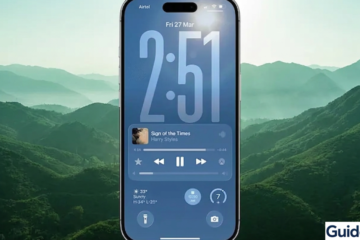
How to Add the Volume Slider to Your iPhone Lock Screen in iOS 26

If you are trying to add a volume slider to the iPhone Lock Screen in iOS 26, you might be surprised that it is not always visible by default. Apple changed how volume controls appear, especially when media is not actively playing. In this guide, you will learn how to Read more

By Carl Sanson, 7 monthsApril 12, 2026 ago
iPhone Settings menu showing the Analytics and Improvements toggle turned off
iOS 26

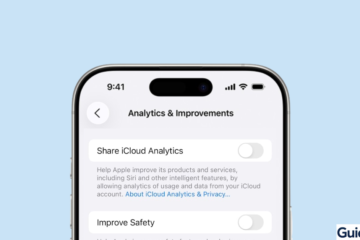
How to Turn Off Share iPhone Analytics in iOS 26 (Privacy Guide)

If you want to improve privacy, learning how to turn off iPhone analytics in iOS 26 is one of the quickest changes you can make. By default, Apple collects anonymized usage and diagnostic data to improve system performance and apps. In this guide, you will learn how to disable analytics Read more

By Carl Sanson, 7 monthsApril 12, 2026 ago
iPhone screen showing 6 months free Apple Music offer
How To Guides

How to Get Apple Music for Free in 2026: The Ultimate Guide

Apple Music has grown into a powerhouse of over 100 million songs. However, with subscription prices reaching $10.99/month, finding a free path is more important than ever. Whether you’ve just bought a new device or are a returning user, here are the most effective, tested ways to get Apple Music Read more

By Carl Sanson, 8 monthsApril 10, 2026 ago
How to set Parent Guardian role in Apple Family Sharing settings
How To Guides

Fix: Apple Screen Time Not Updating? Parent’s Guide to Digital Supervision (2026)

Apple introduced Screen Time with iOS 12 as a proactive response to digital wellness and device addiction. Unlike traditional “lock-and-block” tools, Screen Time was designed as a transparent mirror of our digital habits. For parents, this shift is critical: the goal isn’t just control, but supervision and mentorship. By accessing Read more

By Carl Sanson, 8 monthsApril 10, 2026 ago
Screenshot of the iPad Software Update screen showing an available download
How To Guides

How to Update an Old iPad to Latest iPadOS

Here’s a fun fact, Apple supports iPads far longer than most people expect. Some models released nearly a decade ago can still receive updates, just not always the newest iPadOS version you see advertised. If your iPad feels “left behind,” don’t worry. In this guide, you will learn how to Read more

By Carl Sanson, 8 monthsApril 9, 2026 ago
Screenshot showing how to delete a cached iOS update in iPhone Storage
iPhone

iOS 26 Taking Forever to Install? Fix Slow Download, Stuck Updates & Installation Issues Fast

iOS 26 is not just another incremental update. With installation packages often exceeding 5–7 GB, it is closer to a full system rebuild than a simple upgrade. During the first 24–72 hours after release, Apple’s servers experience massive global demand, which means your iPhone is not just downloading files, it Read more

By Carl Sanson, 8 monthsApril 8, 2026 ago
How To Guides

How to Fix iOS 26.4 Age Verification Not Working on iPhone

Since the release of iOS 26.4, many iPhone users have run into a frustrating issue: the age verification process fails or loops repeatedly, even when entering correct details. In fact, Apple discussion threads show dozens of users reporting the same problem, with repeated scans or verification requests that never complete. Read more

By Carl Sanson, 8 monthsApril 8, 2026 ago

Posts pagination

Previous 1 2 3 … 12 Next

Recent Posts

  • How to Remove Search Marquis Virus from Mac: Step-by-Step Guide 2026
  • How to Remove “Browser Is Infected” Pop-Up Virus from Mac (2026)
  • How to Create and Remove Symlinks on Mac (3 Methods)
  • How to Remove Shlayer Trojan Horse Virus from Your Mac (Full Guide)
  • How to Remove a Virus from MacBook Pro (Manual Removal Guide)
  • Privacy Policy
  • Cookie Policy
  • Terms of Service
  • Disclosure
  • Contact Us
Hestia | Developed by ThemeIsle