WatchOS 27 Replaces Apple Watch App Grid With AI Predictions
What You Need to Know
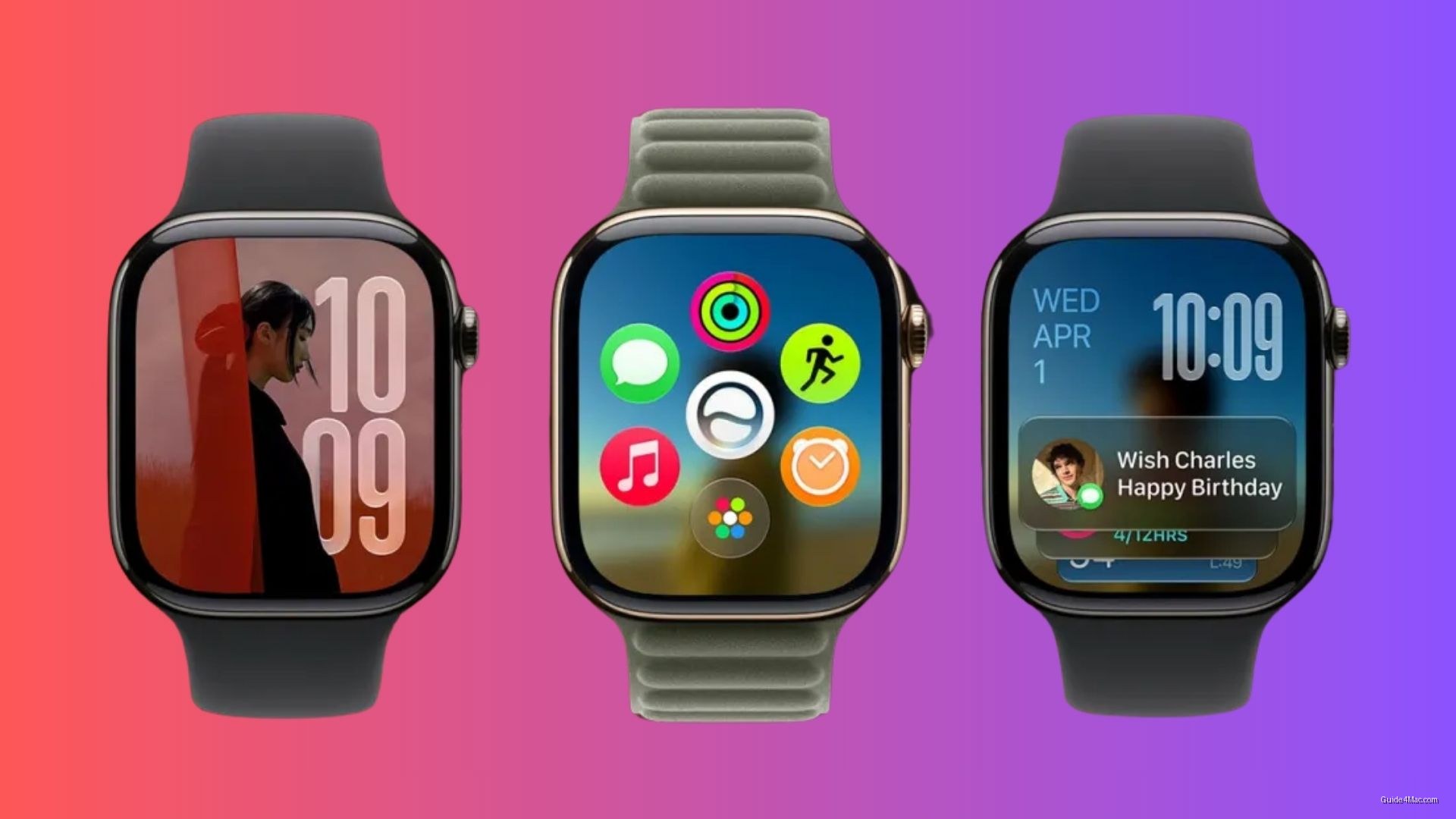
- WatchOS 27 replaces the honeycomb grid app launcher with a dynamic grid showing six predicted apps.
- The new default screen displays apps based on usage patterns and recency, with Siri permanently centered.
- Full app library remains accessible but requires one additional tap from the new home screen.
- Apple redesigned the launcher to prioritize prediction over browsing for a device typically used one-handed.
Apple’s app launcher on Apple Watch has worked the same way since the beginning: a honeycomb grid or a list, both requiring you to hunt for whatever you needed. WatchOS 27 replaces that as the default experience with something the company calls the dynamic app grid, and the shift is more structural than it first appears.
Pressing the Digital Crown no longer drops you into an alphabetical list or the familiar honeycomb layout. Instead, you land on a screen showing six apps the system predicts you want right now, chosen based on usage patterns and recency. A shortcut at the bottom still leads to the full app library in whichever view you prefer, so nothing is removed, just buried one tap deeper.
The permanent centerpiece of that six-app screen is the new dedicated Siri app, which holds the middle position regardless of your habits. The other five slots rotate dynamically around it. Apple is essentially betting that most users only ever launch a handful of apps intentionally, and that surfacing those automatically saves more time than a full grid ever could.
What the update changes day to day
The broader watchOS 27 beta changes suggest Apple is rethinking how the watch handles interaction at a system level, not just cosmetically. Prioritizing prediction over browsing fits a device you use in seconds, often with one hand occupied.
What the update does not address, at least not here, is cost elsewhere. Apple has made other quiet tradeoffs in watchOS 27 that deserve equal attention alongside the redesigned launcher. A faster home screen is a reasonable goal; whether the surrounding changes balance out is a separate question.




0 Comments