IOS 27 Now Playing Widget Swipe-to-Dismiss Works, But Getting It Back Is Messy
What You Need to Know
- IOS 27 adds swipe-to-dismiss gesture for Now Playing widget on Lock Screen.
- Dismissed widget sometimes fails to reappear when playback resumes without workarounds.
- Apple redesigned Lock Screen media controls in iOS 26 with dynamic layout changes.
- IOS 27 includes adjustments to Lock Screen clock in compact mode.
The most underreported detail here is not that you can swipe away the Now Playing widget, but that you sometimes cannot get it back without jumping through hoops. That tension between a tidy fix and a clumsy workaround defines this feature better than any screenshot of a clean Lock Screen.
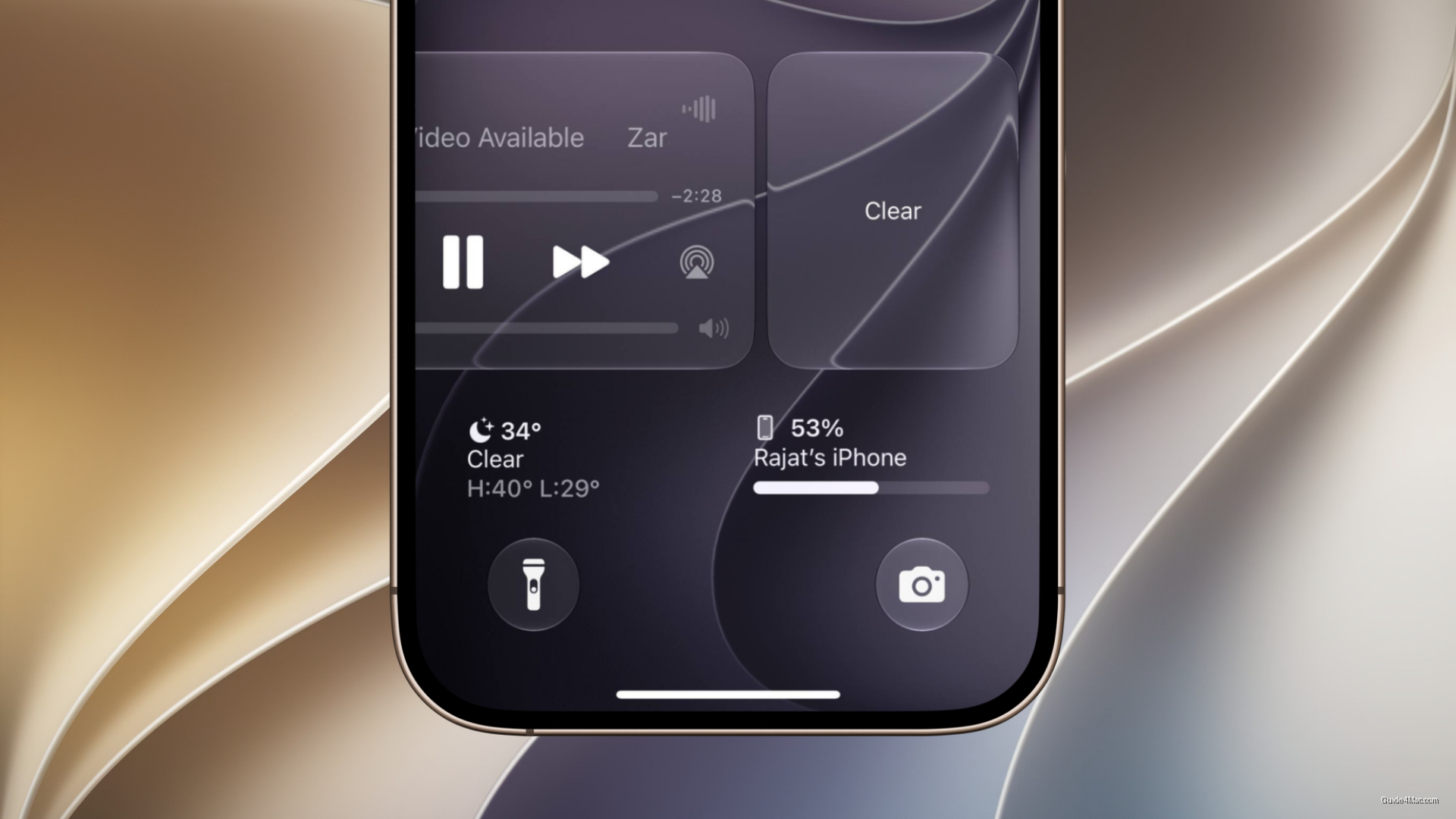
Apple has let the Now Playing widget linger on the Lock Screen for years after playback ends, a minor but persistent annoyance for anyone who pauses a podcast and then picks up their phone an hour later to find media controls still squatting over their wallpaper. iOS 27 adds a swipe-to-dismiss gesture that clears the panel, freeing up space for notifications and the clock. The interaction mirrors how you’d swipe away a notification, which makes it feel immediately familiar.
When dismissing creates a new problem
The catch is retrieval. Early beta testers report that after swiping the widget away, resuming playback does not always bring the panel back right away, and the suggested fix, pausing, waiting a few minutes, then resuming or switching to video, is not exactly intuitive.
This fits a broader pattern in how Apple has been rethinking Lock Screen media controls. iOS 26 already redesigned the layout to be more dynamic, including changes to where the volume slider sits and how it surfaces. The Now Playing dismiss gesture is another layer on top of a UI that has already shifted once in the past year.
Apple is also adjusting the Lock Screen clock in compact mode as part of the same iOS 27 cycle, suggesting the company is doing a broader pass on how the Lock Screen handles competing elements rather than patching things individually.
iOS 27 is still in beta, so the re-display behavior could be smoothed out before public release. But if the workaround ships as-is, the feature trades one mild frustration for a different one.




0 Comments