IOS 27 Lock Screen Clock Gets Compact Mode, Reclaims Wallpaper Space
What You Need to Know
- IOS 27 allows users to shrink the Lock Screen clock and move it to the top widget row.
- Apple previously automated this layout during music playback; iOS 27 makes the feature permanent and user-controlled.
- Shrinking the clock reclaims screen space, particularly useful for Apple Watch users who already see the time.
- IOS 27 continues adding functional controls to the Lock Screen, moving beyond its original time-display purpose.
The most underreported angle here is not that the clock gets smaller, but that Apple is essentially shipping a feature the Lock Screen already did automatically for album art, just made permanent and user-controlled.
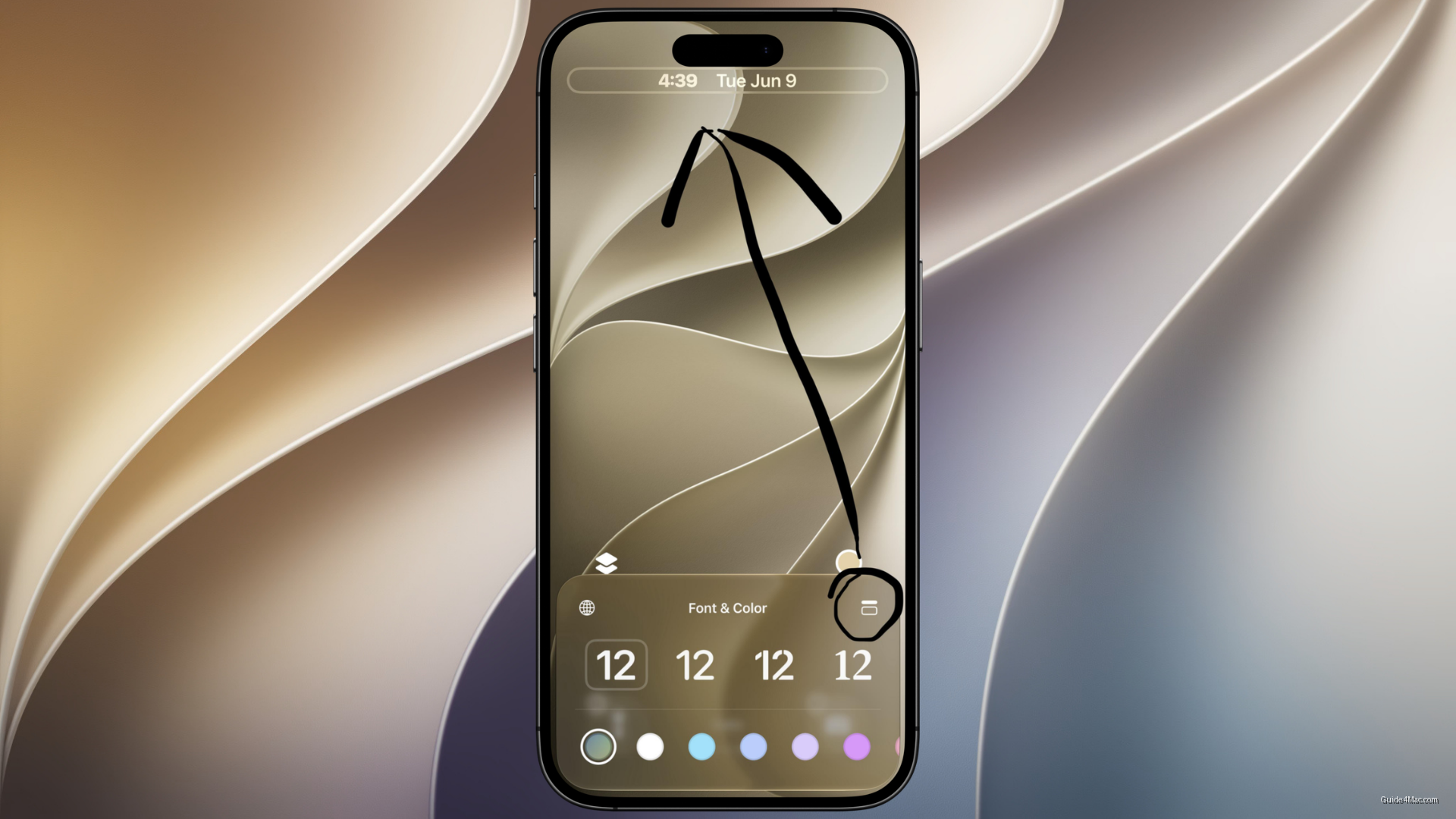
iOS 27 lets users shrink the Lock Screen clock to a compact size and push it into the top widget row, freeing the center of the screen for wallpaper. The feature sits inside the Font & Color panel during Lock Screen customization, accessed through a new icon in the top-right corner. It is the direct inverse of what Liquid Glass introduced in iOS 26, which leaned into a larger, more prominent clock treatment.
Apple already solved this problem once, quietly. When full-screen album artwork appeared on the Lock Screen during music playback, the clock stepped aside automatically. iOS 27 simply lets users make that layout permanent without needing audio playing.
For people who wear an Apple Watch, the Lock Screen clock has always been somewhat redundant. Shrinking it is less about minimalism as an aesthetic and more about reclaiming screen real estate that a wrist-mounted display already covers. The volume slider on the Lock Screen is another example of Apple gradually layering more functional controls onto a surface that used to just show the time and a swipe prompt.
iOS 27’s Broader Customization Direction
This fits a pattern visible across iOS 27. The release is also introducing features like hiding the Now Playing bar and resizable windows aimed at foldable hardware, suggesting Apple is treating screen space as something users should actively manage rather than accept as fixed.
The clock change is small in isolation. Paired with the rest of iOS 27’s surface-level adjustments, it points toward a Lock Screen that Apple increasingly treats as a canvas with optional furniture rather than a fixed layout with one or two tweakable fonts.




0 Comments