guide4mac
  • How To Guides
  • Best of
  • Comparisons

Carl Sanson

Carl Sanson is a writer and tech reviewer at Guide4Mac, specializing in the MacBook and Mac desktop lineup. Having grown up during Apple’s shift from Intel to its own custom chips, Carl has a natural interest in how hardware performance translates to everyday productivity. He spends most of his time testing the limits of macOS on everything from the entry-level MacBook Air to high-end Mac Pro setups. Whether he’s troubleshooting a system update or comparing the latest M-series processors, Carl’s goal is to provide straightforward, honest advice that helps users choose the right Mac for their needs. When he isn't benchmarking hardware, he’s usually experimenting with new productivity apps or refining his desk setup.
Apple Watch displaying a complex, colored activity timeline graph replicating a Body Battery score.
Apple Watch

How to Track Steps on Apple Watch: Find Your Step Count in 2026

If you want to track steps on Apple Watch, you may notice that Apple does not display step counts directly on the watch face like many fitness trackers. Instead, Apple focuses on activity rings, calories burned, and movement goals through the Activity and Fitness apps. Even though step tracking is Read more
By Carl Sanson, 8 monthsMarch 17, 2026 ago
iPhone

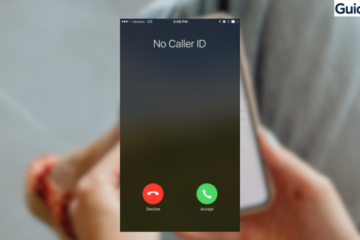
How to Make Anonymous Calls on iPhone: 5 Ways to Hide Caller ID

Learning how to make anonymous calls on iPhone can help protect your privacy when contacting businesses, unknown numbers, or people you do not want to share your phone number with. Apple allows you to hide your caller ID so the recipient sees “No Caller ID” or “Unknown Caller” instead of Read more

By Carl Sanson, 8 monthsMarch 17, 2026 ago
iPad Restore Error 1109
Fix

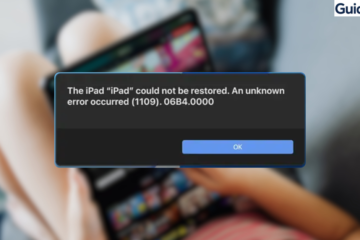
How to Fix iPhone/iPad Restore Error 1109 [2026 Guide]

iPhone Restore Error 1109 usually appears when you try to restore or update an iPhone or iPad using Finder or iTunes. The error interrupts the restore process, leaving the device stuck in recovery mode or unable to complete the software installation. This problem typically occurs because of unstable USB connections, Read more

By Carl Sanson, 8 monthsMarch 17, 2026 ago
Image showing the new iPhone iOS 26 Camera App
iOS 26

iOS 26 Camera App Redesign: Where Is Everything and How to Use It

The iPhone Camera app changed in iOS 26, introducing a redesigned interface and new controls that make it easier to access common photography features. Apple simplified the layout while adding faster ways to switch modes, adjust settings, and capture photos or videos. This guide explains how the new Camera app Read more

By Carl Sanson, 8 monthsMarch 17, 2026 ago
Screenshot of iOS 18 settings menu showing the 'Back Up Now' button for iCloud backup.
iPhone

How to Back Up iPhone: 6 Best Ways for 2026 [Expert Guide]

Creating a backup of your iPhone protects your photos, messages, apps, and settings in case the device is lost, damaged, or replaced. Apple provides several built-in ways to back up your data, including iCloud and computer backups through Finder or iTunes. In this guide, you will learn how to back Read more

By Carl Sanson, 8 monthsMarch 17, 2026 ago
A high-resolution close-up of an open AirPods Pro charging case, with a magnified view highlighting the serial number printed on the underside of the left lid.
Airpods

How to Check If AirPods Are Real Using Serial Number: Step-By-Step

If you want to check if AirPods are real using the serial number, Apple provides a simple verification tool that confirms whether the device is genuine. Because AirPods are among the most frequently counterfeited Apple products, verifying the serial number is one of the fastest ways to identify fake units Read more

By Carl Sanson, 8 monthsMarch 17, 2026 ago
iPhone not charging
iPhone

How to Fix iPhone Not Charging And Get it Back In Line?

If your iPhone won’t charge, the problem is usually caused by a faulty cable, debris in the charging port, software glitches, or battery issues. Even newer models with USB-C connectors can stop charging if accessories are incompatible or the port is blocked. This guide walks through the most effective fixes, Read more

By Carl Sanson, 8 monthsMarch 17, 2026 ago
An iPad Pro screen displaying the "iPad is disabled" message next to a laptop showing the recovery mode restore screen.
iPad

Forgot iPad Passcode? 5 Ways to Unlock Your iPad

If you forgot your iPad passcode, you will not be able to access the device until it is reset. Apple protects user data by locking the iPad after multiple incorrect attempts, which may eventually disable the device. The only reliable solution is to erase the iPad and set it up Read more

By Carl Sanson, 8 monthsMarch 17, 2026 ago
Airpods

AirPods Pro Static Noise in One Ear? 7 Fixes That Actually Work

If you hear static noise in one AirPod Pro, it can make music, calls, and podcasts difficult to enjoy. The problem often appears as crackling, buzzing, or distorted sound coming from one earbud. It may happen during calls, while listening to music, or when using noise cancellation. This guide explains Read more

By Carl Sanson, 8 monthsMarch 17, 2026 ago
A side-by-side comparison shot of three MacBook Pros (Silver and Space Gray) resting on a minimalist desk with blue-green Guide4Mac lighting, used as a guide to choosing Mac colors.
Macbook

How To Force Restart or Shut Down a Mac Or Macbook Easily?

If your computer freezes or becomes unresponsive, knowing how to force restart or shut down a Mac can quickly restore control. While macOS normally handles shutdown and restart tasks smoothly, system crashes, frozen apps, or hardware issues may require a manual restart. Whether you are using a MacBook Air, MacBook Read more

By Carl Sanson, 8 monthsMarch 17, 2026 ago

Posts pagination

Previous 1 … 8 9 10 … 12 Next

Recent Posts

  • How to Remove Search Marquis Virus from Mac: Step-by-Step Guide 2026
  • How to Remove “Browser Is Infected” Pop-Up Virus from Mac (2026)
  • How to Create and Remove Symlinks on Mac (3 Methods)
  • How to Remove Shlayer Trojan Horse Virus from Your Mac (Full Guide)
  • How to Remove a Virus from MacBook Pro (Manual Removal Guide)
  • Privacy Policy
  • Cookie Policy
  • Terms of Service
  • Disclosure
  • Contact Us
Hestia | Developed by ThemeIsle