guide4mac
  • How To Guides
  • Best of
  • Comparisons

Robert Granstone

Robert Granstone is the Editor-in-Chief of Guide4Mac. A veteran tech journalist with a decade of experience covering Apple, he specializes in making complex Mac and iPhone workflows accessible to everyone. Robert’s editorial philosophy is built on transparency and hands-on testing. Follow his latest insights into the Apple ecosystem here.
iphones 18 showcased
iPhone

iPhone 18 Pro and Pro Max Release Date: Complete Timeline, Rumors And Leaks

The iPhone 18 Pro and iPhone 18 Pro Max are already generating significant interest on the internet, especially on Reddit and non-official forums, even though Apple has not officially announced the devices yet. Based on supply-chain leaks, analyst predictions, and Apple’s historical release cycle, the next-generation flagship iPhones are expected Read more

By Robert Granstone, 8 monthsMarch 17, 2026 ago
iphone charger usb c
iPhone

iPhone 18 Charging: Will Apple Drop USB-C Or Not?

The iPhone 18 charging system is already a major topic of discussion even though Apple has not officially announced the device yet. Since Apple moved the iPhone to USB-C starting with the iPhone 15 lineup, many users are wondering whether future models like the iPhone 18 will keep the same Read more

By Robert Granstone, 8 monthsMarch 17, 2026 ago
safari settings to move search bar top iphone
iPhone

How to Move Search Bar to Top on iPhone? 2026 Guide

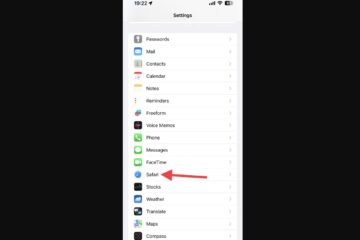
If you want to move the search bar to the top on iPhone, “come over here”, as they say in Mortal Kombat. Recent iOS updates changed the placement of several search bars, moving them to the bottom of the screen in apps like Safari, Messages, and Settings. Apple introduced this Read more

By Robert Granstone, 8 monthsMarch 17, 2026 ago
apple mobile device driver install itunes message
How To Guides

How To Install Apple Mobile Device Driver on Windows 11?

Connecting an iPhone or iPad to a Windows 11 PC should be easy (usually), but driver conflicts often get make you trouble. When your computer fails to recognize your mobile device, the problem is usually a missing or outdated Apple Mobile Device USB Driver. This specific software component acts as Read more

By Robert Granstone, 8 monthsMarch 17, 2026 ago
mac cache folder cleaning porocess
Macbook

How To Clear Mac Cache: The Ultimate Guide to a Faster OS

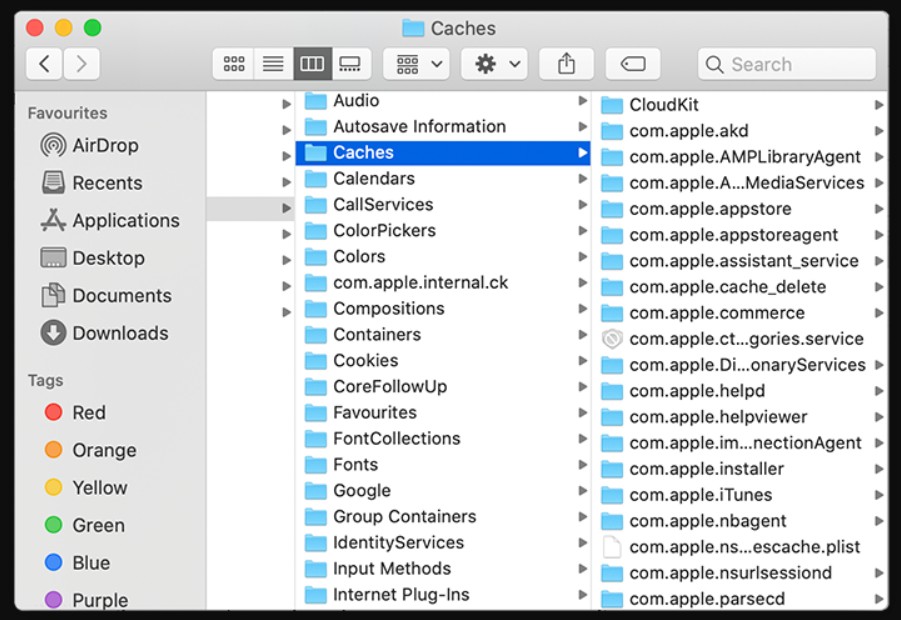
Every time you browse the web or open an app, your computer creates temporary files known as cache to help speed up future sessions. However, over time, these files accumulate into a massive digital junkyard that consumes your storage and can actually slow down your system. Mac users often find Read more

By Robert Granstone, 10 monthsJanuary 26, 2026 ago
Your system has run out of application memory-error
How To Guides

How to fix “Your system has run out of application memory” error

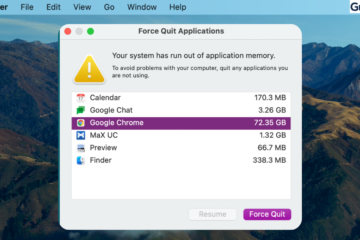
When the “Your system has run out of application memory” error appears, your Mac is on the verge of a total system freeze. This isn’t just a RAM problem; it’s a critical failure of your SSD to provide “Swap Space.” If your hard drive is cluttered with hidden system data, Read more

By Robert Granstone, 10 monthsJanuary 26, 2026 ago
Fix

Fix Mac Error “Your system has run out of application memory”

When the “Your system has run out of application memory” error appears, your Mac is on the verge of a total system freeze. This isn’t just a RAM problem; it’s a critical failure of your SSD to provide “Swap Space.” If your hard drive is cluttered with hidden system data, Read more

By Robert Granstone, 10 monthsJanuary 26, 2026 ago
Fix

How to Fix System Data Huge / Large on Mac?

The “System Data” category in macOS storage management is frequently the largest consumer of disk space on modern Mac SSDs. This label encompasses everything from local Time Machine snapshots and APFS file system metadata to expansive application support libraries and cached assets. When this partition scales beyond 100GB, it typically Read more

By Robert Granstone, 10 monthsJanuary 24, 2026 ago
Fix

How to Fix System Data is Huge / Large on Mac?

The “System Data” category in macOS storage management is frequently the largest consumer of disk space on modern Mac SSDs. This label encompasses everything from local Time Machine snapshots and APFS file system metadata to expansive application support libraries and cached assets. When this partition scales beyond 100GB, it typically Read more

By Robert Granstone, 10 monthsJanuary 24, 2026 ago
How To Guides

How to Fix System Data Is Huge / Large on Mac?

The “System Data” category in macOS storage management is frequently the largest consumer of disk space on modern Mac SSDs. This label encompasses everything from local Time Machine snapshots and APFS file system metadata to expansive application support libraries and cached assets. When this partition scales beyond 100GB, it typically Read more

By Robert Granstone, 10 monthsJanuary 24, 2026 ago

Posts pagination

Previous 1 … 3 4

Recent Posts

  • How to Remove Search Marquis Virus from Mac: Step-by-Step Guide 2026
  • How to Remove “Browser Is Infected” Pop-Up Virus from Mac (2026)
  • How to Create and Remove Symlinks on Mac (3 Methods)
  • How to Remove Shlayer Trojan Horse Virus from Your Mac (Full Guide)
  • How to Remove a Virus from MacBook Pro (Manual Removal Guide)
  • Privacy Policy
  • Cookie Policy
  • Terms of Service
  • Disclosure
  • Contact Us
Hestia | Developed by ThemeIsle