guide4mac.com
  • How To Guides
  • Best of
  • Comparisons

Fix

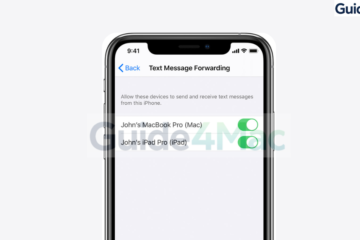
iPhone popup saying your SIM sent a text message.
Fix

How to Fix “Your SIM Sent a Text Message” on iPhone? Working Solutions

Seeing the “Your SIM Sent a Text Message” alert on iPhone can be confusing because the message appears even when you did not send a single word to anybody. Many users encounter this notification repeatedly, sometimes several times per day, and it often appears without any clear explanation. The good Read more
By Robert Granstone, 3 monthsMarch 17, 2026 ago
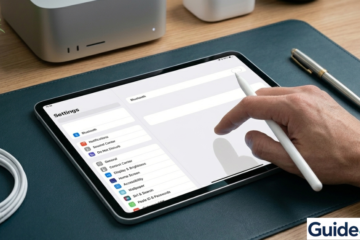
An Apple Pencil Pro resting next to an iPad Pro on a desk with blue-green Guide4Mac branding, illustrating a troubleshooting guide for connectivity issues."
Fix

Apple Pencil Not Working But Connected? 8 Fast Fixes

If your Apple Pencil is connected but not working, you might notice that it appears paired with your iPad yet does not respond when you try to write or draw. This can happen with both Apple Pencil (1st generation) and Apple Pencil (2nd generation) across devices like the iPad, iPad Read more

By Carl Sanson, 3 monthsMarch 17, 2026 ago
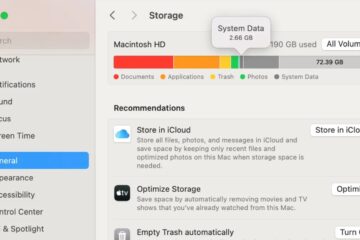
mac os system data large
Fix

How to Fix macOS System Data Huge Or Too Large? [Simple Solutions]

If macOS System Data is taking too much storage, your Mac may suddenly show tens or even hundreds of gigabytes used by something called “System Data.” This =”System Data” may include: The problem usually appears after system updates, heavy app usage, or large temporary files that never get cleaned up. Read more

By Carl Sanson, 3 monthsMarch 17, 2026 ago
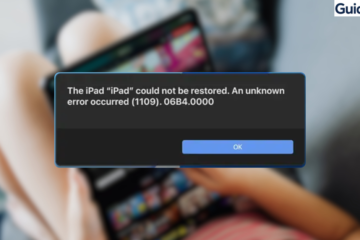
iPad Restore Error 1109
Fix

How to Fix iPhone/iPad Restore Error 1109 [2026 Guide]

iPhone Restore Error 1109 usually appears when you try to restore or update an iPhone or iPad using Finder or iTunes. The error interrupts the restore process, leaving the device stuck in recovery mode or unable to complete the software installation. This problem typically occurs because of unstable USB connections, Read more

By Carl Sanson, 3 monthsMarch 17, 2026 ago
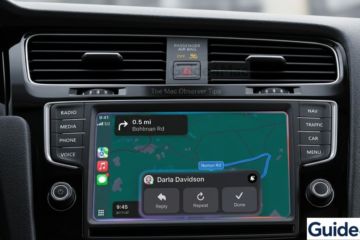
A 3D render of an iPhone 17 Pro running iOS 26 displaying an active Apple CarPlay dashboard with navigation and a prominent text notification from Darla Davidson, demonstrating the focus of the Mac Observer troubleshooting guide.
Fix

How to Fix Apple CarPlay Not Working: Step-By-Step

If Apple CarPlay is not working, it can prevent you from accessing navigation, music, calls, and messages while driving. This issue may appear when your iPhone fails to connect to the car system, CarPlay does not launch, or apps stop responding on the vehicle display. This guide explains the most Read more

By Carl Sanson, 3 monthsMarch 17, 2026 ago
Not Receiving iPhone Verification Texts
Fix

iPhone Not Receiving Verification Texts? Check These Fixes

If your iPhone is not receiving verification texts, you may be unable to sign in to apps, confirm accounts, or complete two factor authentication. These messages usually come from banks, social media platforms, or Apple services and are often required to verify your identity (or else you cannot login). In Read more

By Carl Sanson, 3 monthsMarch 17, 2026 ago
Fix

Fix Mac Error “Your system has run out of application memory”

When the “Your system has run out of application memory” error appears, your Mac is on the verge of a total system freeze. This isn’t just a RAM problem; it’s a critical failure of your SSD to provide “Swap Space.” If your hard drive is cluttered with hidden system data, Read more

By Robert Granstone, 5 monthsJanuary 26, 2026 ago
Fix

How to Fix System Data Huge / Large on Mac?

The “System Data” category in macOS storage management is frequently the largest consumer of disk space on modern Mac SSDs. This label encompasses everything from local Time Machine snapshots and APFS file system metadata to expansive application support libraries and cached assets. When this partition scales beyond 100GB, it typically Read more

By Robert Granstone, 5 monthsJanuary 24, 2026 ago
Fix

How to Fix System Data is Huge / Large on Mac?

The “System Data” category in macOS storage management is frequently the largest consumer of disk space on modern Mac SSDs. This label encompasses everything from local Time Machine snapshots and APFS file system metadata to expansive application support libraries and cached assets. When this partition scales beyond 100GB, it typically Read more

By Robert Granstone, 5 monthsJanuary 24, 2026 ago

Posts pagination

Previous 1 2

Recent Posts

  • Apple Faces U.S. Bill Requiring Third-Party App Stores and Alternative Payments
  • IOS 27 Photos App Adds Three AI Editing Modes Beyond Clean Up
  • IOS 27 Weather App Adds Tap-Through Views for Precipitation and Wind Data
  • IOS 27 Restores Apple TV Remote to Home Screen After Five Years
  • IPhone Theft in London Drops 45% After Apple Blocks Resale Software
  • Privacy Policy
  • Cookie Policy
  • Terms of Service
  • Disclosure
  • Contact Us
Hestia | Developed by ThemeIsle