AirPods Settings Get First Major Reorganization in iOS 27
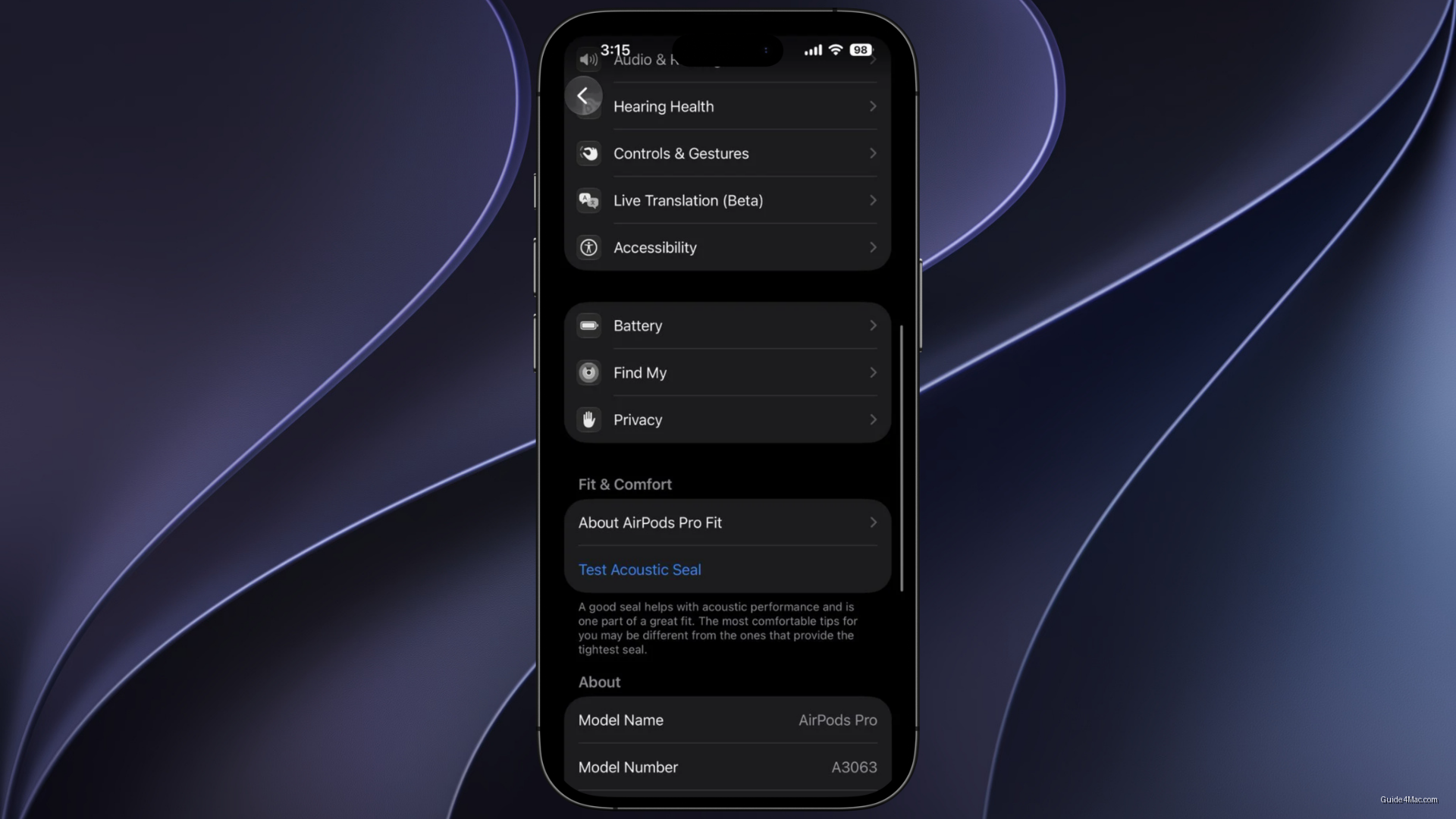
What You Need to Know
- Apple reorganized AirPods settings in iOS 18 beta into seven named categories with dedicated submenus.
- Same redesigned layout appears in macOS 18, suggesting Apple treats AirPods as first-class device category.
- Volume slider now positioned below Listening Mode controls, reducing need to navigate settings menu.
- AirPods feature set grew substantially with spatial audio and hearing health monitoring, necessitating settings restructure.
Apple quietly reworked the AirPods settings interface in the first iOS 27 developer beta, grouping a sprawling list of options into named sections for the first time. It is a small change that reflects how much the feature set on AirPods has grown to the point where a flat scrolling list no longer makes sense.
The four named categories introduced in the redesign are Accessibility, Audio & Routing, Hearing Health, and Controls & Gestures, each with its own icon and dedicated submenu. Battery, Privacy, and Find My settings also get their own sections. A volume slider now sits directly below the Listening Mode controls, which removes one of the more common reasons to go hunting through the menu in the first place.
Consistency Across Platforms
The same layout appears in System Settings on macOS 27 Golden Gate, which is the more interesting part of the story. Apple has historically let AirPods settings drift between platforms, and aligning the two suggests the company is treating the earbuds as a first-class device category rather than an iPhone accessory that happens to work on a Mac.
Public betas for both operating systems are expected next month, with final releases in the fall. That timeline means the redesign has several months to be refined before most users see it.
The AirPods line has accumulated enough features over recent generations, from personalized spatial audio to hearing health monitoring, that settings management was becoming genuinely awkward. Apple tends to redesign settings pages reactively, after the feature count crosses some invisible threshold of messiness. The AirPods page apparently crossed it.
Whether the reorganization holds as Apple adds more features is the real question. A clean menu in 2025 can easily become another cluttered one by 2027 if the underlying approach is just cosmetic grouping rather than any principled reduction in complexity.




0 Comments