IOS 27 Adds Landscape Support Across 12 Apps, Signaling Foldable iPhone
What You Need to Know
- Apple adding landscape support to 12+ first-party apps in iOS 27 after years of neglect.
- Foldable iPhone expected alongside iPhone 17 lineup, reportedly called iPhone Ultra.
- Landscape orientation essential for foldable devices opened flat, driving Apple’s app ecosystem overhaul.
- IOS 27 extends landscape support to Live Activities, indicating full-screen optimization for new hardware.
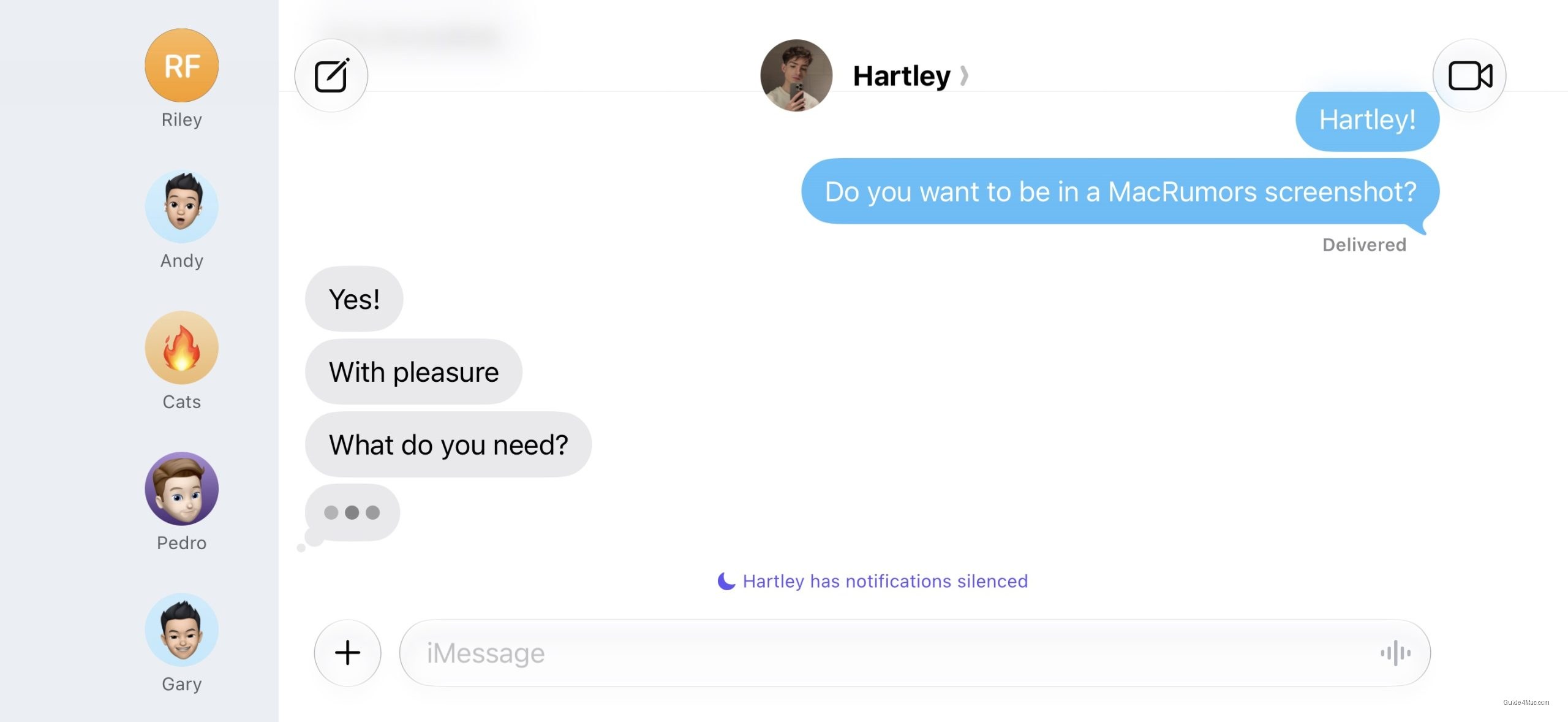
Apple is quietly rebuilding landscape support across iOS 27, adding orientation compatibility to Apple Music, Podcasts, Fitness, Health, Reminders, Home, Shortcuts, Find My, Weather, Voice Memos, and several other first-party apps. Most of these apps now display a left-aligned sidebar when rotated. The audio player in Music and Podcasts gets landscape treatment, though full in-app support is not there yet.
The more interesting story is that the foldable iPhone is what’s actually driving this, not some sudden interest in orientation flexibility. Apple let landscape support atrophy for years, quietly dropping the landscape home screen after the iPhone X in 2017. Reviving it across this many apps at once, timed to a September release window, is not a coincidence.
Apple is expected to announce its first foldable device alongside the iPhone 17 lineup, reportedly called the iPhone Ultra. A foldable opened flat sits in a natural landscape orientation, which means any app that only works in portrait becomes immediately awkward on that form factor. Getting the app ecosystem into shape before the hardware ships is the kind of groundwork Apple typically lays quietly.
What This Means for the Hardware
The foldable’s camera and internal hardware choices are still being pieced together from early leaks, but the software side is becoming clearer. iOS 27 also extends landscape support to Live Activities in the Dynamic Island, which suggests Apple is thinking about the full screen surface, not just app windows.
For existing iPhones, the practical change is modest. Portrait Orientation Lock still needs to be off, and some apps remain portrait-only. Messages gets a small upgrade: the sidebar can now collapse to show only names and profile pictures, which is a usability fix that should have existed years ago.




0 Comments