IOS 27 Adds Messages Dictation Toggle After Bieber’s Viral Complaint
What You Need to Know
- Justin Bieber publicly complained about accidentally triggering the dictation microphone in Messages.
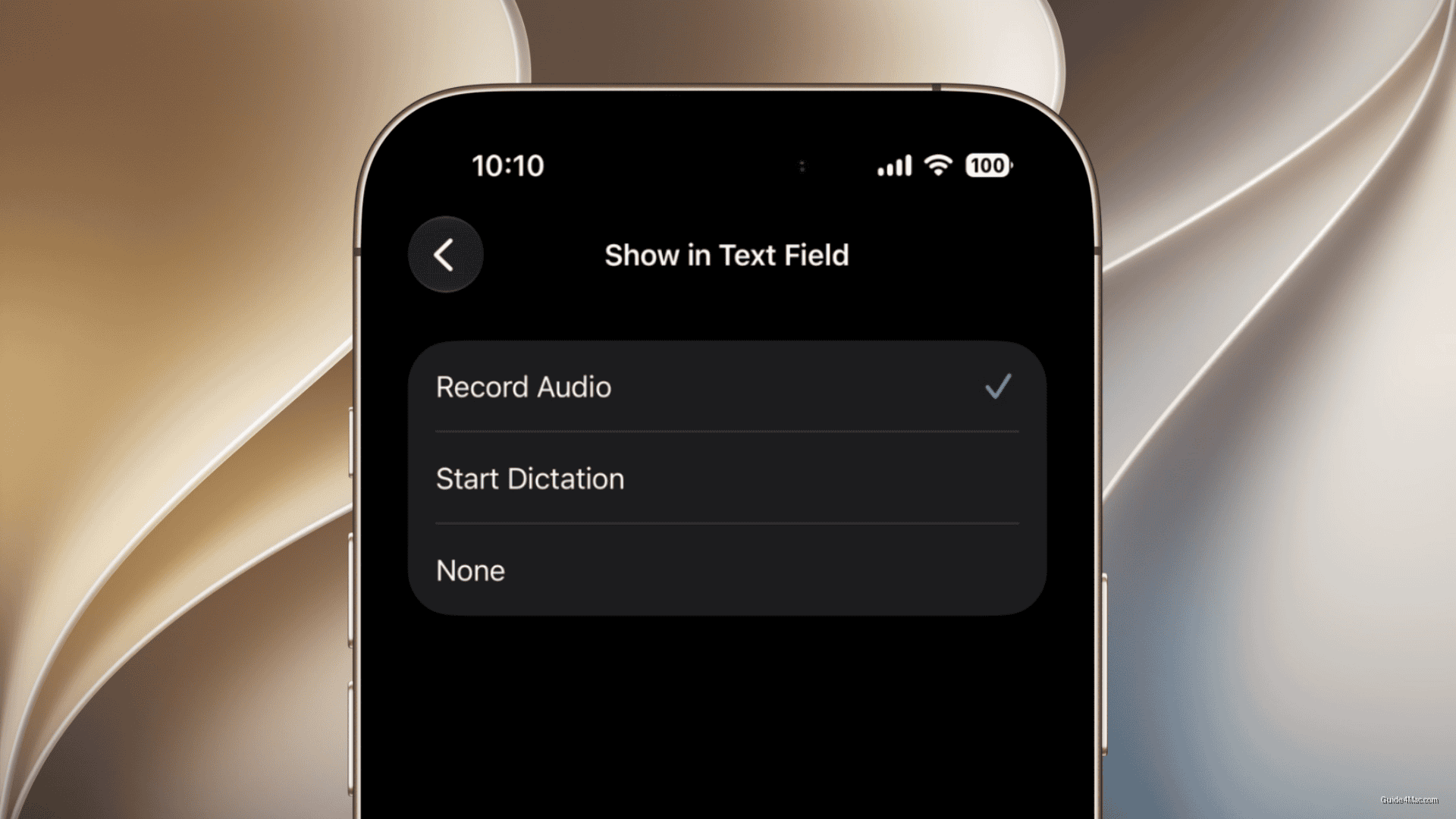
- Apple added a toggle in iOS 27 to remove the microphone icon from the text entry field.
- The microphone icon’s inconsistent placement near the Send button caused widespread accidental activations among users.
- Apple’s quick fix suggests public complaints can prompt faster UI changes than formal feedback channels.
Justin Bieber complained publicly about accidentally tapping the dictation microphone in Messages, and Apple quietly fixed it in iOS 27. That sequence is either a coincidence or a useful reminder that going viral about a UI grievance can move faster than a formal feedback submission.
The problem was real and widely shared. The microphone icon sits in the same region as the Send button, and because the interface shifts depending on what you have typed, the tap target behaves inconsistently. Bieber said accidental activations interrupted his music playback, which landed with a lot of users who recognized the same pattern from their own daily use of the Messages app.
The Fix Itself
iOS 27 adds a toggle under Settings > Apps > Messages > Show in Text Field. Turning it off removes the microphone icon from the text entry area entirely. Anyone who relies on dictation can leave it on; everyone else finally has an exit.
Apple has said nothing about Bieber or the viral moment. That silence is standard practice, but the specificity of the fix makes the connection hard to dismiss. The setting addresses the exact behavior he described, not a broader overhaul of the interface.
What makes this worth paying attention to is the precedent, not the button. Apple tends to treat interface layouts as deliberate and stable, which is why small iOS performance and system changes often take years to surface. A targeted toggle appearing within roughly one release cycle of a public complaint is a faster turnaround than the company usually moves on cosmetic UI feedback.
For anyone who has never once used voice dictation in Messages, the option to screen out unwanted interactions with a single toggle is the kind of low-stakes quality-of-life change that tends to get buried in release notes but used by millions.




0 Comments