IOS 27 Fixes Visual Intelligence’s Hidden Camera Problem
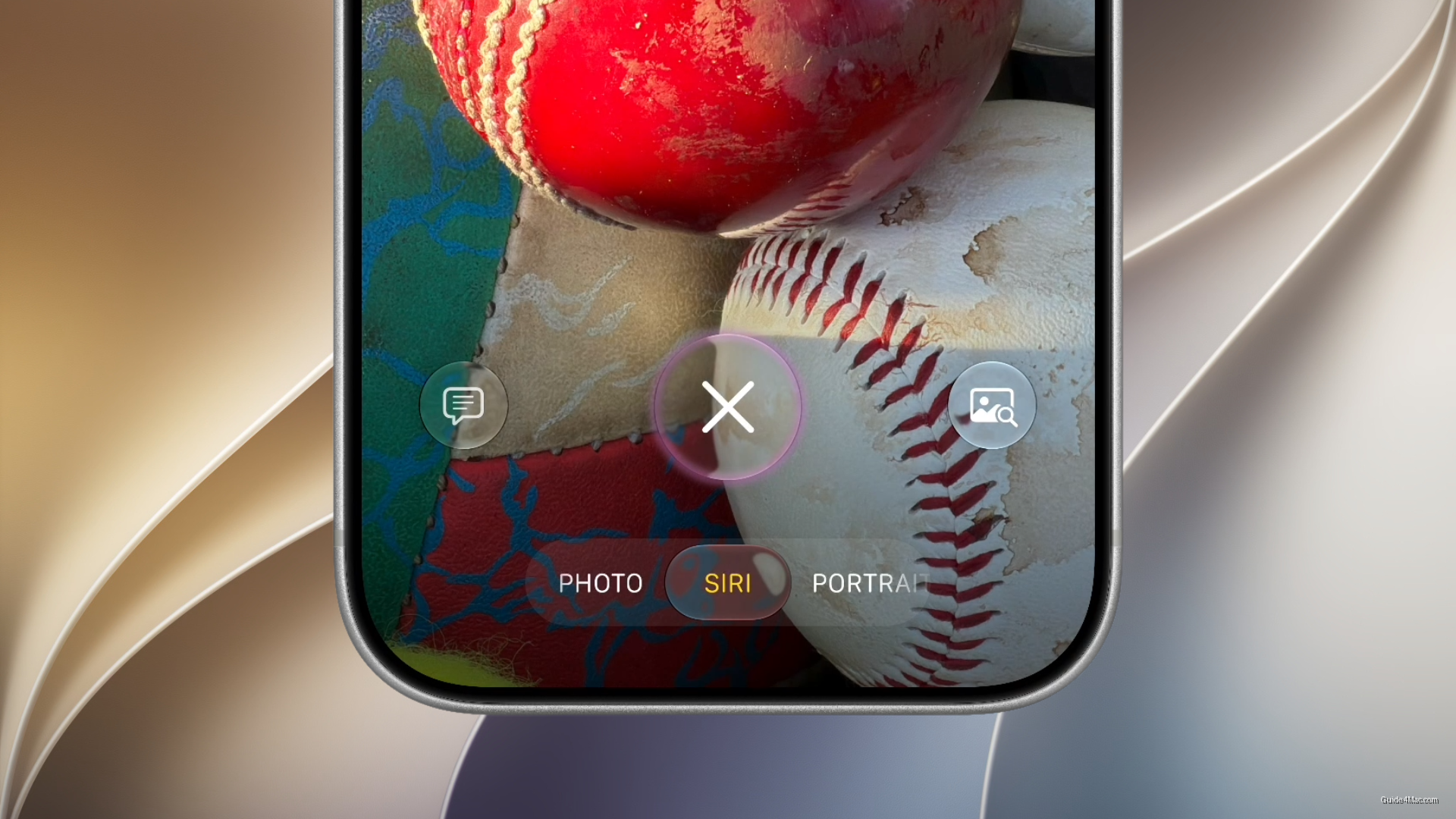
What You Need to Know
- Visual Intelligence accidental triggers in iOS 27 now prevented by integrating feature into Camera app.
- Users can swipe between Siri mode and standard photo mode without leaving camera interface.
- Apple repositioning Visual Intelligence as layer within existing tools rather than standalone destination feature.
- IOS 27 rebuilds Siri’s search capabilities to enable more practical camera-based contextual queries.
The frustration Apple is fixing in iOS 27 is not the one the company is leading with. Long-press Camera Control to launch Visual Intelligence, hold it a fraction too long while framing a shot, and the camera disappears behind an AI overlay. That accidental trigger has been a quiet annoyance since the feature launched with iPhone 16, and the fix turns out to be structural rather than a simple timing adjustment.
Apple’s answer is to fold Visual Intelligence into the Camera app itself as a dedicated Siri camera mode, rather than running it as a parallel experience that hijacks the screen. A swipe moves the user between Siri mode and standard photo mode without ever leaving the camera interface. The two functions now share a surface instead of competing for it.
The deeper story here is what this says about Visual Intelligence’s trajectory. Apple launched it in iOS 18 as something distinct and prominent, but iOS 27 is quietly repositioning it as a layer inside existing tools rather than a standalone destination. That’s less a demotion than an admission that AI assistance works better when it doesn’t interrupt the thing you were already doing.
Siri’s Expanding Role in the Camera
This fits a larger pattern in iOS 27. Apple has been rebuilding Siri’s underlying search capabilities in ways that make contextual, camera-based queries more practical, which gives the Camera app integration more utility than it would have had a year ago. The mode makes more sense now because Siri is more capable of doing something useful with what it sees.
iOS 26 already shifted Camera Control toward photography-first behavior, and this continues that direction. Combined with Portrait mode becoming a default in the same release, Apple is clearly treating the camera as the primary interface for a wider set of tasks, not just capturing images.




0 Comments