Screen Time Gets Category-Based Limits and Schedule Controls in iOS 18
What You Need to Know
- Screen Allowance sets time budgets by app category instead of individual apps, simplifying parental control configuration.
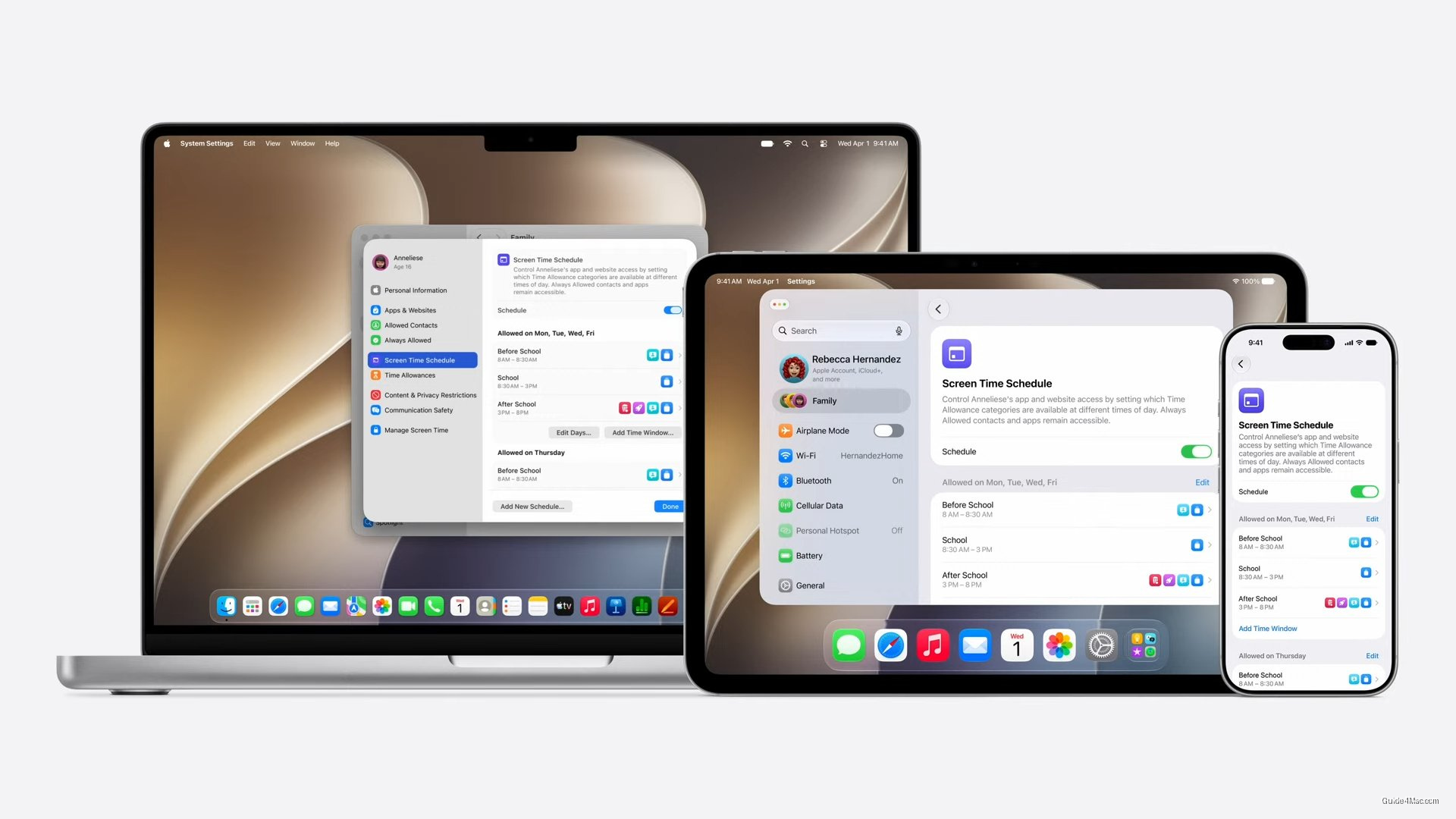
- Screen Time Schedule controls which app categories are accessible during specific time windows like school hours or bedtime.
- Category-level limits automatically cover all apps in a category, including newly added ones, eliminating repetitive manual configuration.
- Schedule-based controls prevent app access during restricted times regardless of remaining daily allowance, shifting from duration-based to time-based restrictions.
Screen Time has had a parental controls problem for years: the tools existed but required enough manual configuration that many parents gave up or worked around them. Apple’s WWDC 2026 updates address that friction directly, which matters more than the feature names suggest.
The two additions are Screen Allowance, which sets time budgets by app category rather than individual app, and Screen Time Schedule, which controls which categories are accessible during defined windows like school hours or bedtime. Both sync across iPhone, iPad, and Mac through Family Sharing, so a parent doesn’t need to reconfigure each device separately.
The category-level approach is the quiet improvement here. Previously, a parent who wanted to limit social media had to find and cap TikTok, Instagram, Snapchat, and whatever the next one is individually. One category limit covers all of them, including apps added later.
What Screen Time Schedule actually changes
Schedule-based controls shift the model from “how long” to “when and what,” which is a different kind of restriction. A child could burn through a two-hour daily game allowance at 7am under the old system; a schedule can simply make games unavailable before 3pm regardless of remaining time.
Apple’s framing around “recommended usage guidelines” is vague enough to be meaningless, and the source article doesn’t specify whose guidelines those are. That line reads more like liability hedging than a real feature.
The updates don’t close every gap in Screen Time. Enforcement has historically been inconsistent across iOS versions, and determined teenagers have found workarounds through VPNs, screen recording, or secondary accounts. Better category management helps parents who are already engaged; it doesn’t solve the underlying cat-and-mouse dynamic that has followed Screen Time since its 2018 introduction.




0 Comments