VisionOS 27 Curved Windows Fix Vision Pro’s Flat App Problem
What You Need to Know
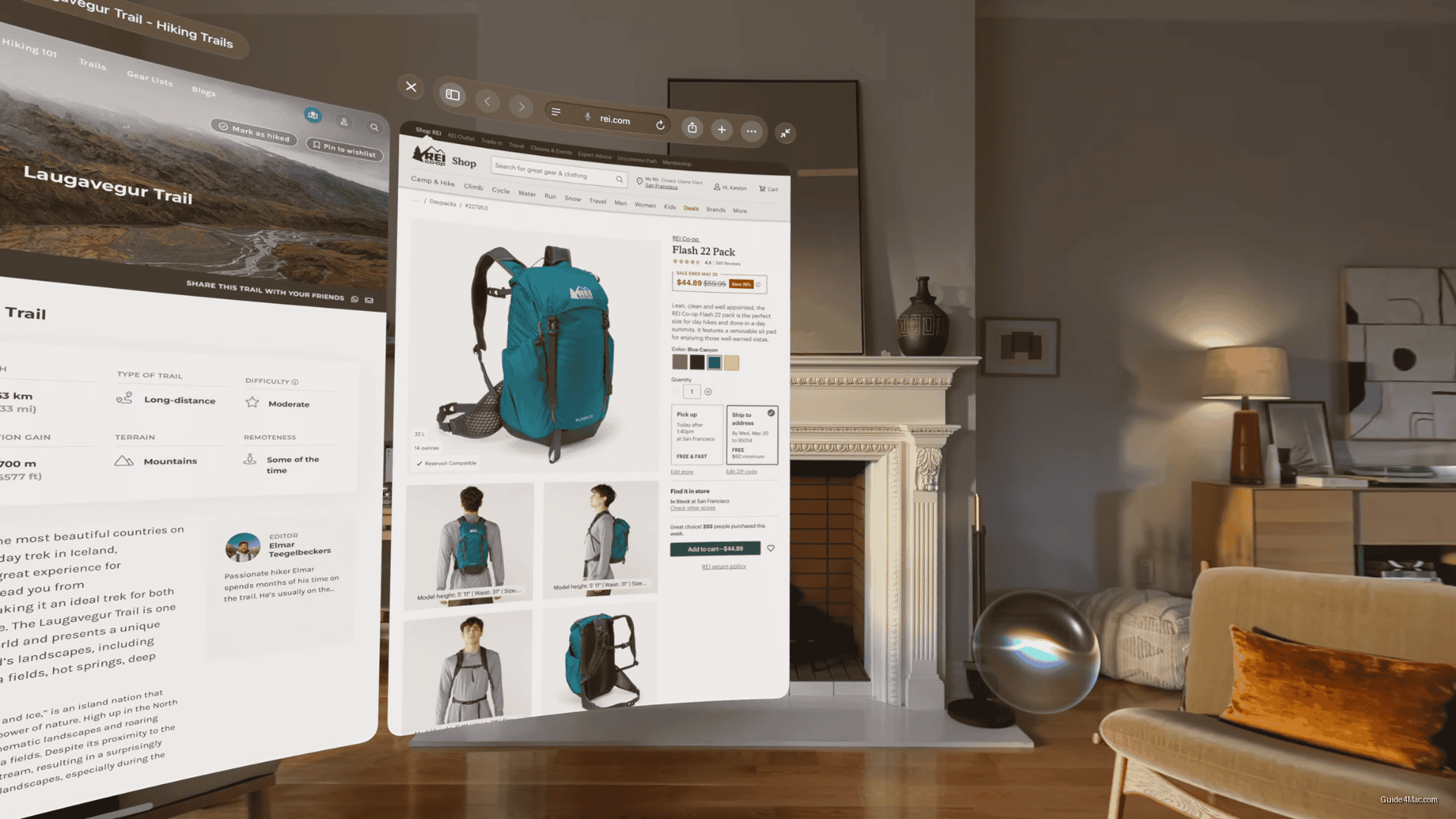
- Curved windows in visionOS 27 wrap apps around user’s field of view instead of flat panels.
- Safari, Freeform, and Apple TV Multiview launch with curved windows for apps users spend most time in.
- Siri gains visual intelligence to interpret what users look at and answer questions about it.
- Wi-Fi speeds increase up to three times faster, improving low-latency data critical to Vision Pro experience.
The most underreported angle in visionOS 27 is curved windows, which quietly addresses one of the headset’s most persistent spatial computing complaints: flat app panels that feel disconnected from the environment around them.
Curved windows let apps wrap around a user’s field of view rather than sitting like framed pictures in mid-air. Safari, Freeform, and Apple TV Multiview are the launch apps, which is a deliberate choice. These are the apps people spend the most time in, and making them feel physically present rather than projected is a different design philosophy than anything visionOS has shipped before.
The Siri AI expansion is the headline Apple led with, and it follows the same pattern as iOS and macOS: visual intelligence that can interpret what you’re looking at and respond to questions about it. On a headset where your entire field of view is the interface, that capability has more surface area to work with than on a phone camera.
Under the Hood
A few of the smaller changes carry more weight than their brief descriptions suggest:
- Wi-Fi connection speeds up to three times faster in certain scenarios
- Gaze-triggered notification expansion, removing the need for hand gestures
- Extra-small widget size for denser spatial layouts
The Wi-Fi claim is vague enough to be nearly meaningless until independent testing, but faster connectivity matters more on Vision Pro than on any other Apple device because the entire computing experience depends on low-latency data.
The redesigned Control Center, split into three sections for notifications, system controls, and environments, is the kind of change that sounds administrative but reflects how Apple thinks people actually use the headset. Environments are now a top-level control, not buried in settings, which suggests Apple has data showing users switch them more than previously assumed.
Developer Beta 1 typically represents the feature-complete picture, with stability work filling the remaining months before public release.




0 Comments