guide4mac
  • How To Guides
  • Best of
  • Comparisons

Carl Sanson

Carl Sanson is a writer and tech reviewer at Guide4Mac, specializing in the MacBook and Mac desktop lineup. Having grown up during Apple’s shift from Intel to its own custom chips, Carl has a natural interest in how hardware performance translates to everyday productivity. He spends most of his time testing the limits of macOS on everything from the entry-level MacBook Air to high-end Mac Pro setups. Whether he’s troubleshooting a system update or comparing the latest M-series processors, Carl’s goal is to provide straightforward, honest advice that helps users choose the right Mac for their needs. When he isn't benchmarking hardware, he’s usually experimenting with new productivity apps or refining his desk setup.
Liquid Glass on iPhone, Mac, Apple Watch, and Vision Pro explained.
iOS 26

Liquid Glass Explained: What It Is and How to Customize It on Apple Devices

Did you know? When Apple rolled out Liquid Glass, users reported that their iPhone interfaces suddenly felt alive, like the UI was breathing. That’s not just hype—this new system layer is more than a blur; it’s a living, reactive design that adapts to your wallpaper, widgets, and movements. If your Read more
By Carl Sanson, 8 monthsMarch 21, 2026 ago
elta emulator on iPhone App Store ready to download and install
How To Guides

How to Install Delta Emulator on iPhone Without a Computer

Over 2 million iPhone users have downloaded retro gaming emulators in the last year alone, showing a growing appetite for classic Nintendo games on mobile devices. Whether it’s reliving childhood favorites like Super Mario or exploring Game Boy classics, the Delta emulator lets you do it all—directly on your iPhone—without Read more

By Carl Sanson, 8 monthsMarch 21, 2026 ago
Safari browser privacy warning for iCloud Private Relay.
Fix

Fix Safari Can’t Connect to iCloud Private Relay

If you see the error “Safari can’t connect to iCloud Private Relay”, it usually means your connection is being blocked or interrupted. This feature is designed to protect your privacy, but it depends on network compatibility, Apple servers, and your device settings. In most cases, the issue is caused by Read more

By Carl Sanson, 8 monthsMarch 19, 2026 ago
A fake "Your Apple iPhone has been hacked" browser pop-up alert used by scammers to trigger phishing attacks.
iOS Troubleshooting

Fix iPhone Hacked Pop-Up Fast: Remove Fake Alerts

If you’re seeing an “iPhone hacked” pop-up, don’t panic. These alerts are almost always fake warnings designed to trick you into clicking malicious links or downloading suspicious apps. They usually appear in Safari or while browsing certain websites. In most cases, your iPhone is not actually hacked. The issue is Read more

By Carl Sanson, 8 monthsMarch 19, 2026 ago
iPhone 18 Pro concept with variable aperture camera lens.
Best of

Upcoming Apple Products in 2026 – Full List So Far

The list of upcoming Apple products in 2026 is already shaping up to be one of the most exciting in years. Early leaks and supply chain reports suggest Apple is preparing major upgrades across nearly every category, including iPhone, iPad, Mac, and entirely new form factors. From the long-awaited foldable Read more

By Carl Sanson, 8 monthsMarch 19, 2026 ago
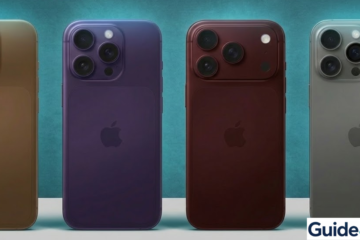
Four iPhone 18 Pro Max models in Coffee, Purple, Burgundy, and Grey shown side-by-side with a uniform one-tone back design and triple camera system.
iOS 26

iPhone 18 Pro Max Color Rumors: Coffee, Purple & One-Tone Back

The iPhone 18 Pro Max color rumors suggest Apple could introduce a very different palette for its 2026 flagship. Early leaks indicate the Pro lineup may shift toward deeper and warmer finishes such as coffee brown, purple, and burgundy, replacing the brighter colors seen in recent models. Reports from supply Read more

By Carl Sanson, 8 monthsMarch 17, 2026 ago
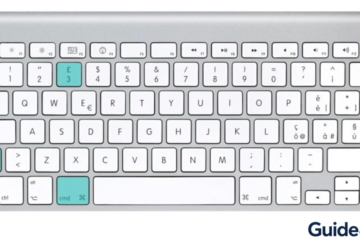
How to screenshot on the keyboard
Macbook

Best Mac Screenshot Guide: Full Screen, Window, and Selection Tricks

Taking a screenshot on a Mac is quick and easy thanks to built-in keyboard shortcuts in macOS. Whether you want to capture the entire screen, a specific window, or just part of the display, Apple provides several tools that work on any Mac including MacBook Air, MacBook Pro, iMac, and Read more

By Carl Sanson, 8 monthsMarch 17, 2026 ago
An iPad showing a black, unresponsive screen on a desk next to a MacBook and professional maintenance tools. The setup illustrates the steps to fix an iPad Black Screen of Death, including force restarting and using DFU recovery mode as taught by Guide4Mac
iPad

How to Fix iPad Black Screen of Death: 6 Ways

The iPad black screen of death happens when your device suddenly shows a completely black display and stops responding to touch or buttons. It can affect any model, including iPad Pro, iPad Air, and standard iPads running modern versions of iPadOS. In many cases the issue is caused by a Read more

By Carl Sanson, 8 monthsMarch 17, 2026 ago
n Apple Pencil attached to the magnetic charging port of an iPad Pro on a desk with blue-green Guide4Mac lighting, showing a troubleshooting setup.
How To Guides

Apple Pencil Not Charging? How to Fix Any Mode Safely

If your Apple Pencil is not charging, you may notice that it remains at 0 percent battery, disconnects frequently, or does not appear in the battery widget on your iPad. This issue can affect both Apple Pencil (1st generation) and Apple Pencil (2nd generation) when paired with compatible iPad models. Read more

By Carl Sanson, 8 monthsMarch 17, 2026 ago
An Apple Pencil Pro resting next to an iPad Pro on a desk with blue-green Guide4Mac branding, illustrating a troubleshooting guide for connectivity issues."
Fix

Apple Pencil Not Working But Connected? 8 Fast Fixes

If your Apple Pencil is connected but not working, you might notice that it appears paired with your iPad yet does not respond when you try to write or draw. This can happen with both Apple Pencil (1st generation) and Apple Pencil (2nd generation) across devices like the iPad, iPad Read more

By Carl Sanson, 8 monthsMarch 17, 2026 ago

Posts pagination

Previous 1 … 5 6 7 … 12 Next

Recent Posts

  • How to Remove Search Marquis Virus from Mac: Step-by-Step Guide 2026
  • How to Remove “Browser Is Infected” Pop-Up Virus from Mac (2026)
  • How to Create and Remove Symlinks on Mac (3 Methods)
  • How to Remove Shlayer Trojan Horse Virus from Your Mac (Full Guide)
  • How to Remove a Virus from MacBook Pro (Manual Removal Guide)
  • Privacy Policy
  • Cookie Policy
  • Terms of Service
  • Disclosure
  • Contact Us
Hestia | Developed by ThemeIsle