guide4mac
  • How To Guides
  • Best of
  • Comparisons

Carl Sanson

Carl Sanson is a writer and tech reviewer at Guide4Mac, specializing in the MacBook and Mac desktop lineup. Having grown up during Apple’s shift from Intel to its own custom chips, Carl has a natural interest in how hardware performance translates to everyday productivity. He spends most of his time testing the limits of macOS on everything from the entry-level MacBook Air to high-end Mac Pro setups. Whether he’s troubleshooting a system update or comparing the latest M-series processors, Carl’s goal is to provide straightforward, honest advice that helps users choose the right Mac for their needs. When he isn't benchmarking hardware, he’s usually experimenting with new productivity apps or refining his desk setup.
iPad screen showing the 'Set Up Later in Wallet' option during initial configuration.
iPad

How to Fix a Frozen iPad During Apple Pay Setup (iOS 26)

Setting up Apple Pay on your iPad should be quick and seamless—but sometimes the device freezes right in the middle of the process. This can happen while adding a card, verifying details, or confirming with your bank. In most cases, this isn’t a serious issue. It’s usually caused by temporary Read more
By Carl Sanson, 8 monthsMarch 24, 2026 ago
An Apple Watch with a Nike sport band displaying a "Featured Run" workout with 8K Tempo Run details.
Fix

Apple Intelligence Not Showing Up? Here’s How to Fix It on iPhone, iPad, and Mac

Apple Intelligence is one of the biggest upgrades in the Apple ecosystem—but many users open their iPhone, iPad, or Mac and simply… don’t see it. No features, no toggle, nothing. This usually isn’t a bug. In most cases, it’s due to region restrictions, device compatibility, Apple ID settings, or software Read more

By Carl Sanson, 8 monthsMarch 24, 2026 ago
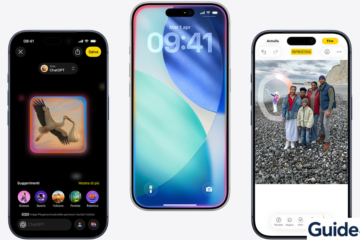
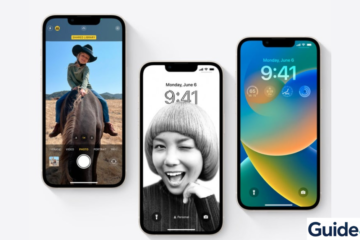
Three iPhones displaying different iOS Lock Screen interfaces including photo, portrait, and widget-based layouts.
iOS Troubleshooting

How to Fix Can’t Swipe Up on iPhone (iOS 26)

Swiping up on your iPhone is essential—whether you’re going back to the Home Screen, opening the App Switcher, or unlocking your device. So when that gesture suddenly stops working, it feels like your iPhone is broken. In reality, this issue is usually caused by temporary software glitches, touch sensitivity problems, Read more

By Carl Sanson, 8 monthsMarch 24, 2026 ago
Fix Touch Bar Not Working in macOS easy guide for Apple users
Macbook

How to Fix Touch Bar Not Working in macOS Tahoe 26

The Touch Bar on MacBook Pro gives quick access to shortcuts, media controls, and function keys, making daily tasks faster. After updating to macOS Tahoe 26, some users notice the Touch Bar becomes unresponsive, flickers, or disappears. Most of the time, this is software-related—temporary glitches, stuck system processes, or conflicting Read more

By Carl Sanson, 8 monthsMarch 23, 2026 ago
iOS 26 Apple Account configuration menu with 'Set Up Later in Settings' and 'Forgot Password' options.
iPhone

How to Create a New Apple ID on iPhone (Easy Guide)

Setting up a new Apple ID on your iPhone is essential for accessing iCloud, the App Store, iMessage, FaceTime, and Apple Music. Whether you’re new to Apple devices or want a separate account for personal or work use, this guide will walk you through every step, making the process quick Read more

By Carl Sanson, 8 monthsMarch 23, 2026 ago
Modern living room with wall-mounted flat-screen TV showing streaming apps and a person holding an Apple TV-style remote control, cozy sofa, coffee table, and natural light.
Apple TV

How to Reset Apple TV Remote (Fix Connection & Control Issues)

If your Apple TV remote suddenly stops responding, lags, or disconnects, you’re not alone. It’s a common issue—especially after updates or long periods of use. The good news? Resetting your Apple TV remote usually takes less than a minute and fixes most problems instantly. How to Reset Apple TV Remote Read more

By Carl Sanson, 8 monthsMarch 22, 2026 ago
iPad Pro showing the 'Configuring Apple Pay' loading spinner during setup.
iPad

iPad Stuck on Apple Pay Setup? Here’s How to Fix It Fast

Setting up a new iPad should be quick and smooth—but sometimes it gets stuck on the Apple Pay screen during setup. If your iPad won’t move past this step, don’t worry. This is a fairly common issue, and there are a few simple ways to fix it. The problem usually Read more

By Carl Sanson, 8 monthsMarch 22, 2026 ago
Apple Watch displaying a complex, colored activity timeline graph replicating a Body Battery score.
Apple Watch

Does Apple Watch Have a Body Battery Feature?

If you’re switching from Garmin or simply trying to better understand your daily energy levels, “Body Battery” is one of those features you quickly start to rely on. It helps you decide when to train, when to rest, and how your habits affect your energy. Apple Watch doesn’t include a Read more

By Carl Sanson, 8 monthsMarch 22, 2026 ago
A side-by-side visual comparison of the last five generations of iPhone, from iPhone 12 to iPhone 16, displayed against a dark green background.
iPhone

How Old Is My iPhone? 3 Simple Ways to Check in Seconds

Here’s a quick reality check: most iPhone users upgrade every 2–3 years… but a huge number don’t actually know how old their current device is. And yeah—this matters more than you think. Battery health, software updates, resale value… it all depends on your iPhone’s age. If you’ve ever thought “Did Read more

By Carl Sanson, 8 monthsMarch 21, 2026 ago
Dual iPhone screen mockup on a blue-green background showing the Purchase History list and the Family Purchase Sharing settings menu in iOS.
iPhone

Why Did Apple Charge Me? How to Check and Fix Unexpected Apple Bills

Ever got an Apple charge on your card and went, “Wait… what the heck is this?” You’re not alone. Thousands of Apple users face mysterious billing issues every month, from subscriptions they forgot to Family Sharing purchases they didn’t realize would hit their card. Don’t freak out—this guide will show Read more

By Carl Sanson, 8 monthsMarch 21, 2026 ago

Posts pagination

Previous 1 … 4 5 6 … 12 Next

Recent Posts

  • How to Remove Search Marquis Virus from Mac: Step-by-Step Guide 2026
  • How to Remove “Browser Is Infected” Pop-Up Virus from Mac (2026)
  • How to Create and Remove Symlinks on Mac (3 Methods)
  • How to Remove Shlayer Trojan Horse Virus from Your Mac (Full Guide)
  • How to Remove a Virus from MacBook Pro (Manual Removal Guide)
  • Privacy Policy
  • Cookie Policy
  • Terms of Service
  • Disclosure
  • Contact Us
Hestia | Developed by ThemeIsle