IOS 27 Lock Screen Adds Opacity Slider to Fix Liquid Glass Readability
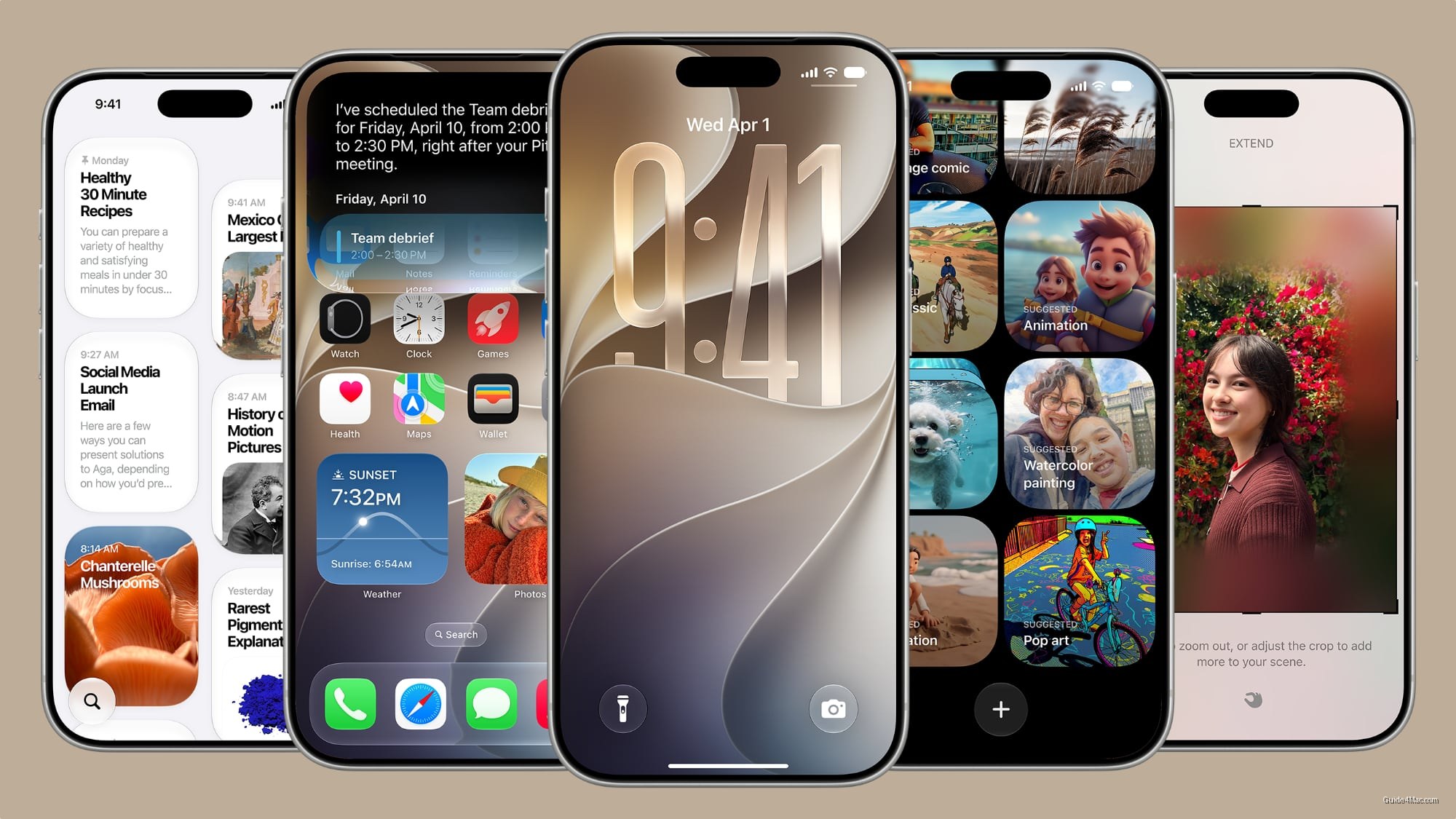
What You Need to Know
- Apple added opacity slider for Liquid Glass, addressing iOS 26 readability complaints after launch.
- IOS 27 offers compact clock option, reversing iOS 26’s oversized clock that dominated screen.
- AI wallpaper generator lets users describe scenes and apply them directly to Lock Screen.
- Redesigned Siri moves from full-screen effect to compact band around Dynamic Island.
The most underreported story in Apple’s iOS 27 Lock Screen update is not the AI wallpaper generator or the compact clock. It’s that the Liquid Glass opacity slider quietly confirms what critics suspected: Apple shipped the aesthetic before it was fully usable, and now has to retrofit a legibility dial after the fact.
Apple’s iOS 27 Lock Screen changes break into two categories. Some, like the wallpaper extension tool that uses Apple Intelligence to fill gaps around a tightly cropped photo, are genuinely new. Others, like the Liquid Glass slider tucked under Settings, are corrections to decisions made in iOS 26 that drew complaints about text readability.
The compact clock option is the sharpest reversal. iOS 26 introduced a stretched, oversized clock that dominated the screen. iOS 27 now offers the opposite: a small time display pushed to the corner alongside widgets, letting the wallpaper breathe. Apple framing both as “options” is polite.
The Siri Side of This
The redesigned Siri interface moves away from the full-screen glow effect and into the Dynamic Island, with responses appearing in a compact band around it. This connects to the broader Siri overhaul Apple is pushing as its answer to ChatGPT and Gemini, though the gap between the demo and shipping product has been a recurring theme. The Apple Intelligence rollout in iOS 27 already carries device asterisks, meaning not every iPhone will run every feature equally.
The AI wallpaper generator through Image Playground is the most consumer-facing addition, letting users describe a scene and apply it directly to the Lock Screen through the standard gallery flow. Whether the output quality clears the bar for something people actually keep is a different question. Apple has tied hardware capability to these AI features before, and image generation is not a light task.
Public beta arrives next month. The full picture of what runs where, and how well, will take longer to settle.




0 Comments