guide4mac
  • How To Guides
  • Best of
  • Comparisons

Mac & iPhone Guides, Fixes and Security Tips

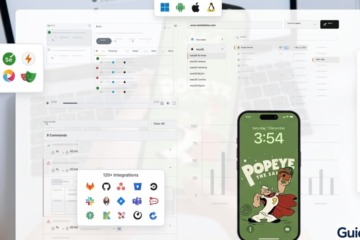
This custom-generated image combines a professional development dashboard environment (macOS/Web/Mobile integrations) with a localized iPhone preview featuring a custom "Popeye" theme. It visually represents the "best of both worlds" for developers using Windows-based workarounds (like VMs or Cloud Macs) to build and test iOS applications.
iOS 26

How to Install Xcode on Windows: Step-by-Step Guide

Xcode is Apple’s official IDE for developing iOS, iPadOS, macOS, watchOS, and tvOS apps. However, Xcode is only officially available on macOS. Many Windows users still want to develop iOS apps, so there are workarounds that make this possible. While Read more

By Carl Sanson, 8 monthsMarch 25, 2026 ago
Files/Folders on SMB Server Read Only in iOS 18/18.5
How To Guides

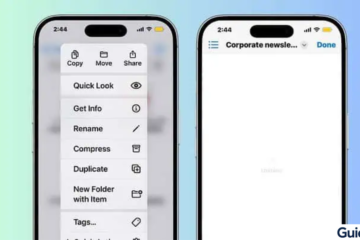
How to Access Files and Folders on an SMB Server on iPhone and iPad (iOS 18)

Accessing files from a shared server directly on your iPhone or iPad is easier than ever thanks to the Files app. Whether you’re connecting to a home NAS, office server, or shared drive, SMB (Server Message Block) lets you browse Read more

By Carl Sanson, 8 monthsMarch 24, 2026 ago
iPad screen showing the 'Set Up Later in Wallet' option during initial configuration.
iPad

How to Fix a Frozen iPad During Apple Pay Setup (iOS 26)

Setting up Apple Pay on your iPad should be quick and seamless—but sometimes the device freezes right in the middle of the process. This can happen while adding a card, verifying details, or confirming with your bank. In most cases, Read more

By Carl Sanson, 8 monthsMarch 24, 2026 ago
An Apple Watch with a Nike sport band displaying a "Featured Run" workout with 8K Tempo Run details.
Fix

Apple Intelligence Not Showing Up? Here’s How to Fix It on iPhone, iPad, and Mac

Apple Intelligence is one of the biggest upgrades in the Apple ecosystem—but many users open their iPhone, iPad, or Mac and simply… don’t see it. No features, no toggle, nothing. This usually isn’t a bug. In most cases, it’s due Read more

By Carl Sanson, 8 monthsMarch 24, 2026 ago
Three iPhones displaying different iOS Lock Screen interfaces including photo, portrait, and widget-based layouts.
iOS Troubleshooting

How to Fix Can’t Swipe Up on iPhone (iOS 26)

Swiping up on your iPhone is essential—whether you’re going back to the Home Screen, opening the App Switcher, or unlocking your device. So when that gesture suddenly stops working, it feels like your iPhone is broken. In reality, this issue Read more

By Carl Sanson, 8 monthsMarch 24, 2026 ago
Fix Touch Bar Not Working in macOS easy guide for Apple users
Macbook

How to Fix Touch Bar Not Working in macOS Tahoe 26

The Touch Bar on MacBook Pro gives quick access to shortcuts, media controls, and function keys, making daily tasks faster. After updating to macOS Tahoe 26, some users notice the Touch Bar becomes unresponsive, flickers, or disappears. Most of the Read more

By Carl Sanson, 8 monthsMarch 23, 2026 ago
iOS 26 Apple Account configuration menu with 'Set Up Later in Settings' and 'Forgot Password' options.
iPhone

How to Create a New Apple ID on iPhone (Easy Guide)

Setting up a new Apple ID on your iPhone is essential for accessing iCloud, the App Store, iMessage, FaceTime, and Apple Music. Whether you’re new to Apple devices or want a separate account for personal or work use, this guide Read more

By Carl Sanson, 8 monthsMarch 23, 2026 ago
Modern living room with wall-mounted flat-screen TV showing streaming apps and a person holding an Apple TV-style remote control, cozy sofa, coffee table, and natural light.
Apple TV

How to Reset Apple TV Remote (Fix Connection & Control Issues)

If your Apple TV remote suddenly stops responding, lags, or disconnects, you’re not alone. It’s a common issue—especially after updates or long periods of use. The good news? Resetting your Apple TV remote usually takes less than a minute and Read more

By Carl Sanson, 8 monthsMarch 22, 2026 ago
iPad Pro showing the 'Configuring Apple Pay' loading spinner during setup.
iPad

iPad Stuck on Apple Pay Setup? Here’s How to Fix It Fast

Setting up a new iPad should be quick and smooth—but sometimes it gets stuck on the Apple Pay screen during setup. If your iPad won’t move past this step, don’t worry. This is a fairly common issue, and there are Read more

By Carl Sanson, 8 monthsMarch 22, 2026 ago
Apple Watch displaying a complex, colored activity timeline graph replicating a Body Battery score.
Apple Watch

Does Apple Watch Have a Body Battery Feature?

If you’re switching from Garmin or simply trying to better understand your daily energy levels, “Body Battery” is one of those features you quickly start to rely on. It helps you decide when to train, when to rest, and how Read more

By Carl Sanson, 8 monthsMarch 22, 2026 ago

Posts pagination

Previous 1 … 6 7 8 … 18 Next

Recent Posts

  • How to Remove Search Marquis Virus from Mac: Step-by-Step Guide 2026
  • How to Remove “Browser Is Infected” Pop-Up Virus from Mac (2026)
  • How to Create and Remove Symlinks on Mac (3 Methods)
  • How to Remove Shlayer Trojan Horse Virus from Your Mac (Full Guide)
  • How to Remove a Virus from MacBook Pro (Manual Removal Guide)
  • Privacy Policy
  • Cookie Policy
  • Terms of Service
  • Disclosure
  • Contact Us
Hestia | Developed by ThemeIsle