guide4mac
  • How To Guides
  • Best of
  • Comparisons

Mac & iPhone Guides, Fixes and Security Tips

apple watch activity rings steps screen close up
Apple Watch

How to Track Steps on Apple Watch (5 Easy & Accurate Methods)

Most Apple Watch users don’t realize this: your watch tracks steps all day long—even if you never open a fitness app. The data is already there, you just need to know where to look and how to use it properly. Read more
By Carl Sanson, 8 monthsApril 1, 2026 ago
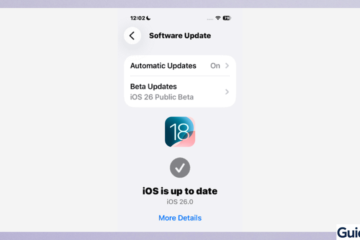
Beta Updates toggle in the iPhone Software Update settings menu.
iPhone

How to Downgrade from iOS 26 to iOS 18 (Proven Methods That Actually Work)

If your iPhone suddenly feels slower, apps crash, or battery life dropped after updating to iOS 26, here’s the truth: thousands of users downgrade within days—and it works when done correctly. This guide doesn’t just explain theory. It shows proven, Read more

By Carl Sanson, 8 monthsApril 1, 2026 ago
Creating a new alarm in the native iPhone Clock app
iPhone

iPhone Alarm Not Going Off? Here’s How to Fix It (Without Oversleeping Again)

Ever trusted your iPhone alarm like it was your most reliable friend… only to wake up late, confused, and slightly betrayed? You’re not alone. Ironically, one of the smartest devices we own can still fail at the simplest job: waking Read more

By Carl Sanson, 8 monthsMarch 29, 2026 ago
White iPad connected to a blue braided charging cable on a wooden desk, showing a low battery icon to troubleshoot a force restart.
iPad

How to Force Restart iPad (All Models – Quick & Easy Guide)

Did you know that most iPad freezing issues can be fixed in under 30 seconds—without losing any data? Many users assume their device is broken when it becomes unresponsive; however, in reality, a quick force restart usually solves the problem Read more

By Carl Sanson, 8 monthsMarch 29, 2026 ago
iPhone showing iOS 26.4 age verification screen for Apple ID
Fix

How to Fix iOS 26.4 Age Verification Not Working on iPhone

If you’ve tried to access age-restricted apps or services on iOS 26.4, you may have noticed that age verification keeps failing. In fact, Apple community discussions show that even valid credit cards or official IDs sometimes get rejected, leaving users Read more

By Carl Sanson, 8 monthsMarch 28, 2026 ago
Mockup of two iPhones on a light blue background displaying the Messages app search interface with the text 'Search for Message Not Working'.
iPhone

How to Fix Messages Search Not Working in iOS 26 on iPhone

After installing iOS 26, many iPhone users started noticing something frustrating: Messages search suddenly stops working, even though conversations are still there. In fact, across Apple Community discussions, users with years of chat history report that even exact keywords—like a Read more

By Carl Sanson, 8 monthsMarch 28, 2026 ago
Official Apple Get Support website on an iPhone screen
Fix

How to Chat Directly with Apple Support (iPhone, iPad & Mac)

Apple handles millions of support requests every week, yet many users still struggle to find the fastest way to contact a real person. In fact, one of the most common complaints in Apple Community threads is that the chat option Read more

By Carl Sanson, 8 monthsMarch 27, 2026 ago
iPhone Accessibility menu highlighting the Increase Contrast option while running Liquid Glass
iPhone

How to Turn Off Liquid Glass on iPhone (iOS 26)

Apple introduced Liquid Glass in iOS 26 as part of its new visual design system. It adds glossy, translucent effects to menus, buttons, and interface elements across your iPhone. While it looks modern, many users find it distracting, harder to Read more

By Carl Sanson, 8 monthsMarch 27, 2026 ago
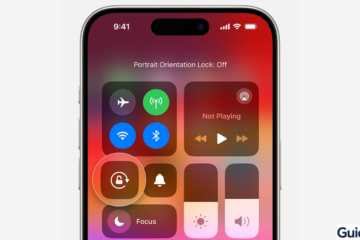
iPhone Control Center showing the Portrait Orientation Lock icon disabled.
iOS Troubleshooting

How to Fix Screen Rotation Not Working on iPhone

Screen rotation on iPhone is a convenient feature that automatically switches your display between portrait and landscape modes. After iOS updates or due to minor settings issues, the rotation feature may stop working, leaving your display stuck in one orientation. Read more

By Carl Sanson, 8 monthsMarch 25, 2026 ago
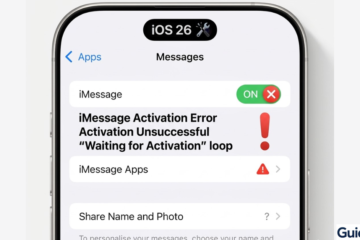
Comparison graphic of a functional iMessage state versus a 'Waiting for Activation' loop.
iOS Troubleshooting

How to Fix iMessage Not Working After iOS 26 Update

After updating to iOS 26, some users notice iMessage stops working—messages fail to send, notifications are delayed, or activation errors appear. These issues are usually caused by network problems, Apple ID glitches, or temporary iOS bugs. Most problems can be Read more

By Carl Sanson, 8 monthsMarch 25, 2026 ago

Posts pagination

Previous 1 … 5 6 7 … 18 Next

Recent Posts

  • How to Remove Search Marquis Virus from Mac: Step-by-Step Guide 2026
  • How to Remove “Browser Is Infected” Pop-Up Virus from Mac (2026)
  • How to Create and Remove Symlinks on Mac (3 Methods)
  • How to Remove Shlayer Trojan Horse Virus from Your Mac (Full Guide)
  • How to Remove a Virus from MacBook Pro (Manual Removal Guide)
  • Privacy Policy
  • Cookie Policy
  • Terms of Service
  • Disclosure
  • Contact Us
Hestia | Developed by ThemeIsle